Set User Preference
For different nations, regions, cultures and enterprise backgrounds, the user preference might be different. You can set the user preference according to the actual scene, including the first day of a week and the temperature unit.
In the top left corner
of Home page, select  > Basic Management > System > User Preference.
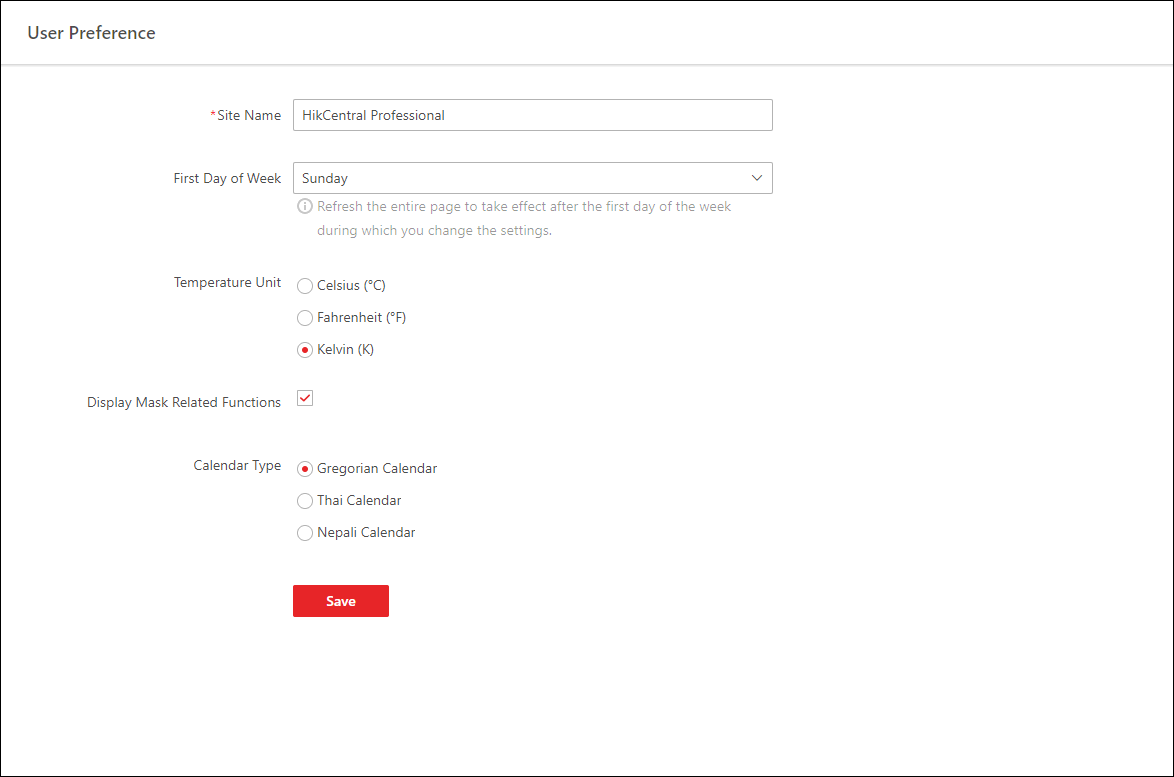 Figure 1 User Preference
Set the following parameters:
- Site Name
-
Set the name of current site.
- First Day of Week
-
Set the first day of a week as Sunday, Monday, Tuesday, etc., according to the custom of the actual scene.
Note:This parameter is used in the intelligent analysis report generation, live view and playback, attendance settings, etc.
- Temperature Unit
-
Set the temperature unit according to the custom of the actual scene.
Note:This parameter is used in the temperature analysis report generation, etc.
- Display Mask Related Functions
-
Set whether to display mask related functions. Check the box to display the functions about masks on Control Client, Web Client and Mobile Client. Otherwise these functions will be hidden.
Note:This parameter is mainly used in temperature screening module.
- Calendar Type
-
Set the calendar type as Gregorian Calendar, Thai Calendar and Nepali Calendar according to the custom of the actual scene.