View Submitted Applications
The employee can view the submitted application(s) for attendance.
Note:
Log in to the platform via self-service. For details, refer to Login via Web Client (Employee).
-
Select on the left.
-
Select the Pending or Closed tab.
-
You can perform the following operations in the Operation column for application review.
-
Click
 to approve the
employee's attendance application.
to approve the
employee's attendance application. -
Click
 to reject the employee's
attendance application.
to reject the employee's
attendance application. -
Click
 to undo the employee's attendance
application.
to undo the employee's attendance
application.
-
-
You can also select multiple employees to review or undo the employee's attendance applications.
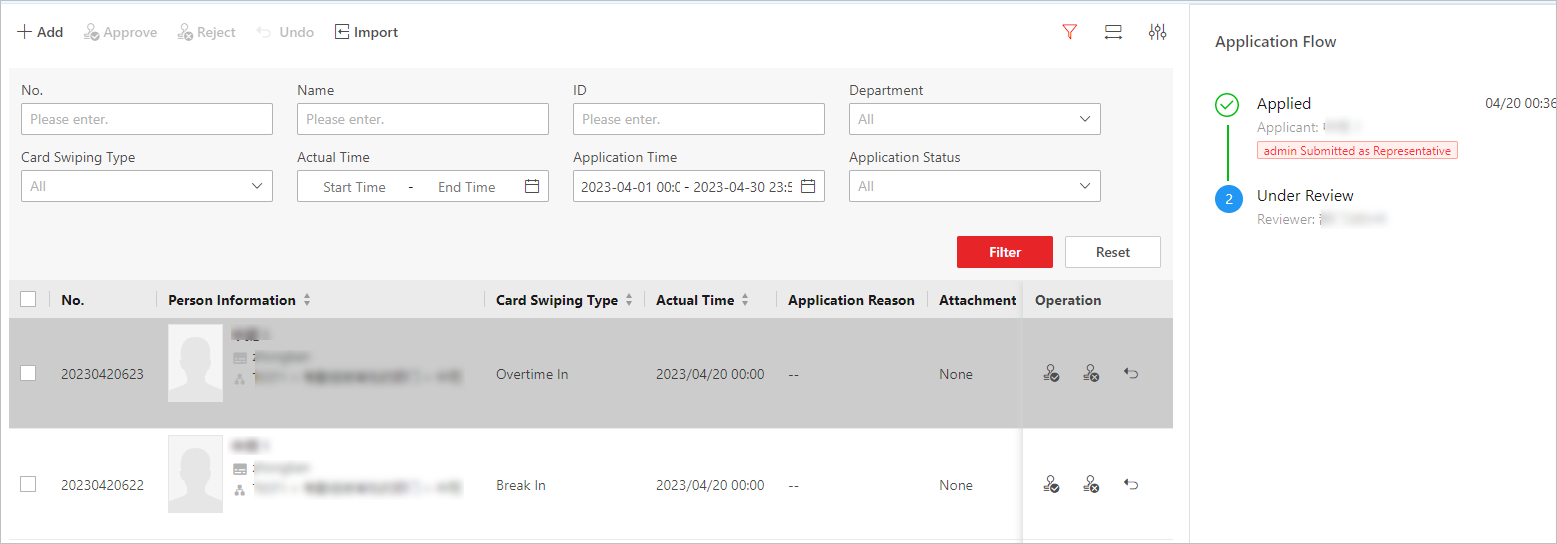 Figure 1 Review or Undo Employees' Applications