Review Employees' Applications
After employees submit the attendance applications for leave, overtime, attendance correction, and check-in/out via Mobile Client the administrator should review (including approving or rejecting) or undo the employee's applications.
On the top left, select  > Integrated Service > Attendance. Select .
Click  to filter target employees by setting
conditions (such as name, ID, department). Select the target employee, the employee's
application flow will be displayed on the right.
to filter target employees by setting
conditions (such as name, ID, department). Select the target employee, the employee's
application flow will be displayed on the right.
You can perform the following operations in the Operation column for application review.
-
Click
 to approve the employee's
attendance application.
to approve the employee's
attendance application. -
Click
 to reject the employee's
attendance application.
to reject the employee's
attendance application. -
Click
 to undo the employee's attendance application.
You can also select multiple employees to review or undo the employee's attendance applications in a batch.
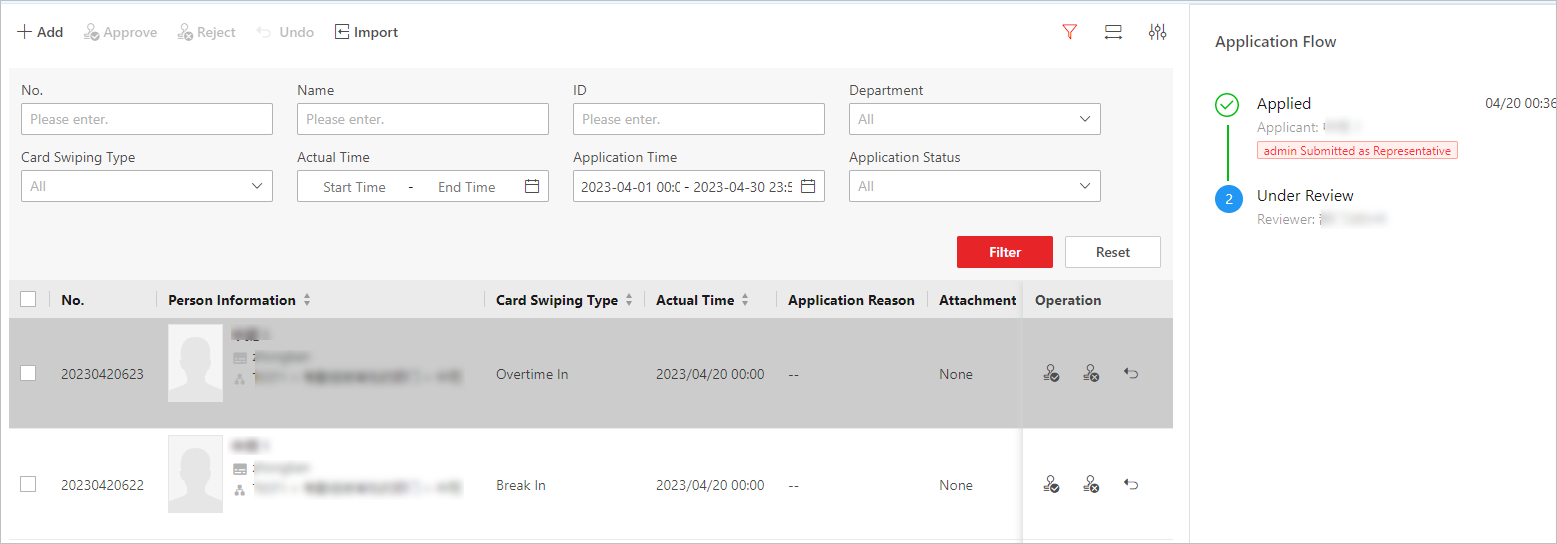 Figure 1 Review or Undo Employees'
Applications
Figure 1 Review or Undo Employees'
Applications