Time and Attendance Overview
The Attendance module provides time and attendance overview, including the attendance report, attendance status statistics, overall work hours / overtime, and personal credential status. In Time & Attendance Overview page, you can also set up a time & attendance system from the start.
On the top left, select  > Integrated Service > Attendance. Select Time & Attendance Overview on the
left.
> Integrated Service > Attendance. Select Time & Attendance Overview on the
left.
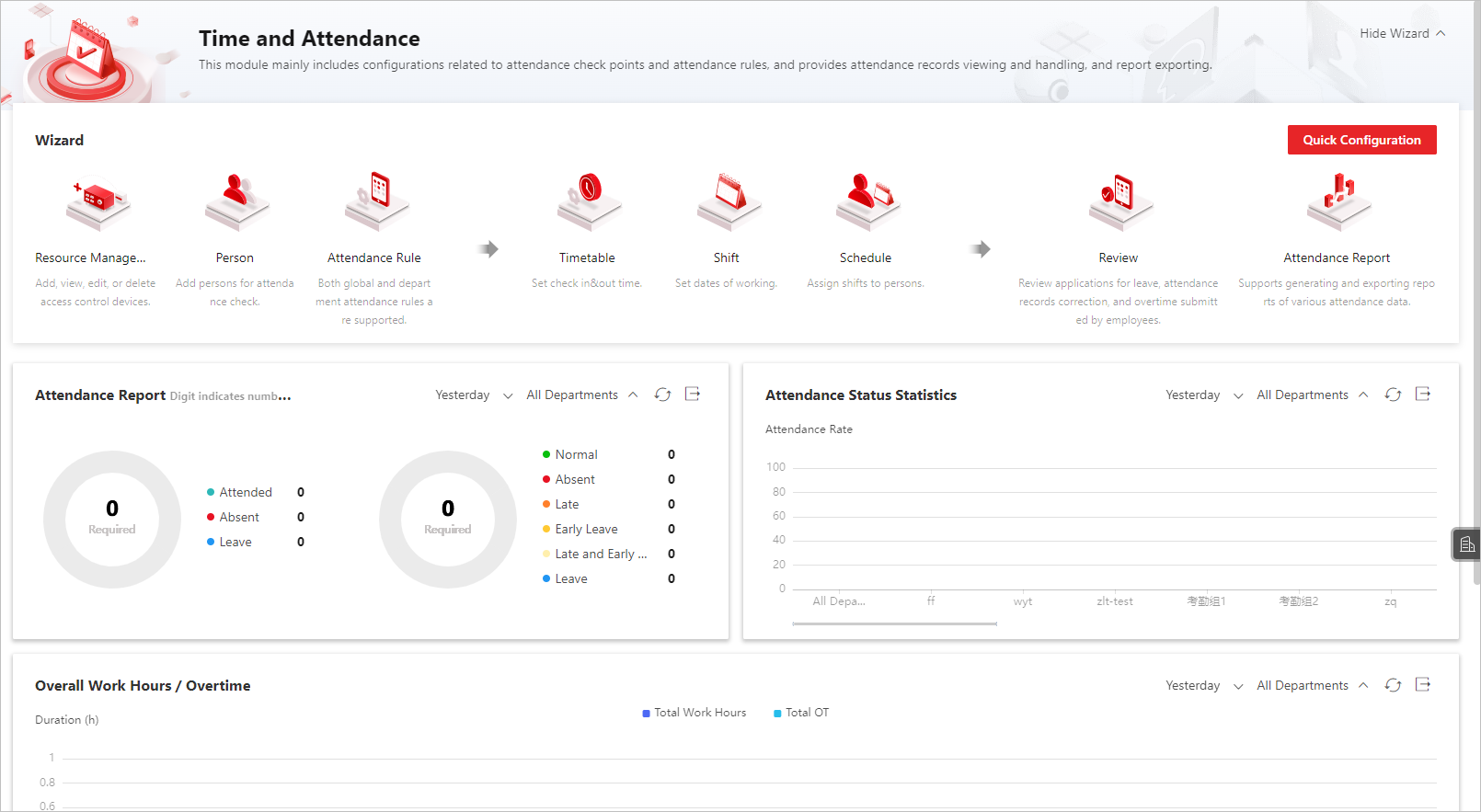 Figure 1 Attendance Overview
In the upper-right corner, click Display
Wizard to view the flow chart of time and attendance
configuration. To get detailed instructions on each step, refer to Flow Chart of Time and Attendance.
to view the flow chart of time and attendance
configuration. To get detailed instructions on each step, refer to Flow Chart of Time and Attendance.
To set up a time & attendance system from the start, click Quick Configuration and follow the instructions on screen.
-
Person: Add persons for attendance. For more details, refer to Add Departments and Add Person.
-
Timetable Configuration: Set a working time period. For more details, refer to Add Timetable.
-
Shift: Set the working time of a day and set the repeat schedule by day, week, or month. For more details, refer to Add Shift.
-
Schedule: Assign a shift to persons and set schedules. For more details, refer to Manage Schedule.
 Figure 2 Attendance Wizard
You can view the attendance report, attendance status statistics, overall work hours / overtime, and personal credential status.
-
You can select the departments to view the attendance statistics. Also, you can select the time range from Today, Yesterday, Current Week, Last Week, Current Month, Last Month, Last 4 Months, Last 6 Months.
-
You can click
 to export the current chart to local PC in the file
format of PDF, PNG, or JPG.
to export the current chart to local PC in the file
format of PDF, PNG, or JPG. -
You can click
to refresh the statistics data.