Deactivate License - Offline
If you want to run the SYS on another computer or server, you should deactivate the SYS first and then activate the SYS again. If the SYS to be deactivated cannot connect to the Internet, you can deactivate the License in offline mode.
-
On the top, move the cursor to
 Maintenance and Management to show the
drop-down menu.
Maintenance and Management to show the
drop-down menu.
-
Click Offline Deactivation to deactivate the License in
offline mode.
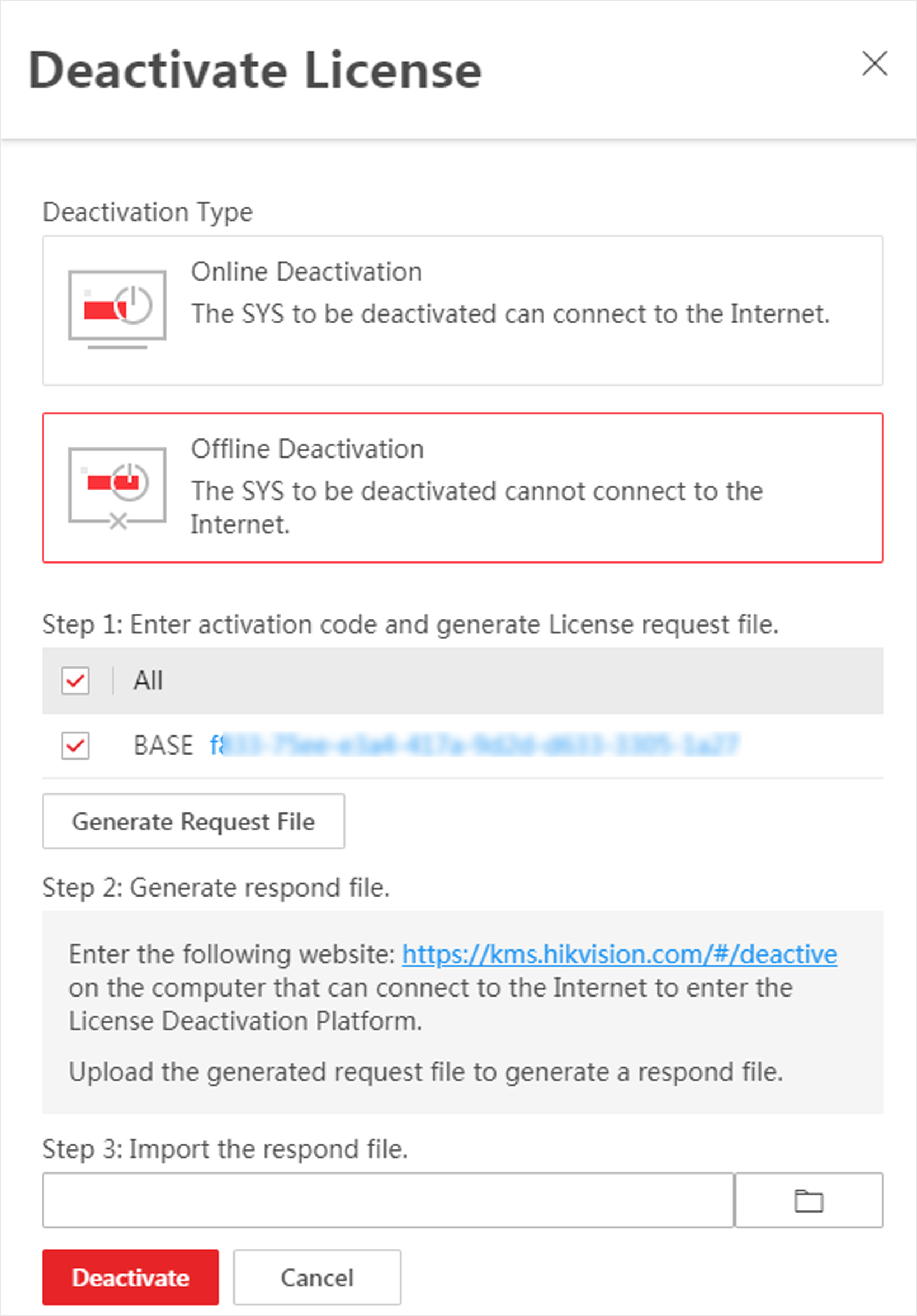 Figure 1 Deactivate License in
Offline Mode
Figure 1 Deactivate License in
Offline Mode -
Click
 and then select the downloaded
request file.
and then select the downloaded
request file.
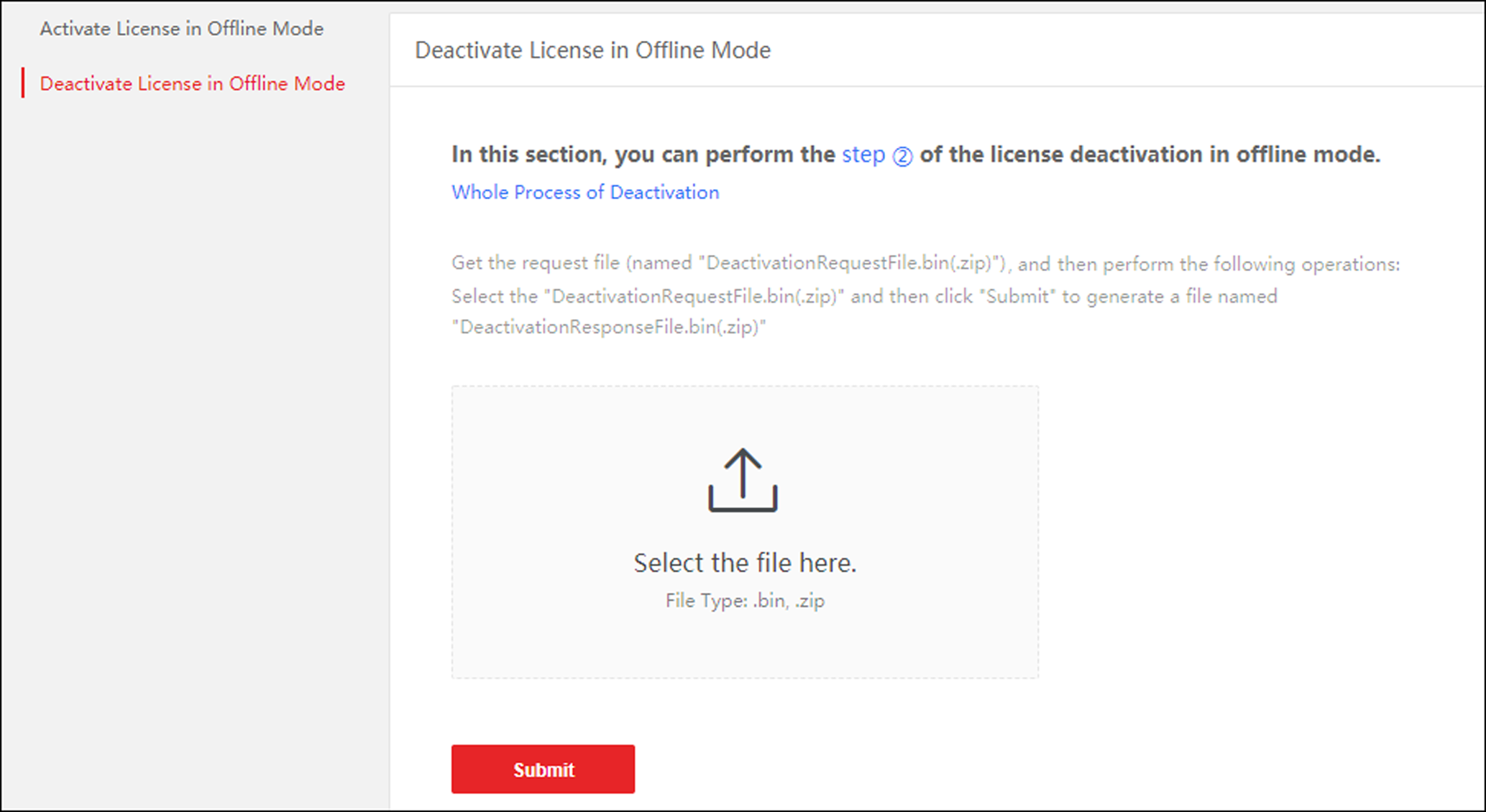 Figure 2 Select Request
File
Figure 2 Select Request
File -
In the Offline Deactivation
pane,
click
 and select the downloaded
respond file.
and select the downloaded
respond file.