Import Face Comparison Group from Device
You can import face picture libraries from an encoding device or a facial recognition server to the platform as face comparison groups. After you importing the face picture libraries, the face information contained in them will also be imported.
-
In the top left corner of the Home page, select
 > Video > Intelligent Recognition > Face Comparison Group.
-
Click
 to open the Import Face
Comparison Group from Device pane.
to open the Import Face
Comparison Group from Device pane.
-
Select Encoding Device or Facial Recognition
Server from the Device Type field.
All available devices will be displayed.
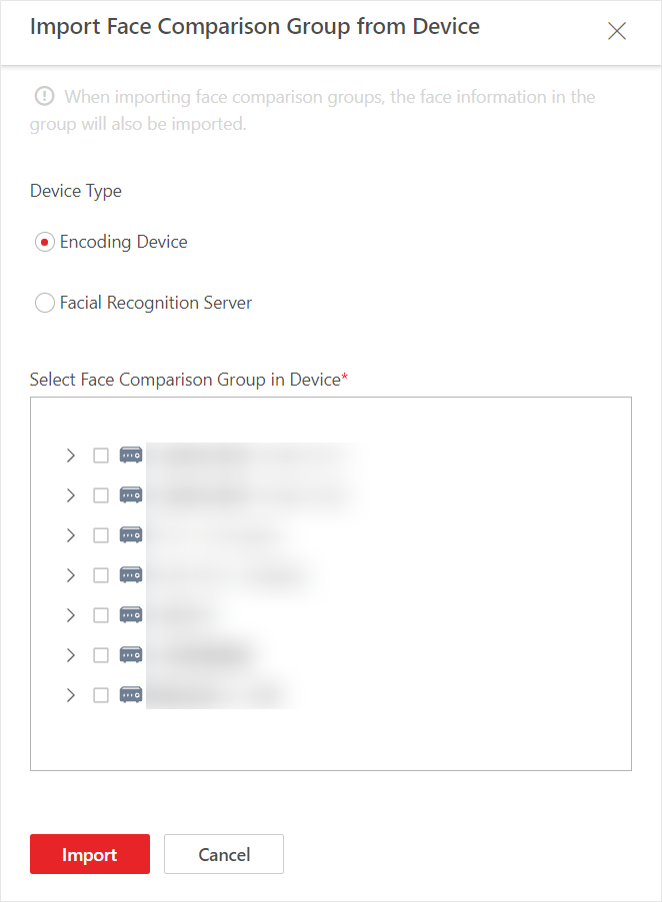 Figure 1 Import Face Comparison
Group from Device
Figure 1 Import Face Comparison
Group from Device -
Click
 to show the face comparison
group(s) of a device.
to show the face comparison
group(s) of a device.