Video Overview
The Video Overview page displays the brief information such as health status of different resources, face picture applying status, and face capture event. You can jump to other pages such as device management, maintenance, event and alarm configuration, and applying center.
In the top left corner of the platform, select  > Security Monitoring > Video > Video Overview.
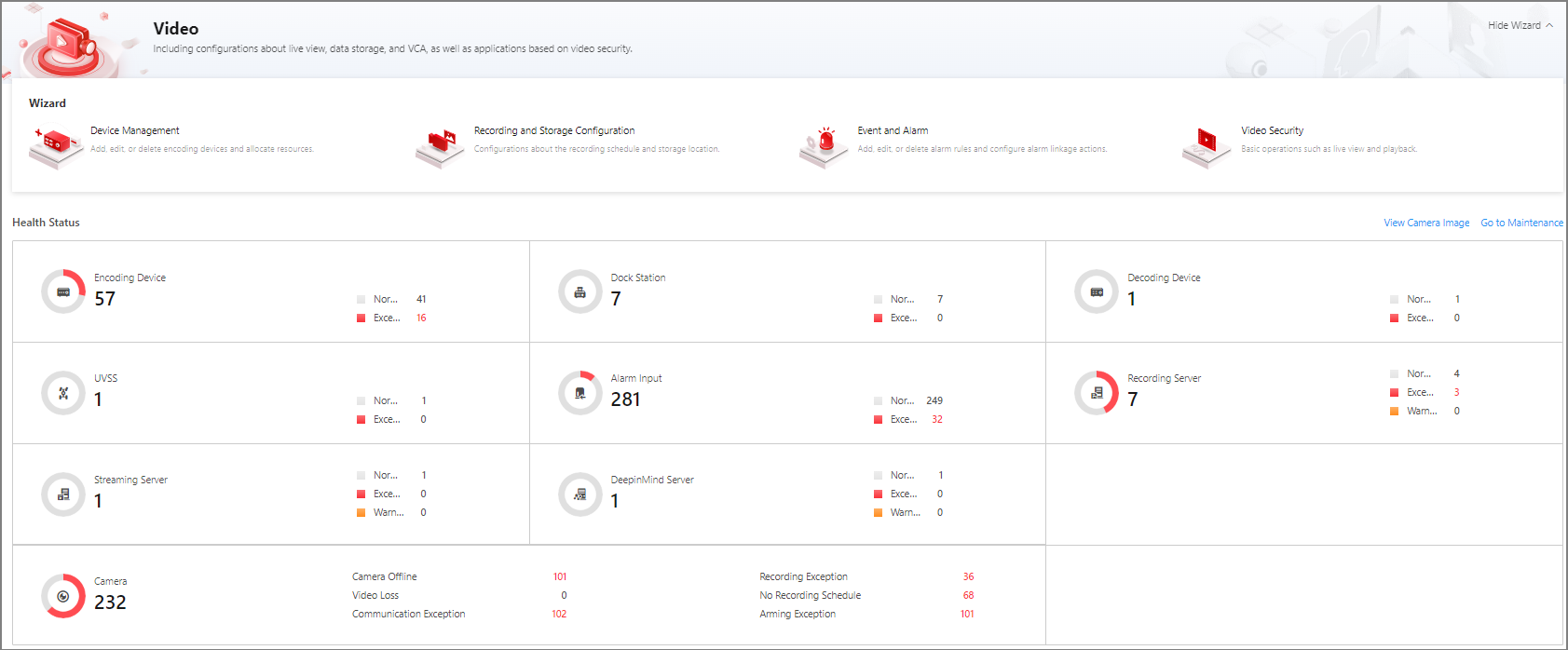 Figure 1 Video Overview
The following operations are supported.
|
Operation |
Description |
|---|---|
|
Go to Other Pages |
Hover the cursor on the module name (such as Device Management, Recording and Storage Configuration,
Event and Alarm, and Video Security) in Wizard panel and click
|
|
Go to Resource Status Page of a Resource Type |
|
|
View Camera Images |
Click View Camera Image to view images of all cameras. |
|
Go to Maintenance Module |
Click Go to Maintenance to go to the Maintenance module. For further operations, refer to Maintenance. |
|
Go to Applying Center |
Click the face picture applying status in Face Picture Applying Status panel to go to Applying Center. For further operations, refer to Applying Center. |
|
View Face Capture Event Details |
View the information (such as profile picture, capture time, and event source) about captured face pictures in Face Capture Event panel. |
 to go to the
corresponding page.
to go to the
corresponding page.