Start Live View of Access Control / Elevator Control Devices
For access control devices with cameras installed inside or linked outside, and elevator control devices linked with cameras, you can start live view of these devices.
Make sure you have added the devices to the platform.
-
In the top left
corner
of the Home page, select
 > Passing Management > Access Control > Real-Time Monitoring.
-
Click a device and select Live View.
The live view window of the device will be displayed on the right.
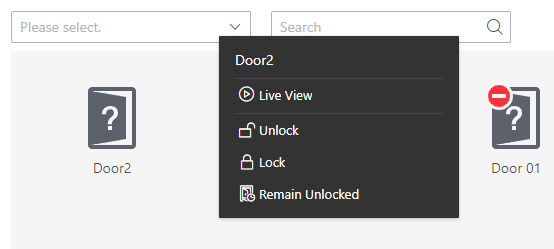 Figure 1 Start Live
View
Figure 1 Start Live
View -
Hover the cursor on the live view window to show the tool bar at the bottom.
You can click different buttons according to your need.
You can click
 to start two-way audio with persons by the
device.
to start two-way audio with persons by the
device.