Link Persons to an Indoor Station
The person needs to be linked to an indoor station, which is used for calling residents. You can link single person to an indoor station or multiple persons to indoor station(s) at a time. Here we introduce you how to batch link persons to indoor station(s).
For details about linking single person to an indoor station, refer to Add a Single Person.
-
On the top navigation bar, select
 > Passing Management > Video Intercom.
-
Click
Link.
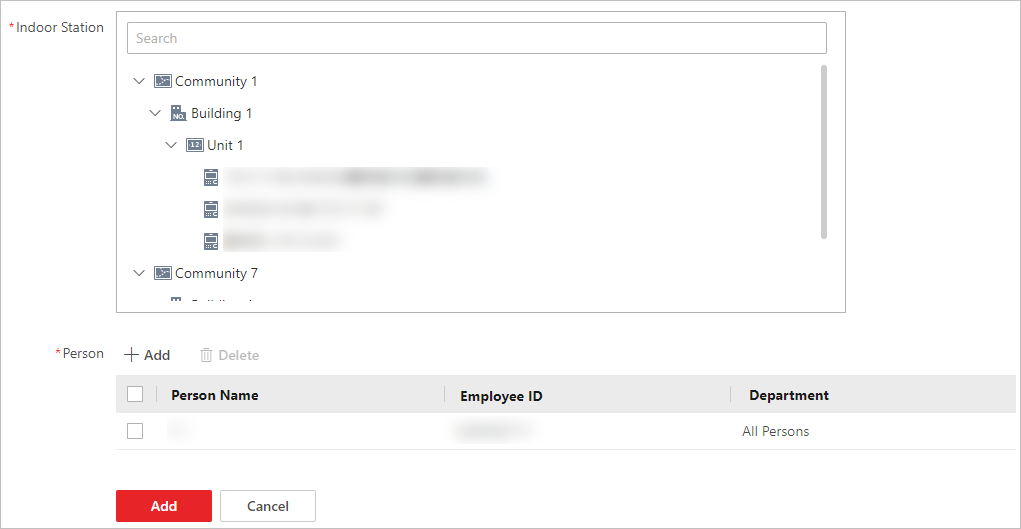 Figure 1 Add Linked
Person
Figure 1 Add Linked
Person - Optional:
Perform the following operations.
Option Description Filter Indoor Stations
-
Click
 on the top
right to set conditions such as device name, location,
person
name,
or employee ID to filter indoor
stations.
on the top
right to set conditions such as device name, location,
person
name,
or employee ID to filter indoor
stations. -
Click Reset to reset search conditions.
Unlink Person from Indoor Stations
Select indoor stations and click Unlink.
View Linked Person
On the page of the added indoor station list, click
 to view linked
persons.
to view linked
persons.Change Linked Persons
On the page of the added indoor station list, click the name of the indoor station to change linked persons.
-