View Event/Alarm Related Notices
You can filter and view event/alarm related notices by setting conditions. After filtering, you can export matched records, reapply failed notices, etc.
In the top left corner
of the Home page, select  > Passing Management > Video Intercom > Manage Notice.
Select the Event/Alarm-Related Notice Applying Records tab.
In the top right corner, click  to set conditions to search for matched records. Click
Filter and the matched records will be displayed.
to set conditions to search for matched records. Click
Filter and the matched records will be displayed.
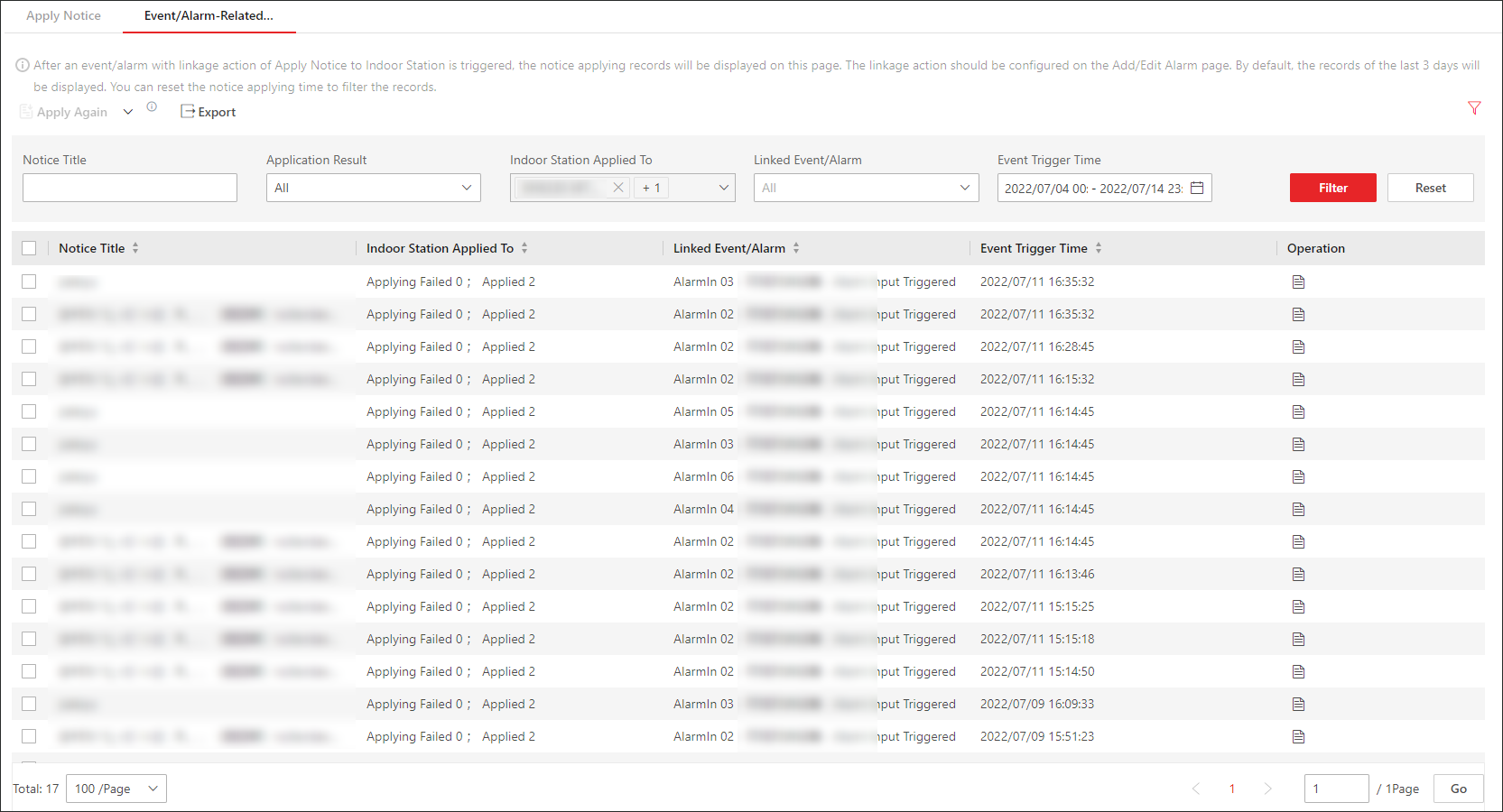 Figure 1 Filter Event/Alarm-Related Notice
Applying Records
Figure 1 Filter Event/Alarm-Related Notice
Applying RecordsFor the matched records, perform the following operations as needed.
|
Operation |
Description |
|---|---|
|
Reapply Failed Notice |
|
|
Export Records |
In the top left corner, click Export to export all matched records. |
|
View Notice Details |
In the Operation column, click Note:
If the notice fails to be applied, you can also click Apply Again to reapply it in the Details panel. |

 to view the basic
information and the application status of the notice.
to view the basic
information and the application status of the notice.