Cloud Attendance
Cloud Attendance works with MinMoe access control devices. It is designed for bringing higher security and improved efficiency to access control and attendance tracking. Persons in a cloud attendance system (usually employees in an organization) can use Cloud Attendance on the Mobile Client to check attendance records, control doors and turnstiles, and check in/out.
-
Cloud Attendance is not available in all countries or regions.
-
If applicable, make sure you have evaluated the impact on data protection before using Cloud Attendance.
-
Select your role and read the part you need.
-
If you are the employee who needs to check attendance records and control doors, read the For Employee section.
-
If you are the administrator who needs to set up the Cloud Attendance system, read the For Administrator section.
-
For Employee
Go to .
If you cannot see Cloud Attendance in the Cloud Service tab, you are not in a Cloud Attendance system. Ask the administrator of the Cloud Attendance system for help.
Cloud Attendance has three tabs:
- Attendance Report
-
Check your attendance status and records.
- Check In
-
Check in or check out directly on the Mobile Client without actually presenting and authenticating at the attendance check devices. See details in Check In/Out Remotely.
- Door Control
-
See the live view of an access control device and open door remotely. See details in Open Door Remotely.
For Administrator
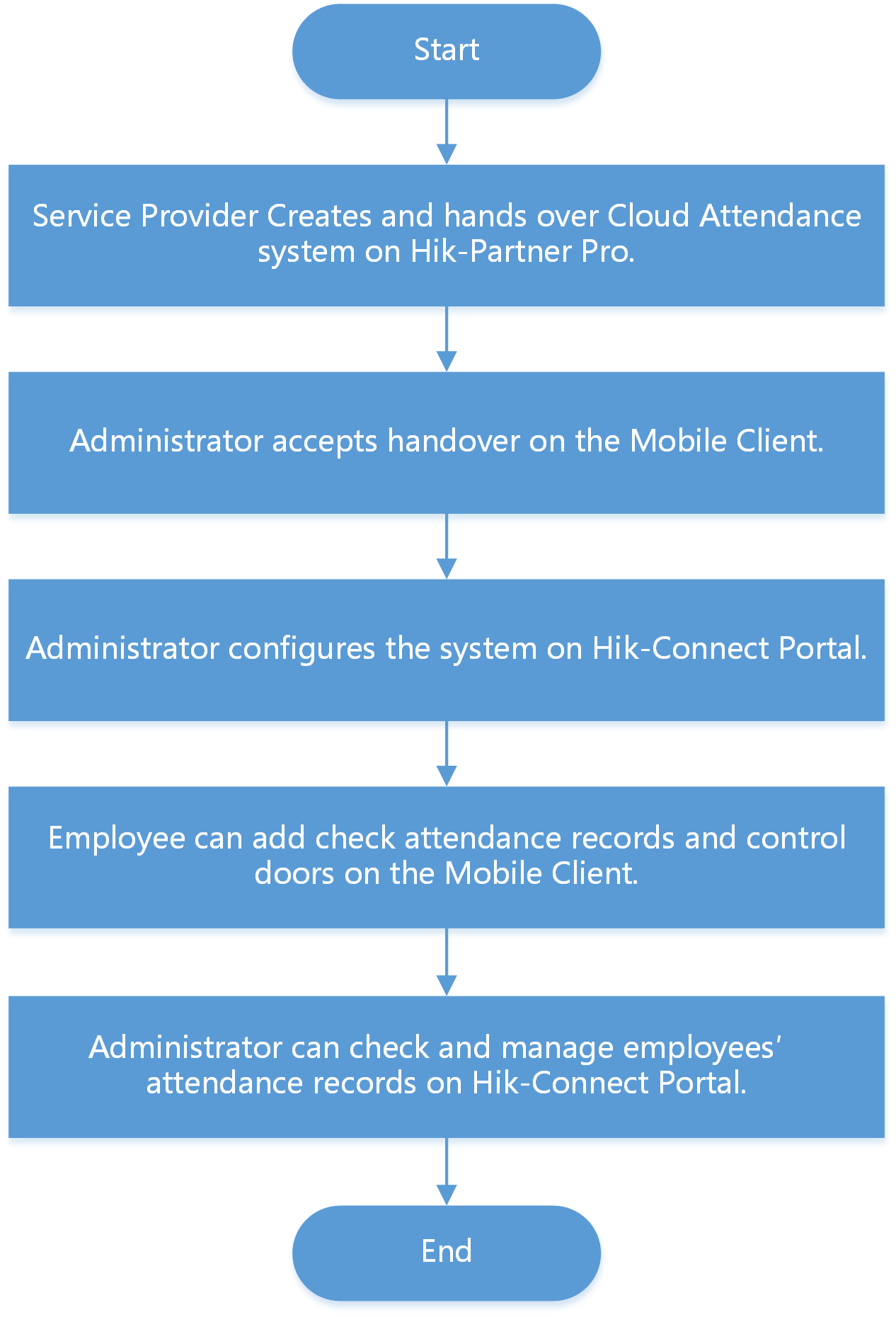
If you are the administrator who manages employees' attendance, you need to set up the Cloud Attendance system before the employees can use Cloud Attendance via the Hik-Connect Mobile Client. The system contains the access control devices, person information, shift settings, and access permission settings.
A Service Provider can create such a system, add access control devices into the system, and hand it over to you. Contact your Service Provider if you want to deploy Cloud Attendance in your organization.
To set up the Cloud Attendance system, you need to add persons (employees and sub-administrators) to the system, assign persons to access groups, allow check-in/out on app, and assign shift schedules to persons on the Hik-Connect Portal. For details, please visit https://www.hik-connect.com/views/login/userManual/hik-connect_en/index.html.
The following is the flow chart for deploying Cloud Attendance: