Arm/Disarm Areas and Clear Alarms
You can arm/disarm an area or clears the alarms in areas manually.
On the device list page, tap the security control panel to enter the Area page.
Arm or Disarm a Single Area
-
Stay Arm: Tap
 to arm an area in Stay mode. When people need
to stay inside the area, you can use Stay Arm to enable all the perimeter
burglary detection (such as perimeter detectors, magnetic contacts, and
curtain detectors). In the meantime, the indoor detectors inside the area
are bypassed (such as indoor PIR detectors). People can move inside the area
freely and the alarm will not be triggered.
-
Away Arm: Tap
 to arm an area in Away mode. You can activate Away
Arm when you are leaving the area. The area will be armed after the last
person exits the area and the exit delay time ends.
-
Disarm: When the area is armed, you can tap
 or
 again to disarm the area. In Disarm mode, no zone
in the area will trigger any alarm even when alarm events are detected.Note:
24-Hour zones will trigger alarms whenever alarm events are detected, even if the area is disarmed.
Arm/Disarm Multiple Areas or Clear Alarms
-
Away Arm: Tap
 to arm all areas in Away mode. You can activate
Away Arm when you are leaving the premise. All areas will be armed after the
last person exits the premise and the exit delay time ends.
-
Stay Arm: Tap
 to arm all areas in Stay mode. When people need to
stay inside the premise, you can use Stay Arm to enable all the perimeter
burglary detection (such as perimeter detectors, magnetic contacts, and
curtain detectors). In the meantime, the indoor detectors inside the premise
are bypassed (such as indoor PIR detectors). People can move inside the
premise freely and the alarm will not be triggered.
-
Disarm: Tap
 to disarm all areas. In Disarm mode, no zone will
trigger any alarm even when alarm events are detected.Note:
24-Hour zones will trigger alarms whenever alarm events are detected, even if the areas are disarmed.
-
Clear Alarm: Tap
 to clear all the alarms triggered by any zones.
You can tap  to select multiple areas. And
then you can arm/disarm them or clear the alarms in these areas.
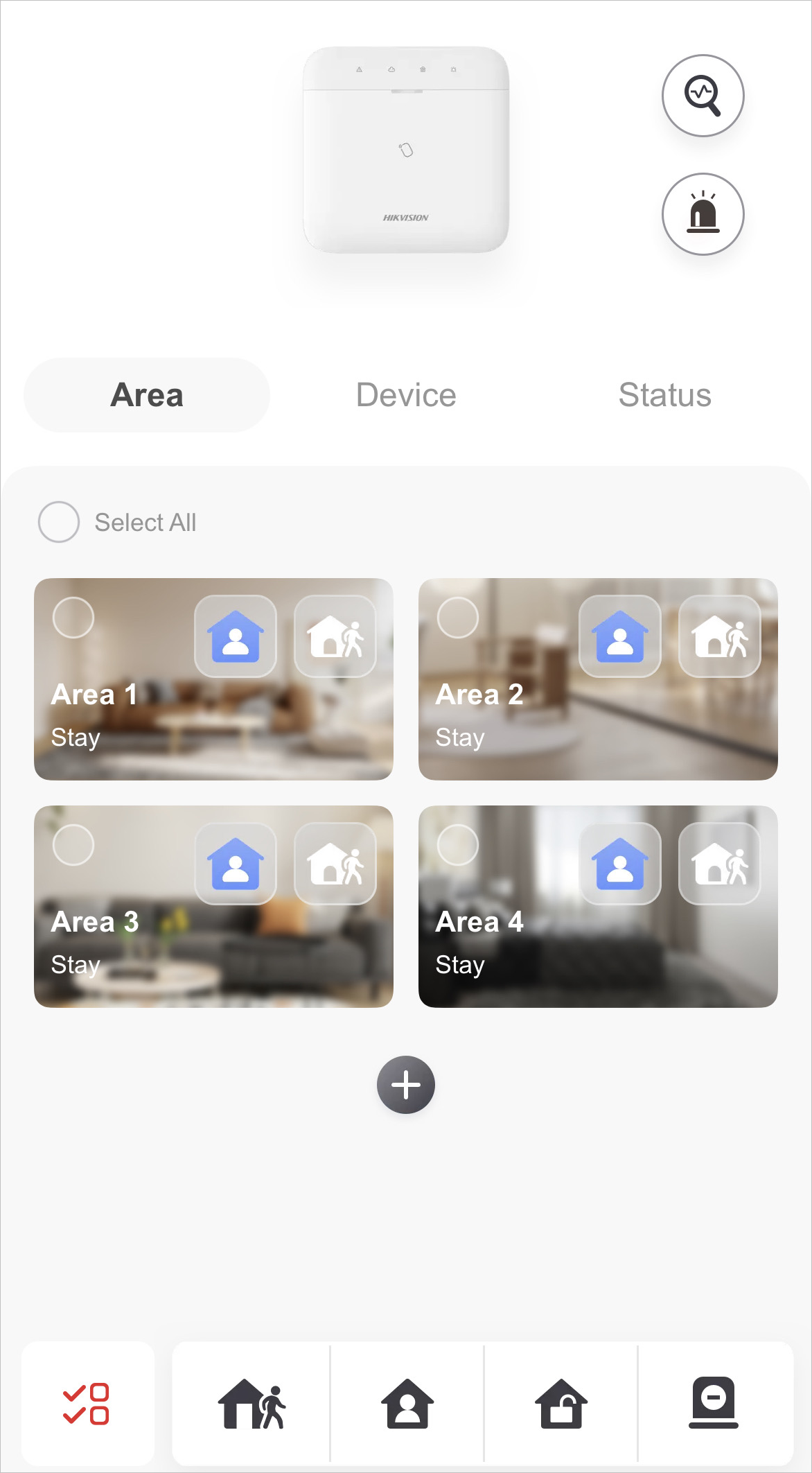 Figure 1 Select Areas