Alarm Detection Overview
On the Alarm Detection Overview page, you can view the health status of security control devices and alarm detection event details.
On the top navigation bar, go to  > Security Monitoring > Alarm Detection > Alarm Detection Overview.
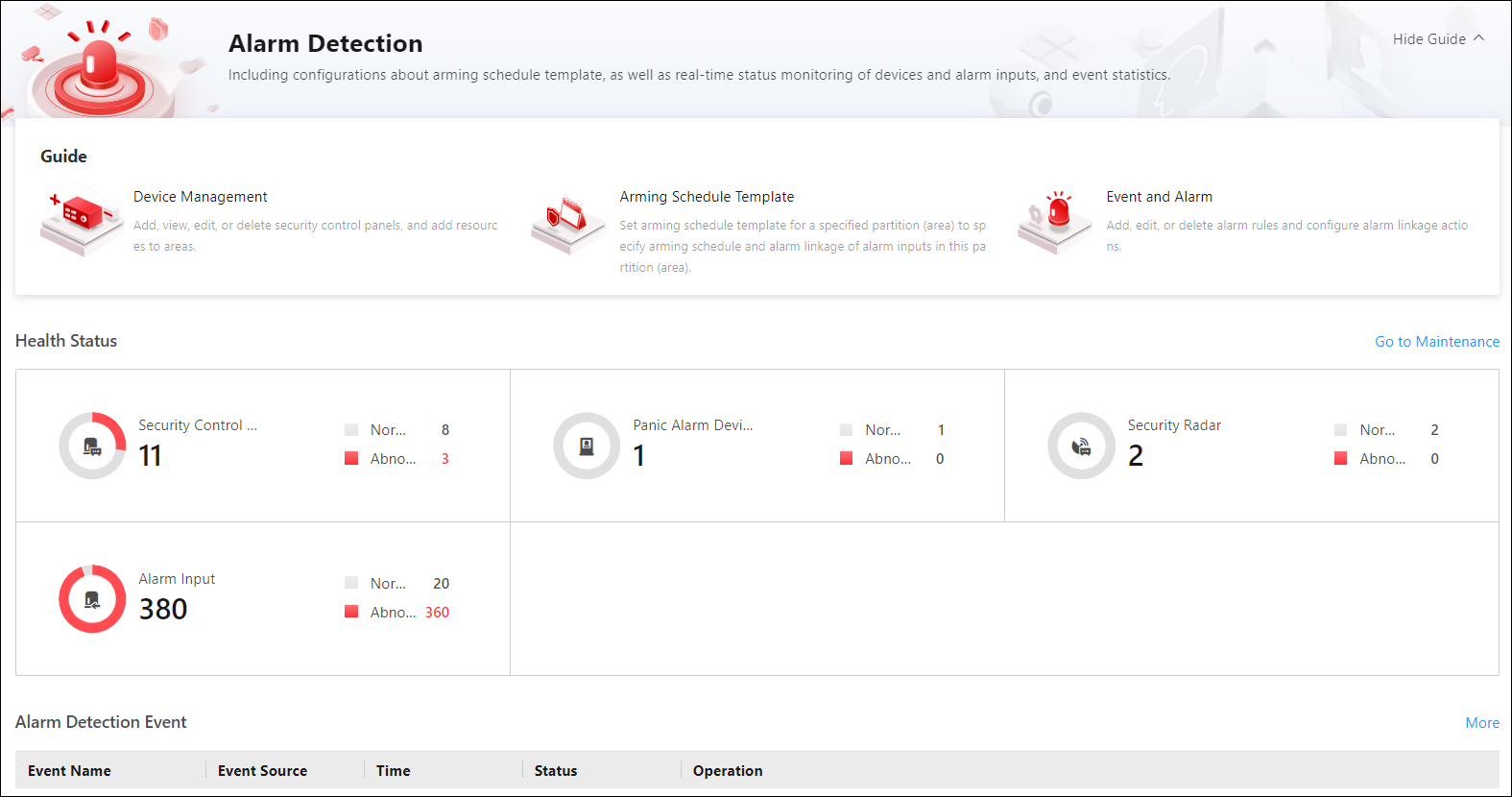 Figure 1 Alarm Detection Overview
|
Content |
Description |
|---|---|
|
Guide |
You can view the brief introduction of the Alarm Detection function
and the major steps of configuration, including device management,
arming schedule template setting, and event and alarm configuration.
You
can hover the mouse cursor over each step and click |
|
Health Status |
You can view the health status of devices including security control panels, panic alarm devices, security radars, and alarm inputs. Click on the number under the resource type or the number besides Abnormal to view their details. Click Go to Maintenance to enter the Maintenance module. For more information, refer to Maintenance. |
|
Alarm Detection Events |
You can view the event details, including the event time, event source, time, status, and available operations. |
 to go to the
corresponding page.
to go to the
corresponding page.