View Release Records
You can view release records of all the tasks and the details of their release status.
On the top navigation
bar, select  > Integrated Service > Interactive Flat Panel to enter the interactive flat panel page, and then click
Release on the left navigation
pane. You can view release
details of all the tasks on the platform, including task name and type, release time and
status (Released or Failed), etc. Also, you can perform more of the following operations.
> Integrated Service > Interactive Flat Panel to enter the interactive flat panel page, and then click
Release on the left navigation
pane. You can view release
details of all the tasks on the platform, including task name and type, release time and
status (Released or Failed), etc. Also, you can perform more of the following operations.
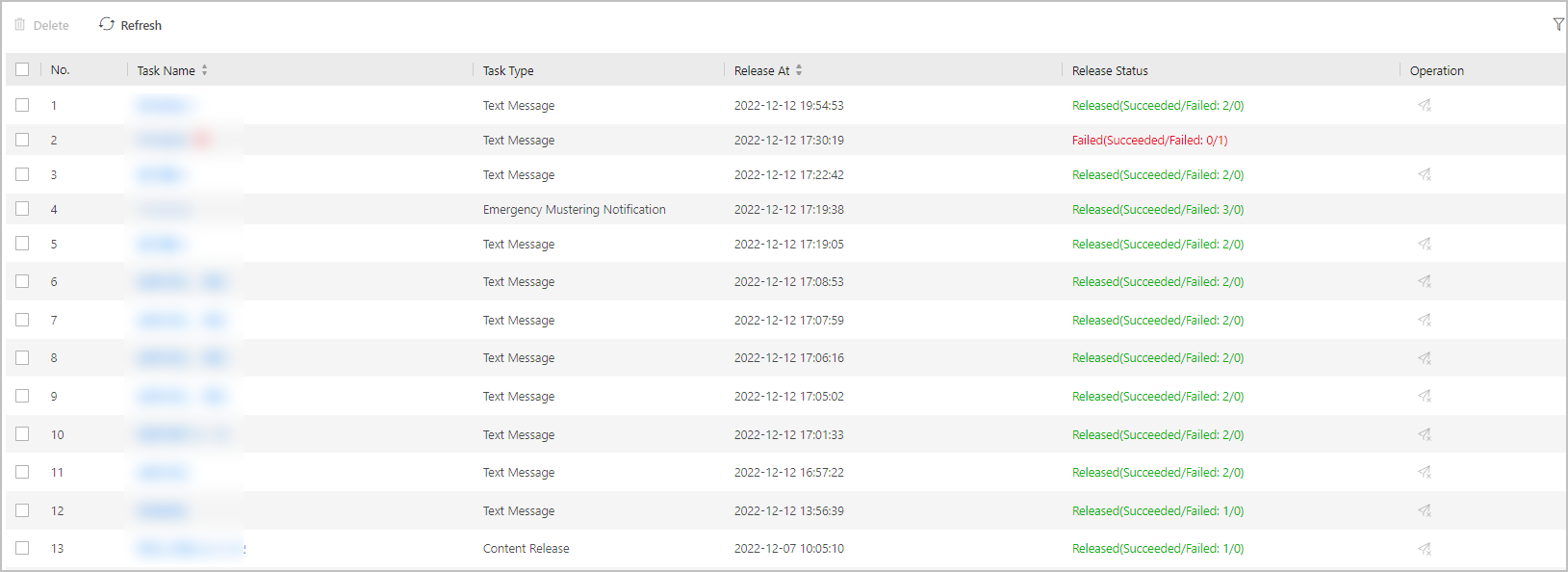 Figure 1 Release Records
-
View Release Details: Click the task name to view release details such as device name and release progress.
-
Delete Task: Check one or multiple tasks, and click Delete to delete the selected tasks.
-
Refresh Task List: Click Refresh to refresh the task list.
-
Filter Tasks: Click
 , and set conditions including release time, task type, and release
status to filter tasks.
, and set conditions including release time, task type, and release
status to filter tasks.