Set User Permissions
For an added user, you can assign the different permissions, including local and remote operation of the device.
- Go to System > User.
-
Select a user from the list, and then click
 to enter the permission settings interface.
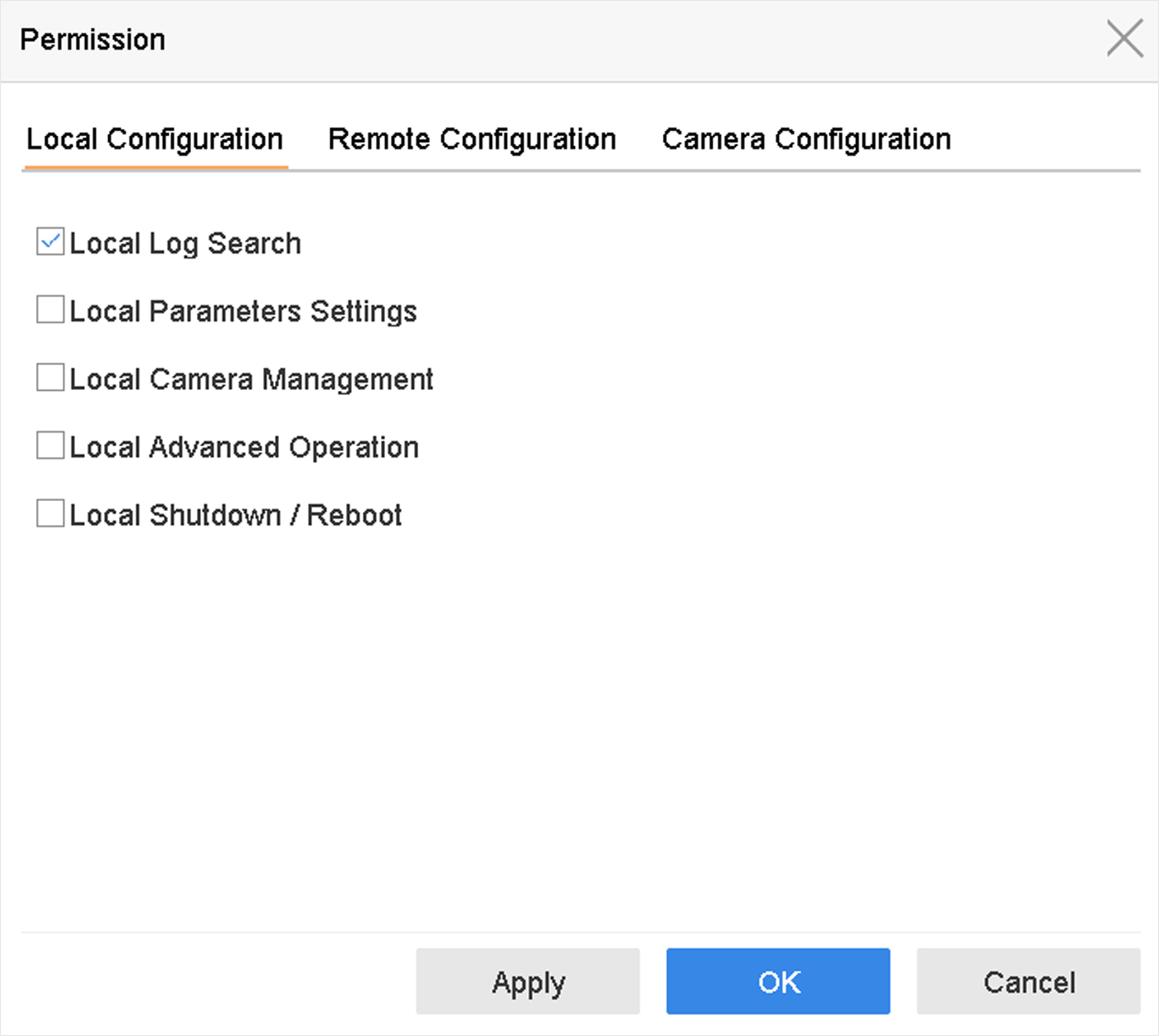 Figure 1 User Permission
Settings Interface
-
Set the user's operating permissions for Local
Configuration, Remote Configuration, and
Camera Configuration for the user.
-
Set Local Configuration
- Local Log Search
-
Searching and viewing logs and system information of device.
- Local Parameters Settings
-
Configuring parameters, restoring factory default parameters, and importing/exporting configuration files.
- Local Camera Management
-
Adding, deleting, and editing of IP cameras.
- Local Advanced Operation
-
Operating HDD management (initializing HDD, setting HDD property), upgrading system firmware, clearing I/O alarm output.
- Local Shutdown Reboot
-
Shutting down or rebooting the device.
-
Set Remote Configuration
- Remote Log Search
-
Remotely viewing logs that are saved on the device.
- Remote Parameters Settings
-
Remotely configuring parameters, restoring factory default parameters, and importing/exporting configuration files.
- Remote Camera Management
-
Remote adding, deleting, and editing of the IP cameras.
- Remote Serial Port Control
-
Configuring settings for RS-232 and RS-485 port settings.
- Remote Video Output Control
-
Sending remote button control signals.
- Two-Way Audio
-
Operating the two-way radio between the remote client and the device.
- Remote Alarm Control
-
Remotely arming (notify alarm and exception message to the remote client) and controlling the alarm output.
- Remote Advanced Operation
-
Remotely operating HDD management (initializing HDD, setting HDD property), upgrading system firmware, clearing I/O alarm output.
- Remote Shutdown/Reboot
-
Remotely shutting down or rebooting the device.
-
Set Camera Configuration
- Remote Live View
-
Remotely viewing live video of the selected camera(s).
- Local Manual Operation
-
Locally starting/stopping manual recording and alarm output of the selected camera(s).
- Remote Manual Operation
-
Remotely starting/stopping manual recording and alarm output of the selected camera(s).
- Local Playback
-
Locally playing back recorded files of the selected camera(s).
- Remote Playback
-
Remotely playing back recorded files of the selected camera(s).
- Local PTZ Control
-
Locally controlling PTZ movement of the selected camera(s).
- Remote PTZ Control
-
Remotely controlling PTZ movement of the selected camera(s).
- Local Video Export
-
Locally exporting recorded files of the selected camera(s).
- Local Live View
-
View live video of the selected camera(s) in local.
-
Set Local Configuration
- Click OK to save the settings.