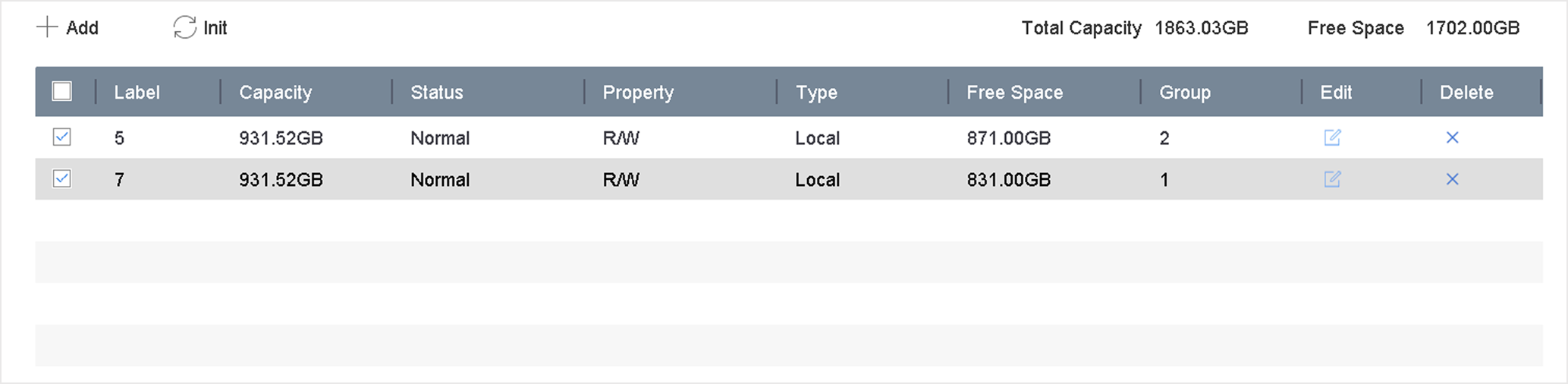
Multiple HDDs can be managed in groups. Video from specified channels can be
recorded onto a particular HDD group through HDD settings.
-
Go to .
-
Select Mode as Group.
-
Click Apply.
-
Go to .
-
Select a HDD.
Figure 1 Storage Device
-
Click
to enter Local HDD Settings
interface.
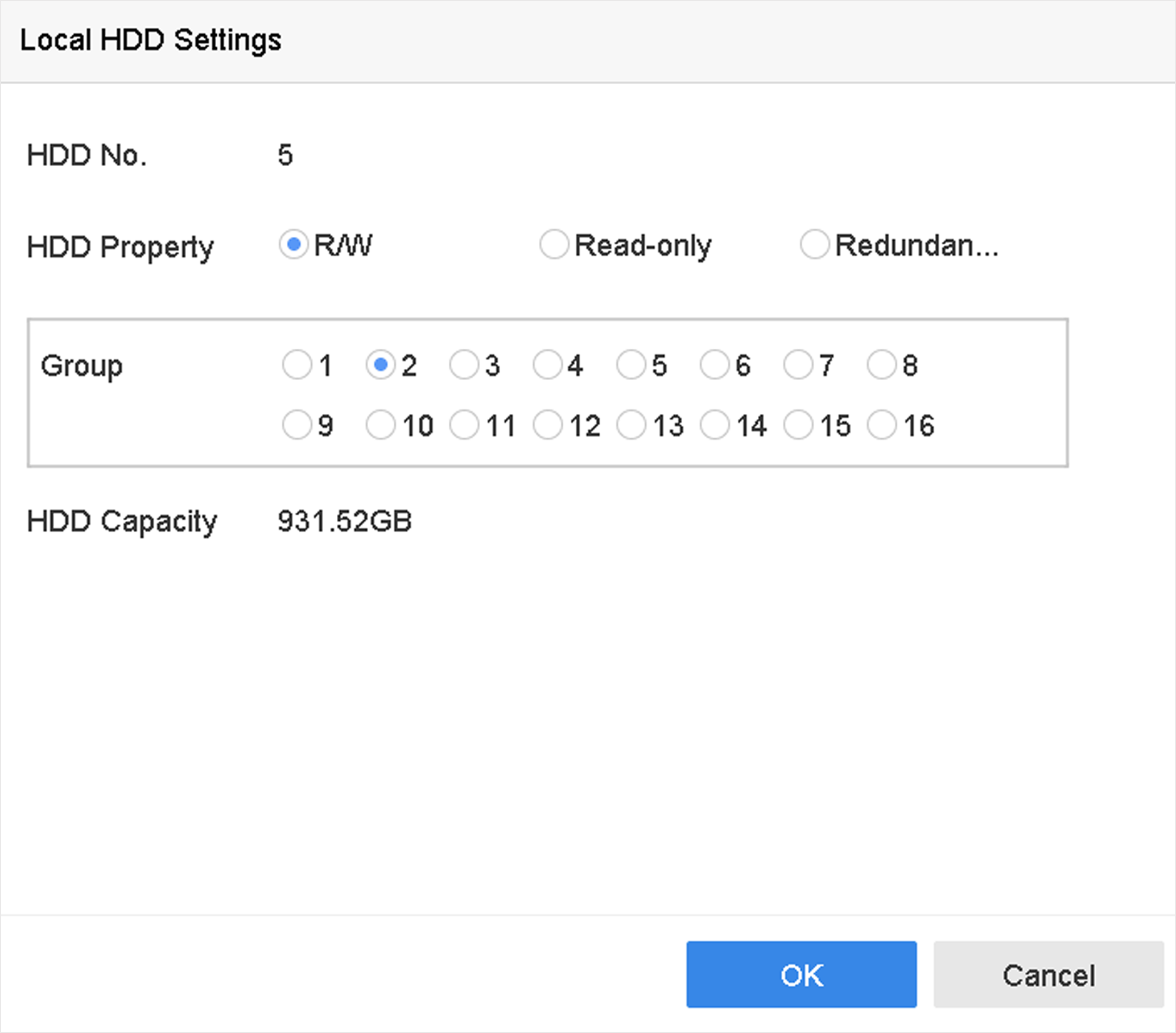
Figure 2 Local HDD
Settings
-
Select a group number for the HDD.
-
Click OK.
Note:
Regroup the cameras for HDD if the HDD group number is changed.
-
Go to .
-
Select group number from the list.
-
Select related camera(s) to save videos and pictures on the HDD group.
-
Click Apply.