SDK is based on Intelligent Security Uplink Protocol (ISUP). It provides
APIs, library files, and commands for the third-party platform to access devices such as
NVRs, speed domes, DVRs, network cameras, mobile NVRs, mobile devices, decoding devices,
etc. With this protocol, the third-party platform can realize functions like live view,
playback, two-way audio, PTZ control, etc.
-
Go to .
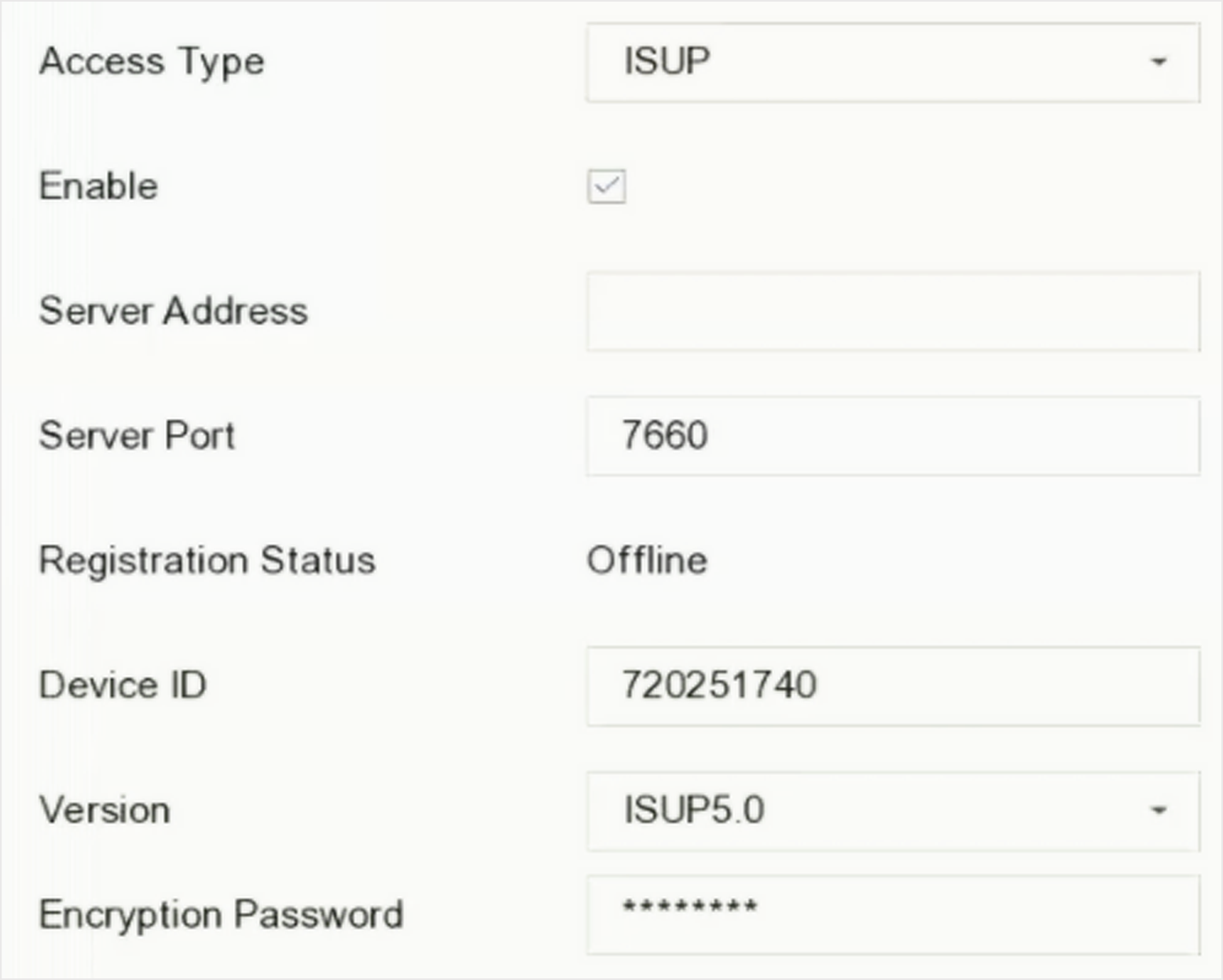 Figure 1 ISUP Settings
-
Select Access Type as
ISUP.
-
Check Enable.
Note:
Enabling ISUP will disable other platform access.
-
Set the related parameters.
- Server Address
-
The platform server IP address.
- Server Port
-
The platform server port, ranges from 1024 to 65535. The actual
port shall be provided by the platform.
- Device ID
-
Device ID shall be provided by the platform.
- Version
-
ISUP protocol version, only V5.0 is available.
- Encryption Password
-
Encryption password is required when using ISUP V5.0
version, it provides more secure communication between the
device and platform. Enter it for verification after the device
is registered to the ISUP platform. It cannot be empty, or
"ABCDEF".
-
Click Apply to save the settings and restart the
device.
You can see the registration status (online or offline) after the device is
restarted.