Healthcare Radars
Introduction
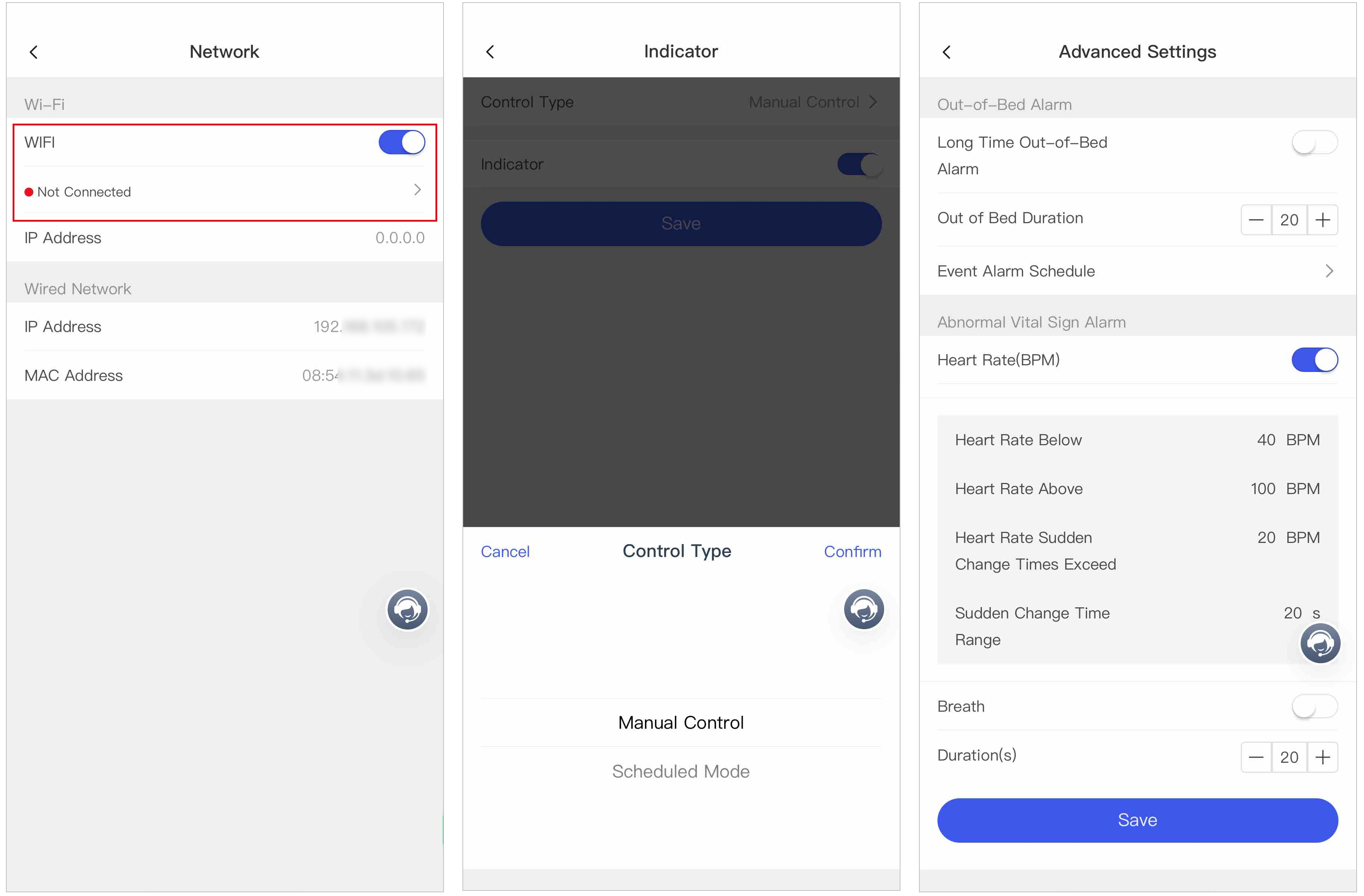
After activating and adding radars to a personal site via QR code / serial number / IP / Domain / LAN (SADP Tool), you can remotely configure the radars, check the health status, and link cameras to radars.
Diagram
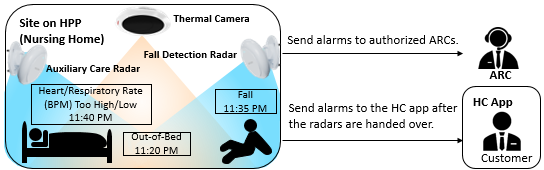
Diagram Details
|
Device |
Description |
Operation |
|---|---|---|
|
Thermal Camera |
Provides presence detection, thermal picture and playback of the incident for double-checking, and thermal live view |
- |
|
Auxiliary Care Radar |
Provides vital signs monitoring: Out-of-Bed Alarm, Heart Rate (BPM) Too High/Low Alarm, Respiratory Rate (BPM) Too High/Low Alarm. |
|
|
Fall Detection Radar |
Provides fall detection: Fall Alarm. |
|
Link a Camera to a Radar
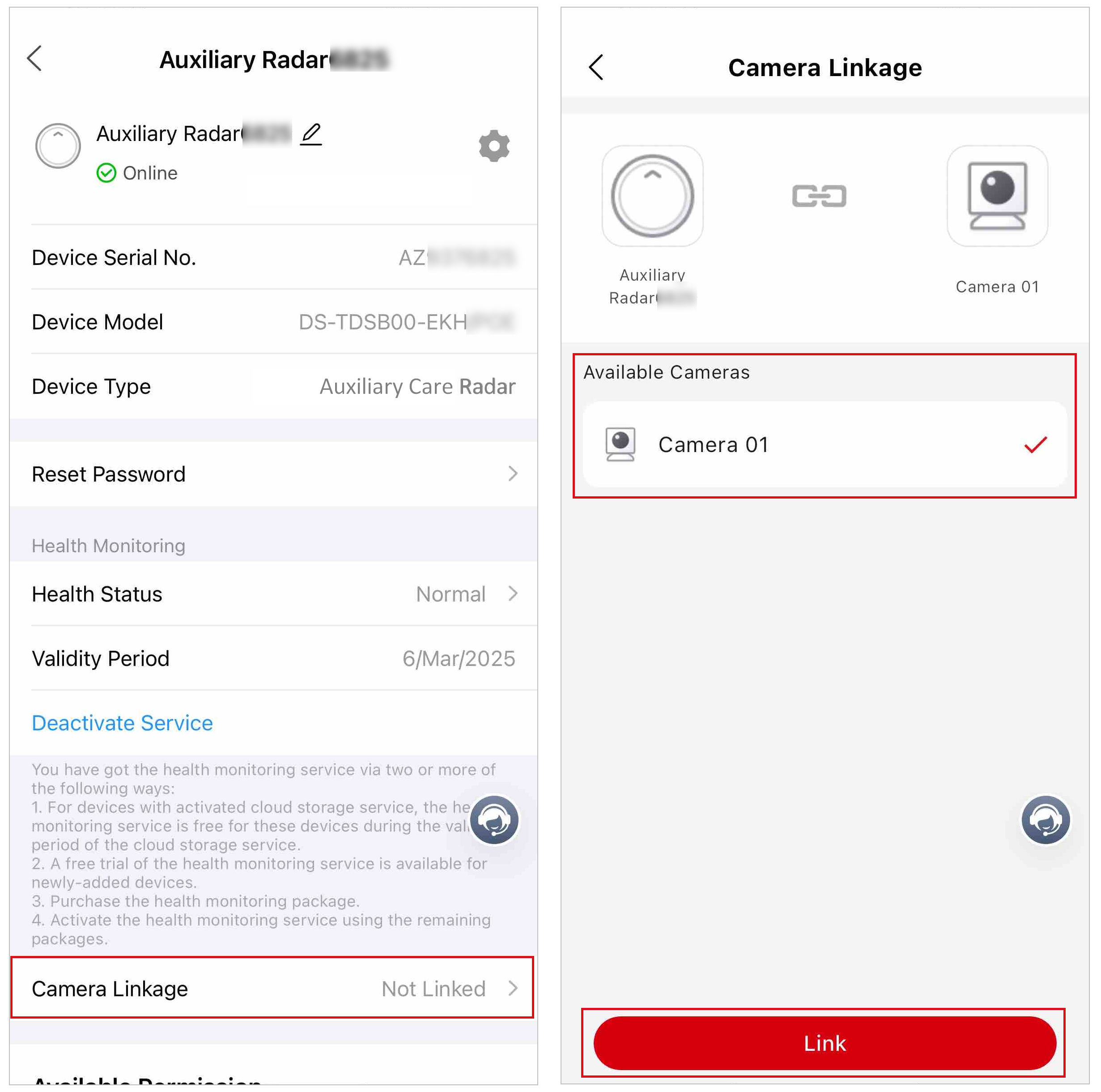
To record a video or capture a picture so that your customer and the ARC can double check the incident, or to detect the care receiver's presence, you can link a camera to the radar via the Mobile Client.
-
Select a camera and tap Link.
Note
Only one camera can be linked to a radar.
Figure 2 Link a Camera to a Radar