Deliver to Customers & Maintain Customer Relationships
Light CRM Tool: What is A Site?
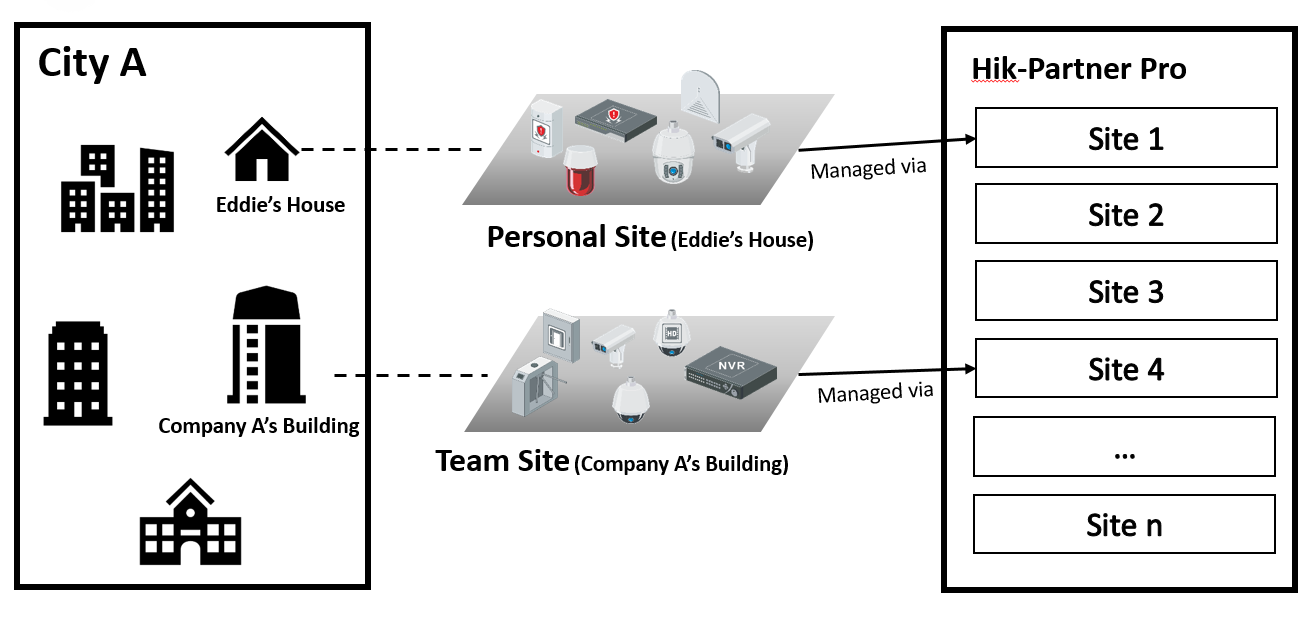
A site can be regarded as an area or location with an actual time zone and address. There are two types of sites available to different user types and scenarios on Hik-Partner Pro, including personal site and team site. You can add sites to conveniently manage devices for your customers, and after you complete installing and setting up devices on a site, you can hand over the site and devices to your customer.
Light CRM Tool: Sites in Different Status
There are different status for the sites. And according to site status, the Installer Admin and Installers with related permissions can perform different operations.
- Not Handed Over
-
The site is newly added, and you have not handed over the site to the customer.
- Not Registered
-
The handover has been sent to a customer who has not registered a Hik-Connect account.
- To Be Accepted
-
The handover application has been sent but has not been accepted by the customer who has registered a Hik-Connect account.
- Handed Over, Not Authorized
-
The site is handed over to the customer by transferring, but the installer is not authorized to manage the site.
- Authorized and Monitoring
-
The site is handed over by transferring and the Installer gets the site authorization from the customer.
- Shared
-
The site is handed over to customers by sharing.
- Disbanded
-
The site is disbanded by HikCentral Connect.
|
Supported Operations |
Status: Not Handed Over |
Status: To Be Accepted Not Registered |
Status: Handed Over, Not Authorized |
Status: Authorized and Monitoring |
Status: Shared |
Status: Disbanded |
|---|---|---|---|---|---|---|
|
Search Site |
√ |
√ |
√ |
√ |
√ |
√ |
|
Assign Site |
√ |
√ |
√ |
√ |
√ |
× |
|
Hand Over by Transferring |
√ |
× |
× |
× |
× |
× |
|
Hand Over by Sharing |
√ |
× |
× |
× |
× |
× |
|
Manage Device |
√ |
√ |
× |
√ |
√ |
× |
|
Edit Site |
√ |
√ |
× |
√ |
√ |
× |
|
Delete Site |
√ |
√ |
√ |
√ |
√ |
√ |
|
Apply for Site Authorization |
× |
× |
√ |
× |
× |
× |
|
Apply for Device Permissions |
× |
× |
√ |
√ |
√ |
× |
|
Site Collaboration |
√ |
× |
× |
√ |
× |
× |
|
Batch Share Devices |
× |
× |
× |
× |
√ |
× |
|
Move to Group |
√ |
√ |
√ |
√ |
√ |
× |
Maintain Customer Loyalty: Co-Branding
Refer to Co-Branding: Maintain Customer Loyalty and Increase Your Brand Visibility.