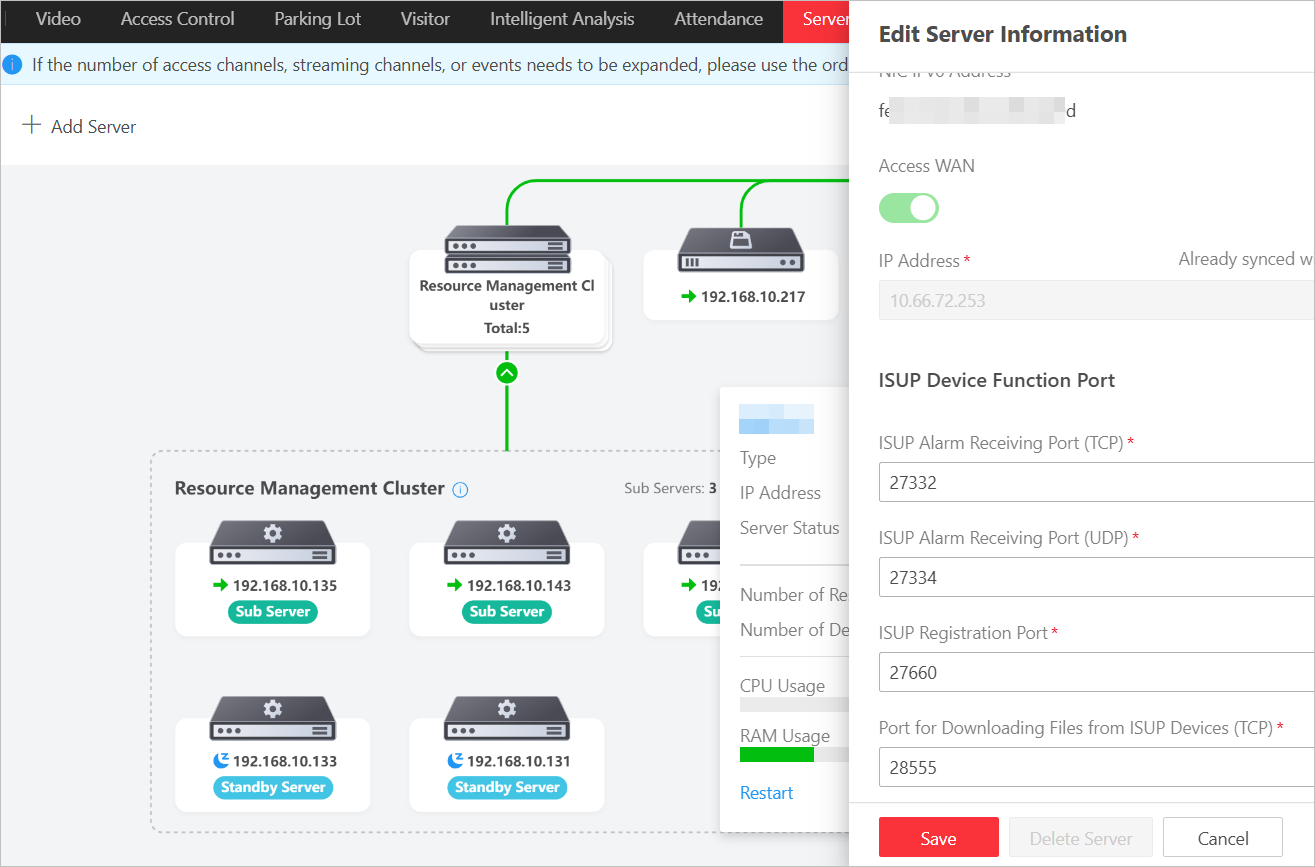
Add a Server
Add resource servers, streaming servers, recording servers, and intelligent analysis servers to the platform and configure parameters for them.
On the top left, click Add Server to open the adding pane, select the server type and configure corresponding parameters.
Add a Resource Server
The server is deployed in the LAN by default.
- Main Server
-
The main server is used for managing and monitoring all sub servers and standby servers. On the main server, you can add sub servers and standby servers to build clusters. Then, the cluster topology will show for overview or editing servers. You can manage all users & roles, resources, devices, events, and recording schedules, and search records generated by all servers on the main server.
- Sub Server
-
The sub servers manage all resources and devices, receive and process data from devices, and is used for record storage.
- Standby Server
-
When a sub server does not work, a standby server will take over.
- IP Address and Server Port
-
The server's IP address and port number in the LAN.
- Access WAN and IP Address
-
Enable the Access WAN when devices in the WAN need to access to this server. The address below is the address available to the WAN, and should be the same with the IP address configured on page. If you have configured the address on this page, the address will be copied and displayed here automatically. This address is the only IP/domain address of the whole resource server cluster, which means you enter this for one resource server and the other resource servers will share this address.
Add a Streaming Server
- Network Location
-
LAN IP Address: Select this when the streaming server is deployed in the same LAN with the main server. In this scenario, if devices in the WAN need to access to this server, switch on Enable WAN Access and enter the address available to the WAN. This IP address is exclusive for this server.
WAN IP Address: Select this when the streaming server is deployed in the WAN.
- Server Cluster Deployment
-
Select Yes to add this server to the streaming server cluster.
Hover the cursor on the streaming server cluster and click Check Relate Resource of Cluster to view devices streaming via these servers.
Add a Recording Server Cluster and Intelligent Analysis Server
The recording server should be deployed in the same network domain with the main server.
If you have added recording servers and intelligent analysis servers in the Device module, they will be displayed on the Server Management page. For parameter introduction, see Add Server(s).
Operations After Adding Servers
On the server topology, you can hover the cursor on a server, and click the server name to show the Edit Server Information Pane on the right. You can edit the server information, or click Delete Server at the bottom to remove the server from the system.