Add Server(s)
This chapter introduces parameters on adding pages of different servers.
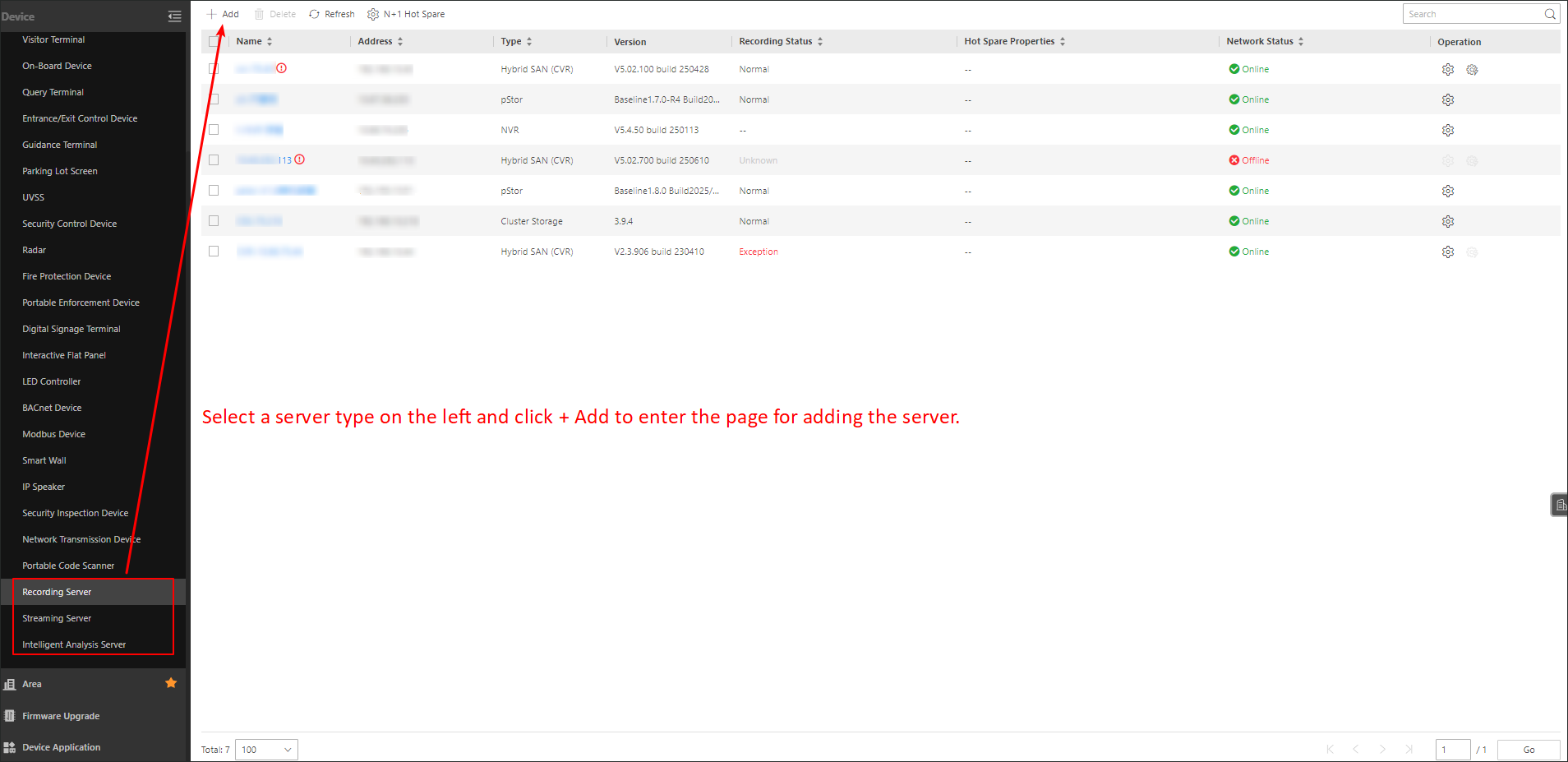
On the left, select a server type, and then click Add on the top.
Parameters on Add Recording Server Page
The parameters vary by different types of recording server.
- Address
-
The pStor server's IP address in LAN that can communicate with SYS.
- ANR Function
-
You can check this field to enable the ANR function. This function is enabled default. If the network is disconnected between the pStor and the device, data can be stored on the pStor automatically.
- Control Port
-
The control port No. of the pStor server. If it is not changed, use the default value.
- Network Port
-
The network port No. of the pStor server. If it is not changed, use the default value.
- File Transmission Port
-
The file transmission port No. of the server. If it is not changed, use the default value.
- Proxy Port
-
The proxy port No. of the server. If it is not changed, use the default value.
- Signaling Gateway Port
-
The signaling gateway port No. of the pStor server. If it is not changed, use the default value.
- Enable Picture Storage
-
Switch on it for storing pictures in this server.
- Enable Stream Object Storage
-
Enable stream object storage function for storing video streams, audio streams or other streaming data in this Hybrid SAN.
- Access Secret Key and Secret Key
-
Enter the user's access secret key and secret key of the pStor server for downloading pictures.
For pStor servers and cluster storage servers, you can download these two keys on the pStor server's Web Client page, or contact our technical support.
- Enable WAN Access
-
If you need to access the server via WAN, switch on it and set the corresponding parameters which are available when you access the server via WAN.
Parameters on Add Streaming Server Page
- Network Location
-
Select LAN IP Address if the Streaming Server and the SYS server are in the same LAN. Otherwise, select WAN IP Address.
- Address
-
The IP address of streaming server to be added.
- RTSP Streaming Port (TCP)
-
For Streaming Service to get stream. If it is not changed, use the default value.
- Network Port
-
For getting the status of Streaming Service. If it is not changed, use the default value.
- Web Client Streaming Port
-
For getting stream for Google Chrome or Firefox. If it is not changed, use the default value.
- Management Port (SSL)
-
For security certificate authentication. If it is not changed, use the default value.
- Web Client Streaming Port (SSL)
-
For Web Client streaming. If it is not changed, use the default value.
- RTMP Streaming Port
-
For OpenAPI streaming. If it is not changed, use the default value.
- HLS Streaming Port
-
For OpenAPI streaming. If it is not changed, use the default value.
- Enable WAN Access
-
If you need to access the server via WAN, switch on Enable WAN Access and set the corresponding parameters which are available when you access the server via WAN.
Note-
The Enable WAN Access switch is available only when you set Network Location as LAN IP Address.
-
Go to to set the default port No. of streaming media ports.
-
- Server Cluster Deployment
-
In the cluster mode, select Yes or No for Server Cluster Deployment.
- Hot Spare
-
In the stand-alone mode, switch on Hot Spare and set the hot spare type.
Parameters on Add Intelligent Analysis Server Page
- Address
-
IP address of the intelligent analysis server.
- Port No.
-
Port No. of the intelligent analysis server. If it is not changed, use the default value.
- Enable WAN Access
-
Enable the intelligent analysis server to access WAN (Wide Area Network).
NoteAfter enabling the WAN Access, you need to set the WAN IP address and port number of the server for WAN access.