VCA Configuration
You can use smart search or VCA search function based on whether your device supports the corresponding function. To use smart search function, make sure you have used the compatible NVRs that support smart search. To use VCA search function, make sure you have completed the configurations on NVR and network cameras.
Compatible NVR Series for Smart Search
The supported series of NVRs that support smart search include: K Series NVR with AcuSense (V4.83.006), I Series NVR with AcuSense (V5.03.020), M-VPro Series (V5.03.020), DeepinMind M Series (V5.03.020), and DeepinMind Super H Series (V5.03.020). For the detailed compatible firmware versions of NVRs, refer to Compatibility List.
Configuration on NVR
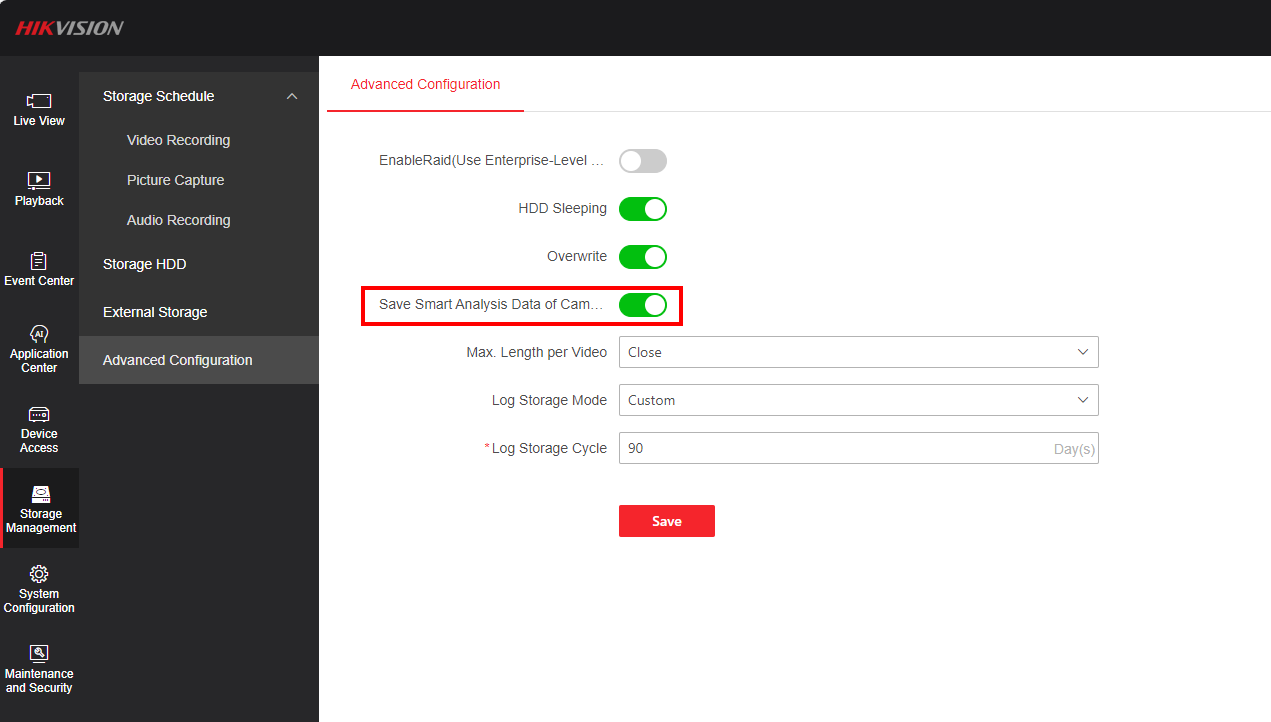
On the web page of NVR, enable Save Smart Analysis Data of Camera.
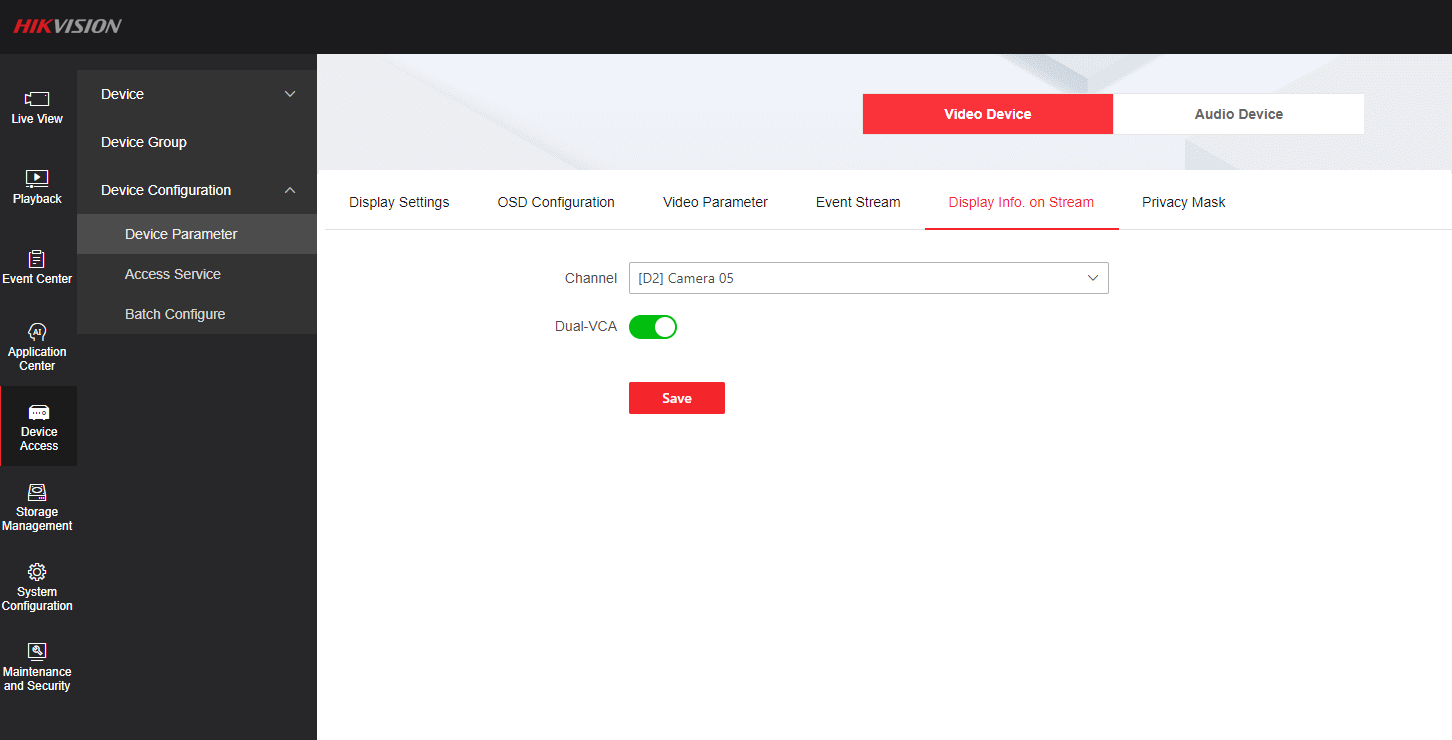
If the firmware version of the NVR is lower than V5.01, besides completing the above, you should enable Display Info. on Stream for the network camera.
Configuration on HikCentral Lite
You should configure recording schedules for the network cameras. For details, refer to View and Configure Details of Encoding Devices.