Digital Signage Overview
You can have an overview of the functions about digital signage and statistics for materials, programs, etc.
On the top navigation bar,
select  > Integrated Service > Digital Signage to enter the digital signage page, and then select Digital Signage
Overview on the left navigation pane.
> Integrated Service > Digital Signage to enter the digital signage page, and then select Digital Signage
Overview on the left navigation pane.
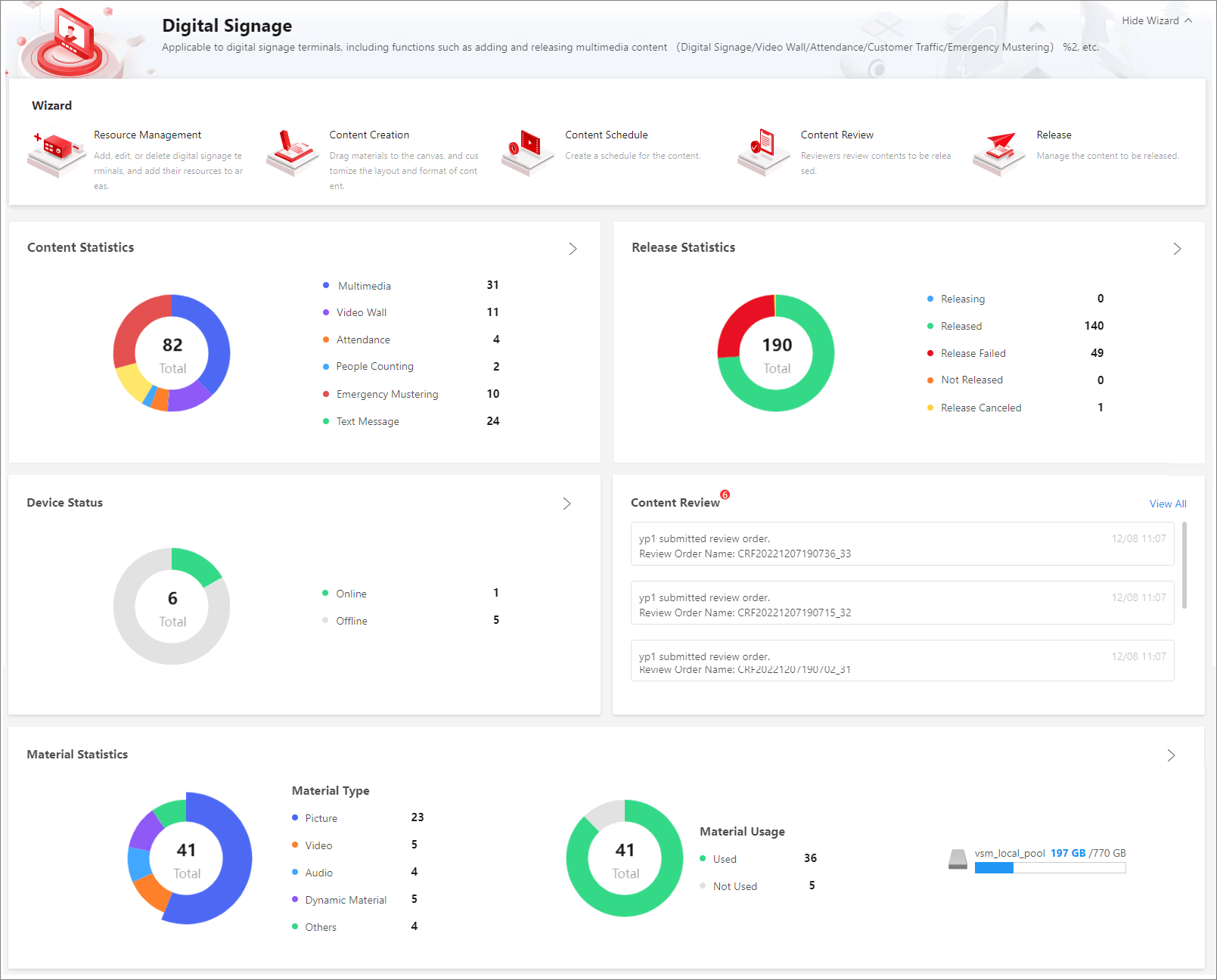 Figure 1 Digital Signage Overview
|
Title |
Description |
|---|---|
|
Wizard |
The wizard of the Digital Signage module, introducing the overall process. |
|
Content Statistics |
Displays the total number of contents and the number of contents in different types (i.e., Digital Signage, Video Wall, Attendance, People Counting, Emergency Mustering, and Text Message). You can click |
|
Release Statistics |
Displays different release status such as Releasing, Released, and Releasing Failed, as well as the number of each status. You can click |
|
Device Status |
Displays total number of devices and status (Offline, Online), and the number of devices in each status. You can click |
|
Content Review |
Displays the details of content review, including the reviewer, submitted time, review order time, etc. You can click View All to enter the Content Review page and review content. For details, refer to Content Review. |
|
Material Statistics |
Displays the total number and the types (i.e., Picture, Video, Audio, Dynamic Material, and Others) of the added materials, the number of materials in each type, the number of used and unused materials, and the material usage. You can click |
 to enter the content creation page.
For details about creating contents, refer to
to enter the content creation page.
For details about creating contents, refer to