Service Manager
After successfully installing the service module(s), you can run the Service Manager and perform related operations of service, such as starting, stopping, or restarting the service.
-
Right-click
 and select Run as
Administrator to run the Service Manager.
and select Run as
Administrator to run the Service Manager.
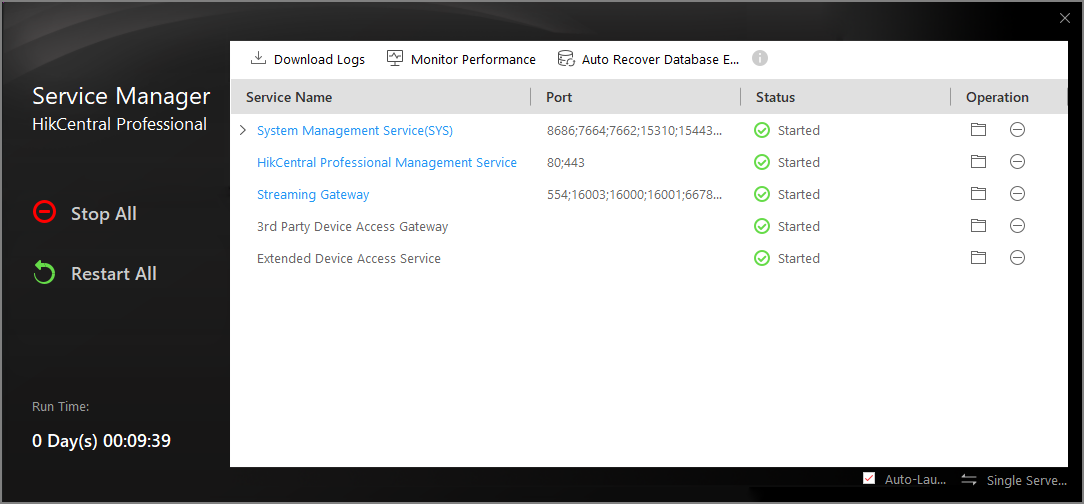 Figure 1 Service Manager Main PageNote:
The displayed items vary with the service modules you selected for installation.
- Optional:
Perform the following operation(s) after starting the Service Manager.
Option Description Stop All
Click Stop All to stop all the services.
Restart All
Click Restart All to run all the services again.
Stop Specific Service
Select one service and click
 to stop the service.
Edit Service
Click the service name to edit the port of the service.
Note:If the port number of the service is occupied by other service, the port No. will be shown in red. You should change the port number to other value before the service can work properly.
Open Service Location
Select one service and click
 to go to the installation directory of the service.
 - Optional:
Click Auto Recover Database Exception to recover database
exception caused by accidents such as power-off and unexpected reboot.
-
Click
 to set the archive path for recovering
the database.
Note:
to set the archive path for recovering
the database.
Note:-
The remaining disk space of the archive path should be twice as the size of database data.
-
The archive path should be under a path in English.
-
-
Click
-
Click
 Dual-Server Deployment to deploy the database on
another server.
Dual-Server Deployment to deploy the database on
another server.