How to Customize My Manual
This document provides the content customization function to help you quickly get the information that you need. On the Customize User Manual pane, you can select or check one or multiple options to filter contents and customize your own manual by different categories, including the product model, function, application, and scene.
Options and contents in videos and pictures below are for examples only, please subject to the actual information.
Customize Manual by Product Model
 Figure 1 Customize User Manual Pane (by Product Model)
On the Customize User Manual pane, click the input field of the Model category to unfold the drop-down list, select a model from the list, and then click Filter. The result is shown below.
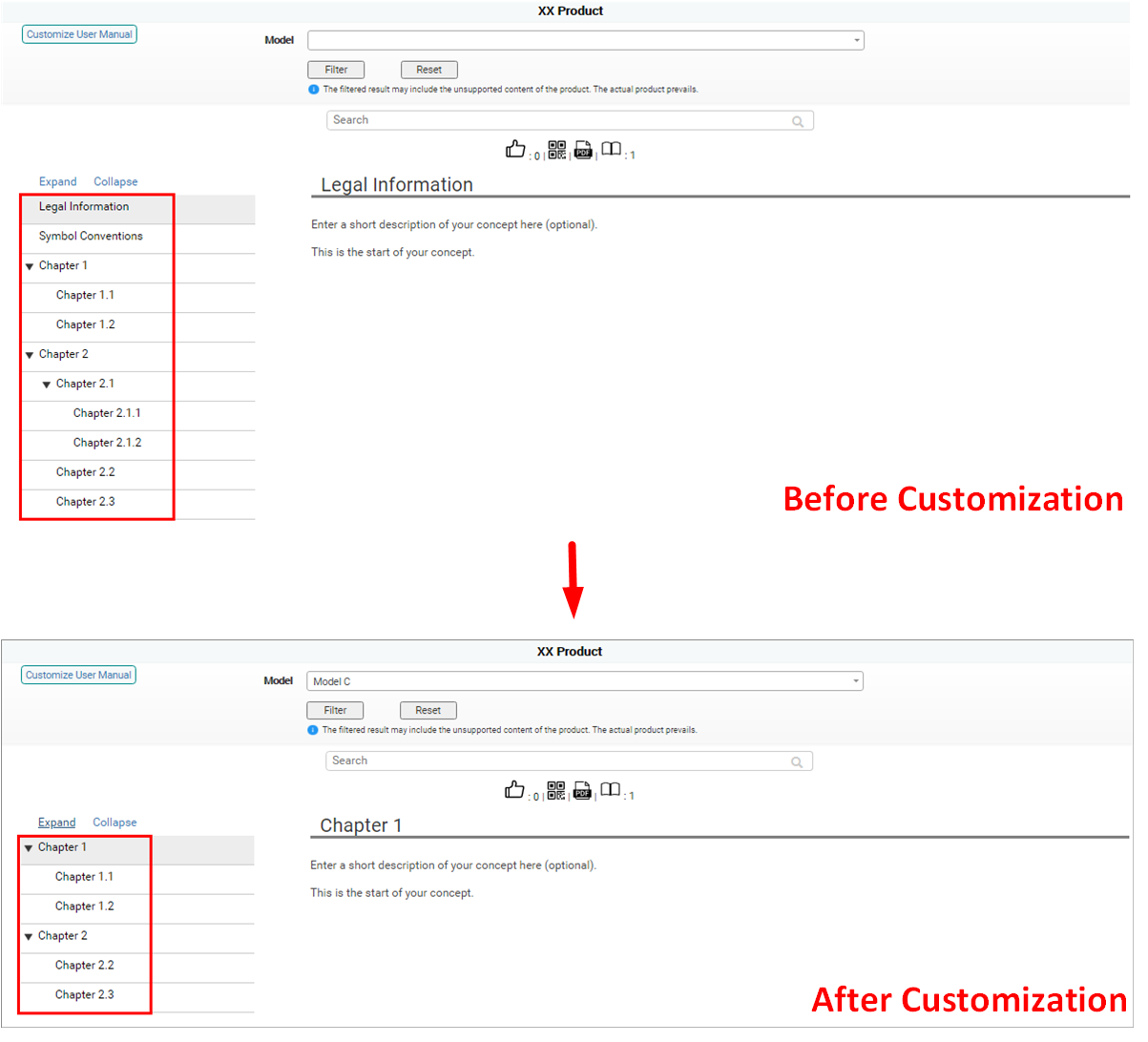 Figure 2 Result of Customizing Manual by Product Model
You can view the video below to get more details about the customization process.
Customize Manual by Application
Due to the similarity among processes of customizing by Function, Application, and Scene categories, here we only take the process of customizing by application as an example.
 Figure 3 Customize User Manual Pane (by Application)
On the Customize User Manual pane, check one or multiple options under the Application category, and then click Filter. The result is shown below.
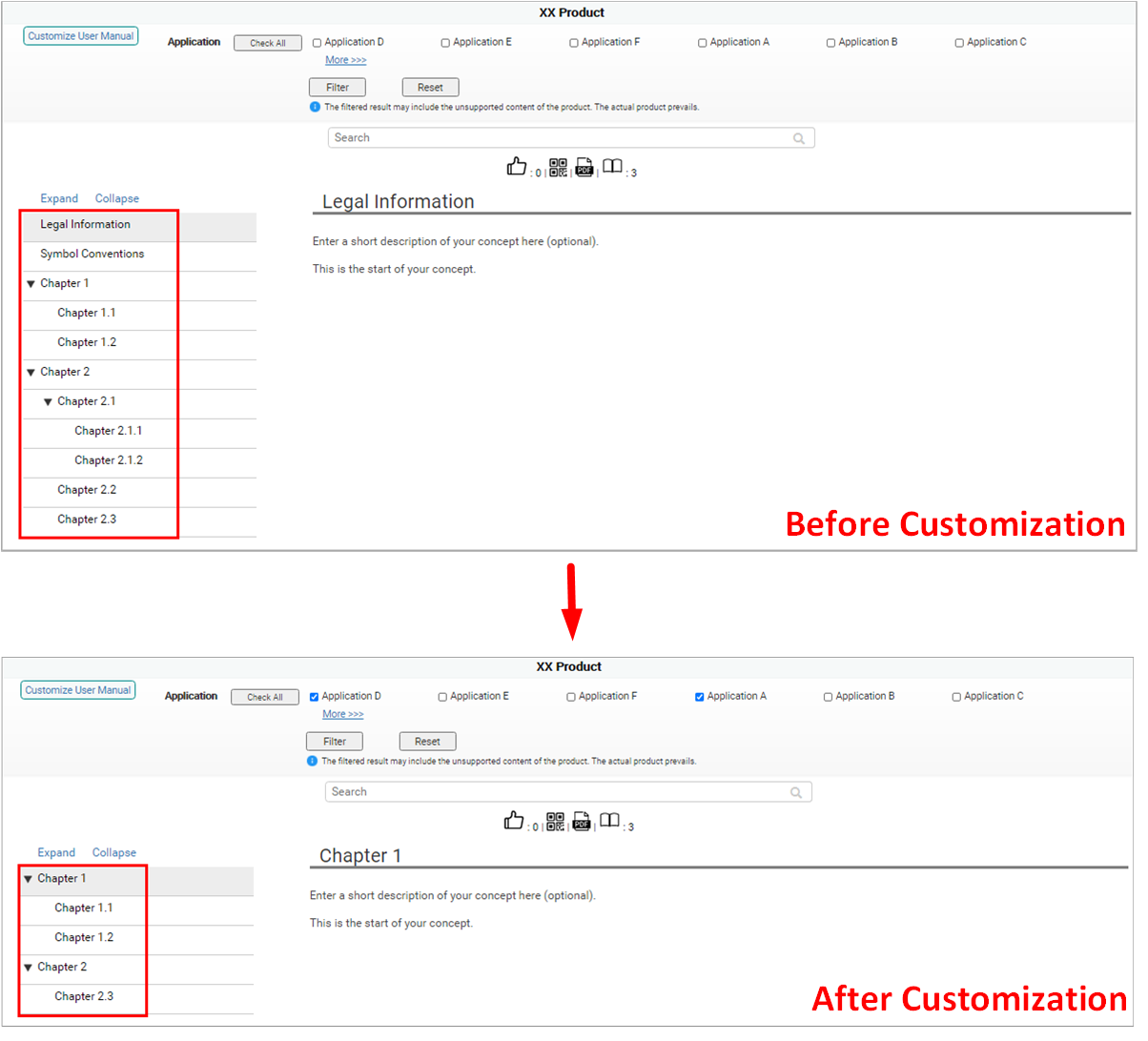 Figure 4 Result of Customizing Manual by Application
You can view the video below to get more details about the customization process.