You can control the arming status of all zones in a partition.
Note:
-
The function should be supported by the device.
-
The security control panel's Single Zone Arming or Disarming function
should be disabled. For details, see the user manual of the security
control panel.
-
On the device list, tap the arming status icon on the right of the security
control to enter the Partition page.
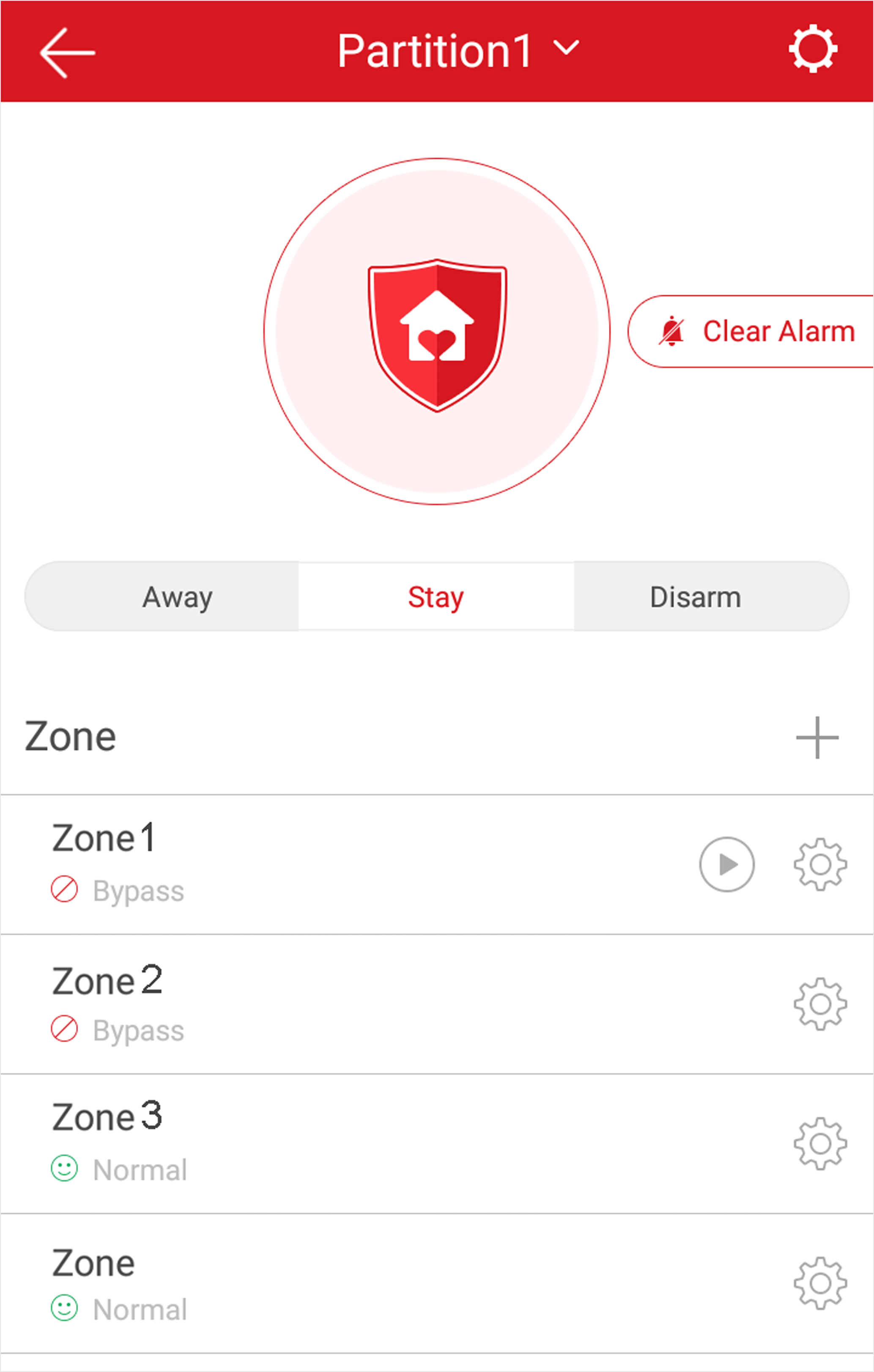 Figure 1 Partition Page
- Optional:
If the device contains more than one partition, tap the partition name at the
top of the page to switch partitions.
- Optional:
View zone status.
- Bypass
-
The zone is bypassed. For details about bypassing a zone, see
Bypass a Zone.
- Fault
-
The detector is faulty.
Note:
When a zone is faulty, bypass the zone to ensure the
partition which the zone belongs to can be armed.
-
Control all zones in the partition.
- Away
-
When all the people in the detection area leave,
turn on the away arming mode to turn on all zones in the
partition after the defined dwell time.
- Stay
-
When the people stays inside the detection area,
turn on the stay arming mode to turn on all the perimeter
burglary detection (such as perimeter detector, magnetic
contacts, curtain detector in the balcony). At the meantime, the
detectors inside the detection area are bypassed (such as PIR
detectors). People can move inside the area and alarm will not
be triggered.
- Disarm
-
In disarming mode, all the zones in the partition
will not trigger alarm, no matter alarm events happen or
not.
- Clear Alarm
-
When zones in the partition trigger alarms, tap Clear
Alarm to clear the sound and light alarming
prompt.
- Delay
-
Set the enter delay time and the exit delay time for
the delayed zone.
- Enter Delay Time
-
The waiting period between the indoor station
triggering alarms and sending alarm information to
the alarm center. Therefore, during entering delay
time, you can disarm the zone without triggering
alarms.
- Exit Delay Time
-
The time period between the time when you arm the
indoor station and the time when the arming take
effect. Exit delay allows you to exit the zone
without triggering alarms after arming the
zone.