Control Areas/Zones of an AX HOME, AX PRO, or AX HYBIRD PRO
For the added security control devices including AX HOME, AX PRO, and AX HYBIRD PRO (referred to as "devices" in the following), you can control them such as arming/disarming area, and silencing alarm.
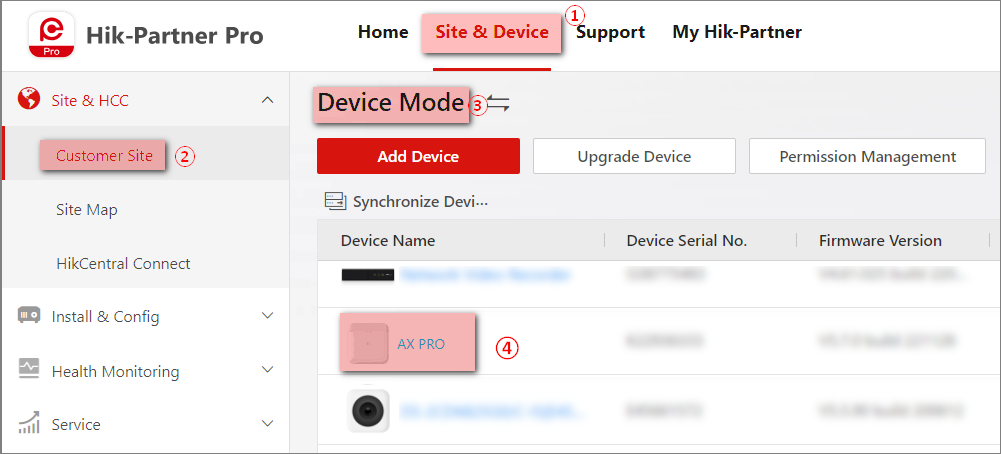
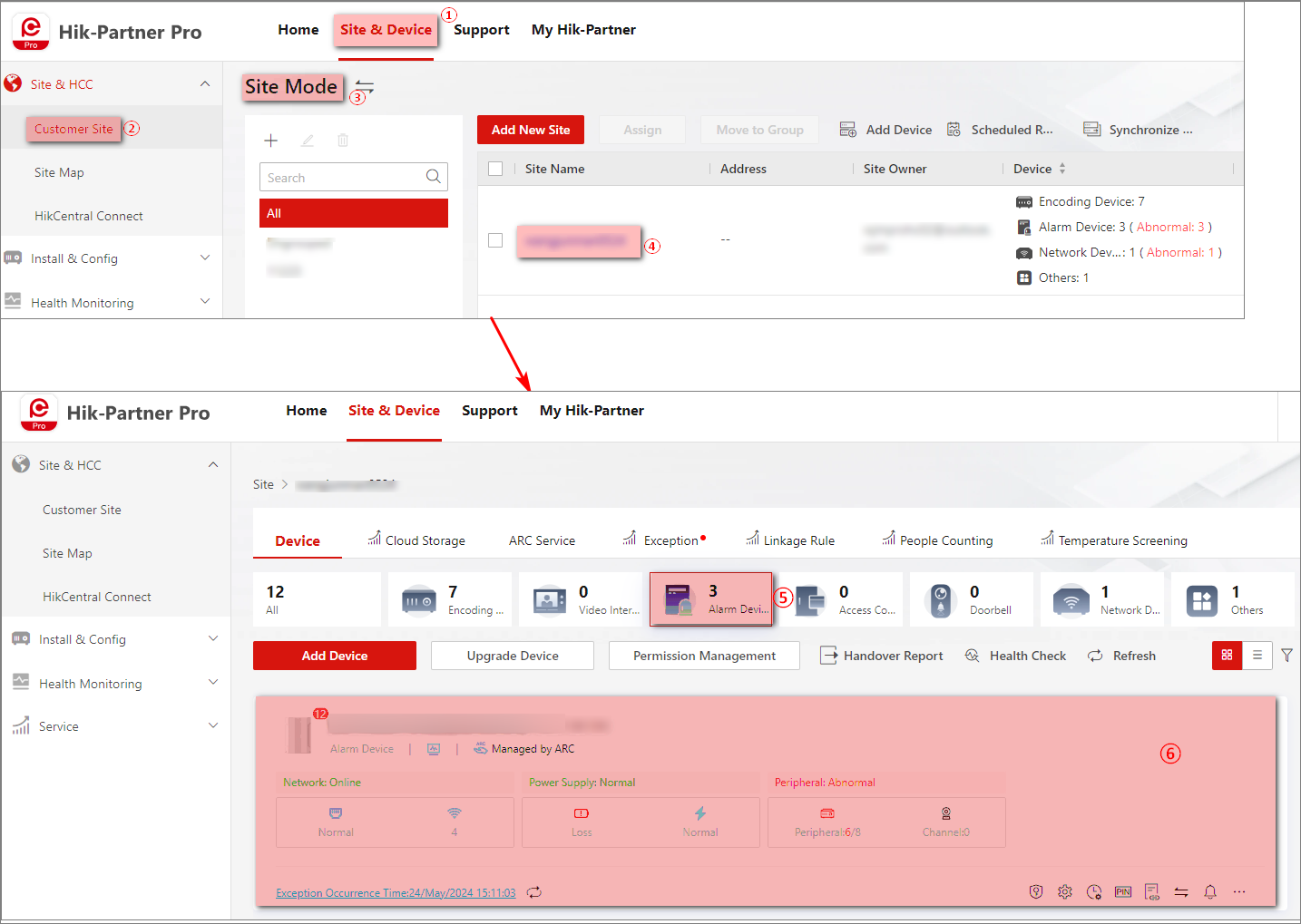
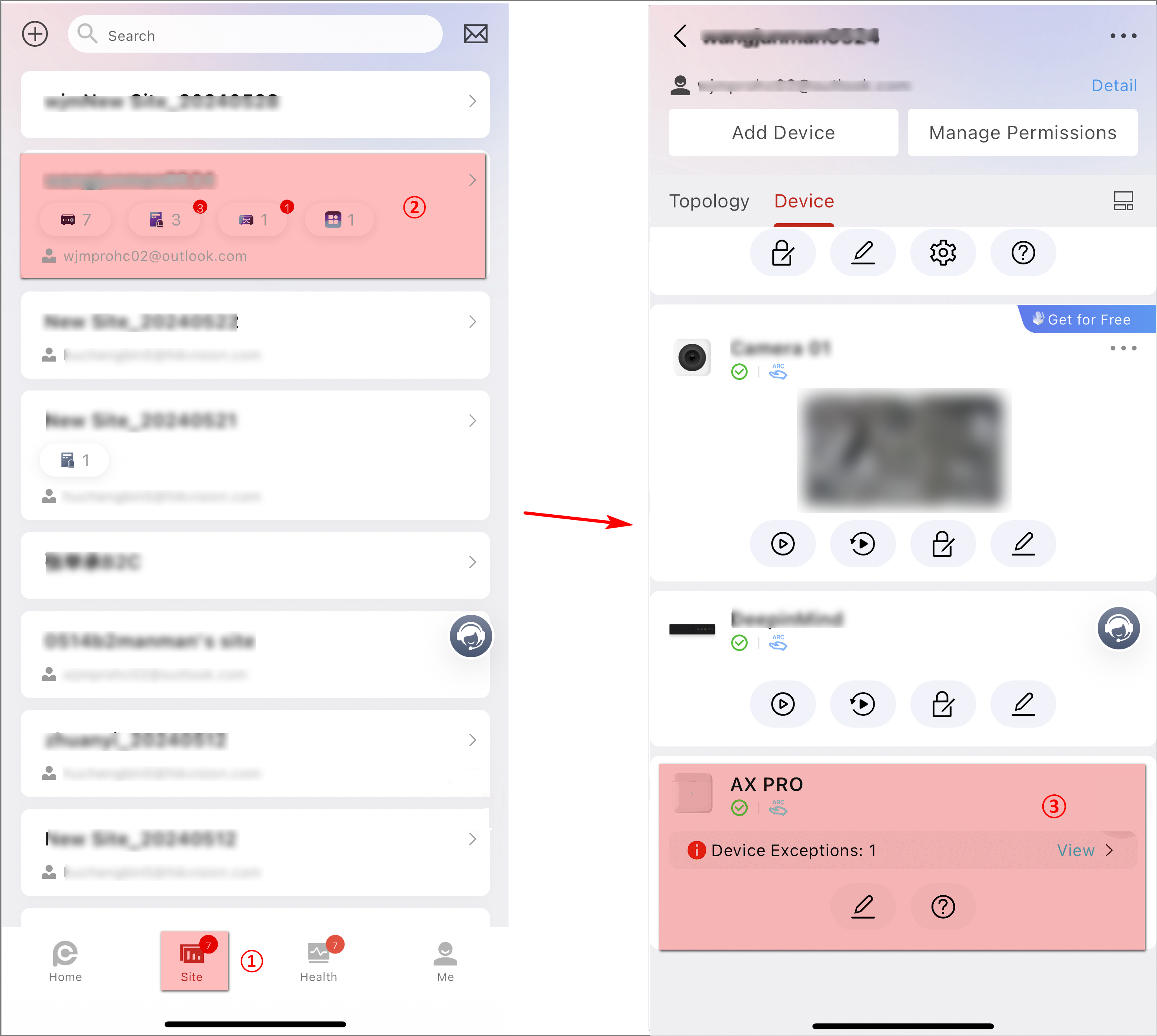
Enter the device details page to configure the device. The following figures show the entries on the Portal and the Mobile Client.
|
Figure 1 The Entry of
Device Details Page on the Portal (Device Mode) Figure 2 The Entry of Device Details Page on the Portal (Site
Mode) |
Figure 3 The Entry of
Device Details Page on the Mobile Client |
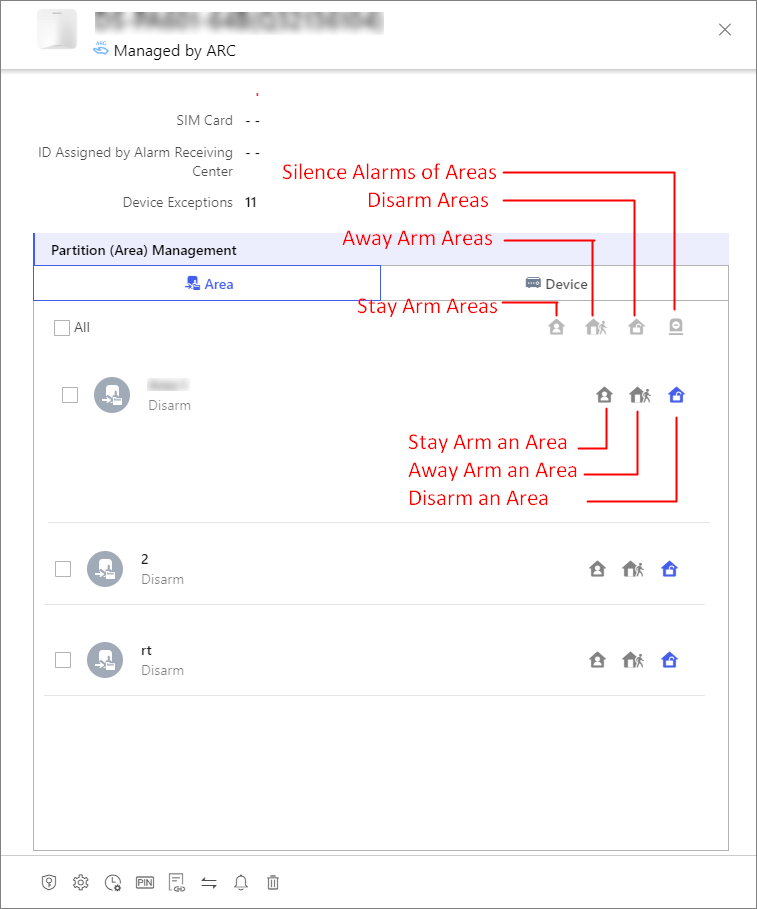
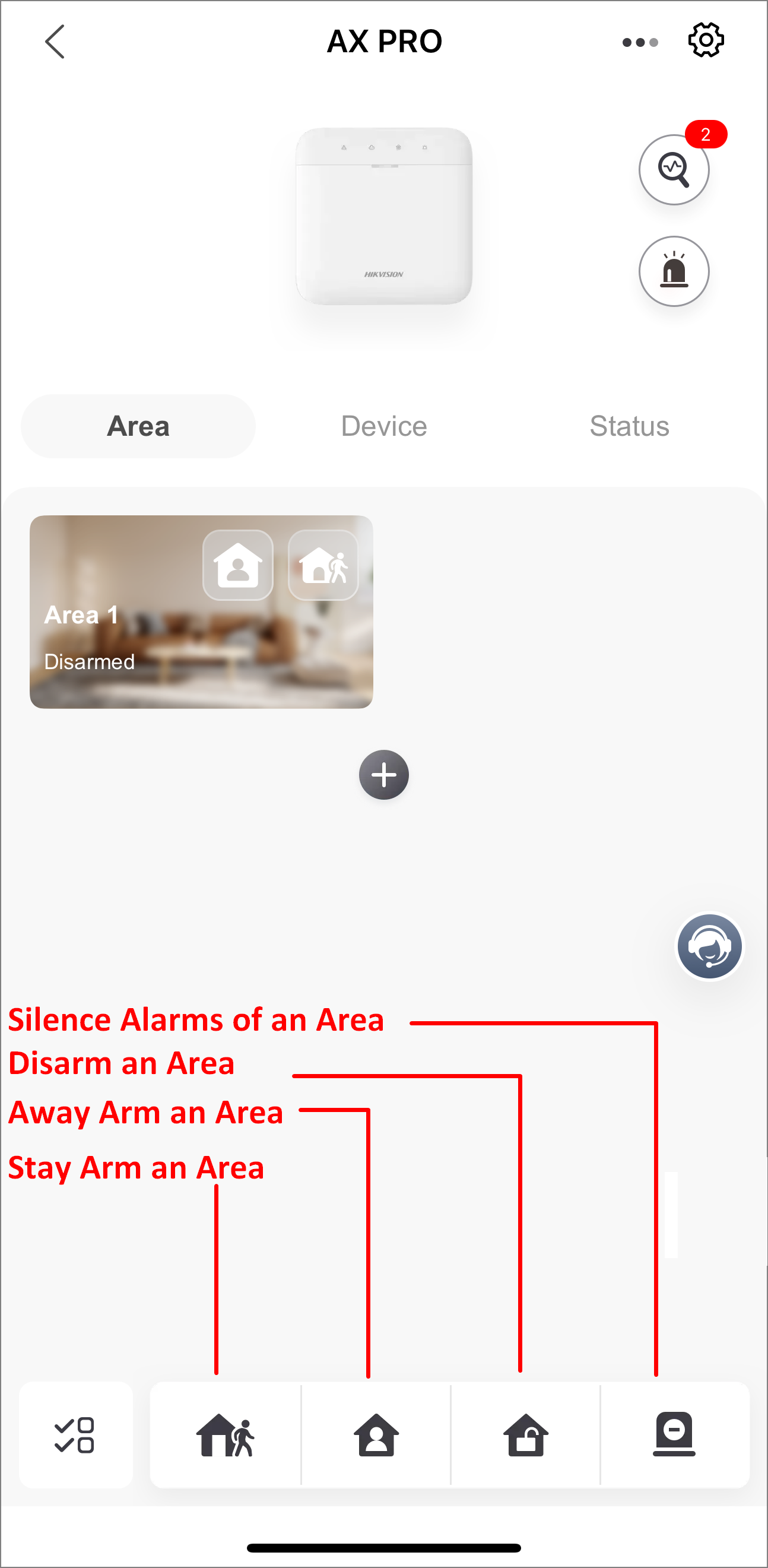
On the device details page, you can perform the following operations.
|
Figure 4 Supported
Operations on the Portal |
Figure 5 Supported
Operations on the Mobile Client |
Note
AX HOME devices do not support stay arming areas. AX HYBIRD PRO devices do not support silencing alarms of areas.
Share