Configure AC Routers
Introduction
After you add the AC and initialize the network, you can perform some operations, including rebooting and remotely configuring the device.Supported Devices
Refer to the device compatibility list for the supported models.
Operations
-
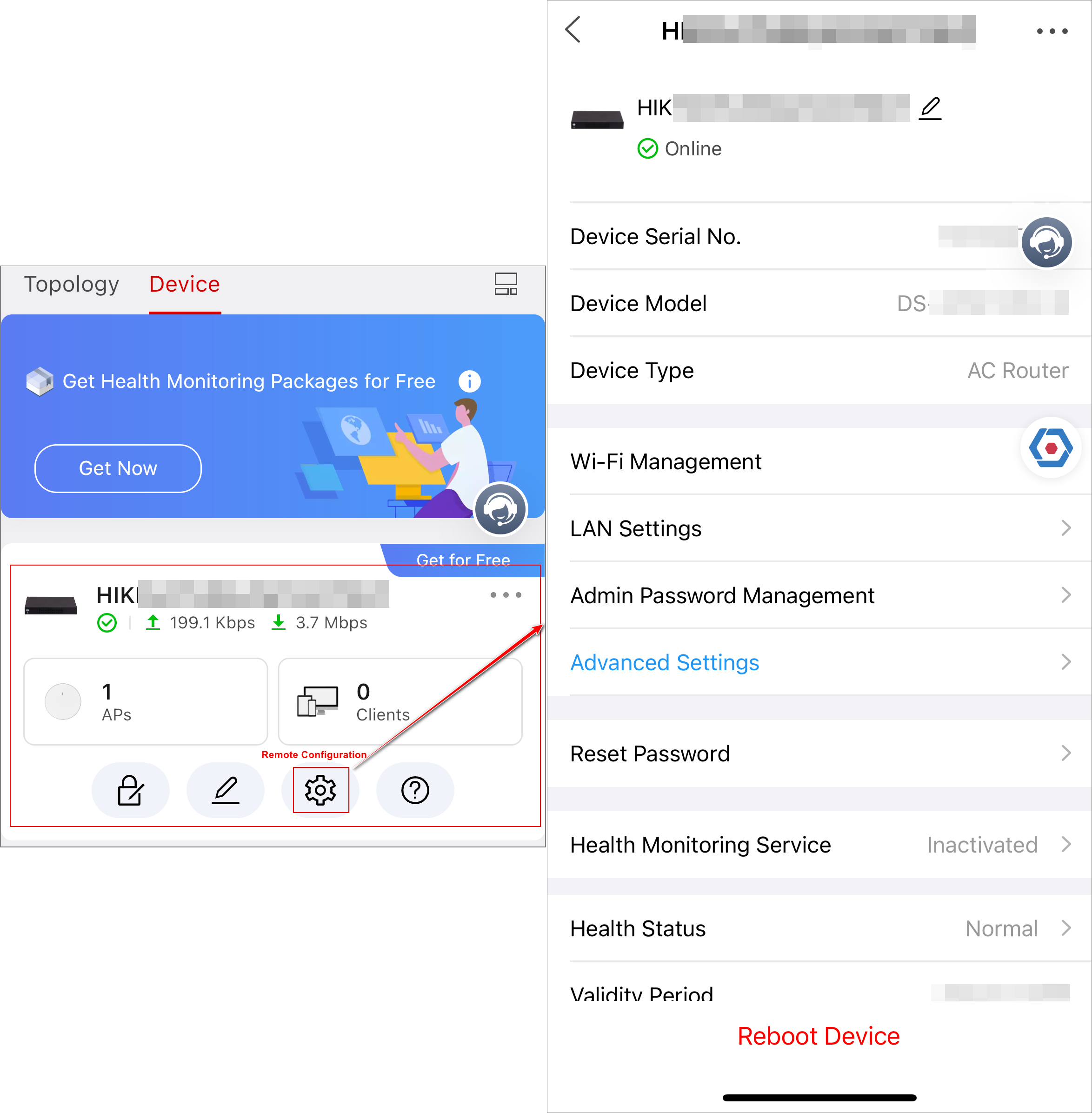
Remotely configure AC routers, including AC device name editing, LAN settings, Wi-Fi management, admin password management, advanced settings, and password reset.
-
Remotely upgrade the AC router on the system setting page.
Figure 1 AC Remote Configuration -
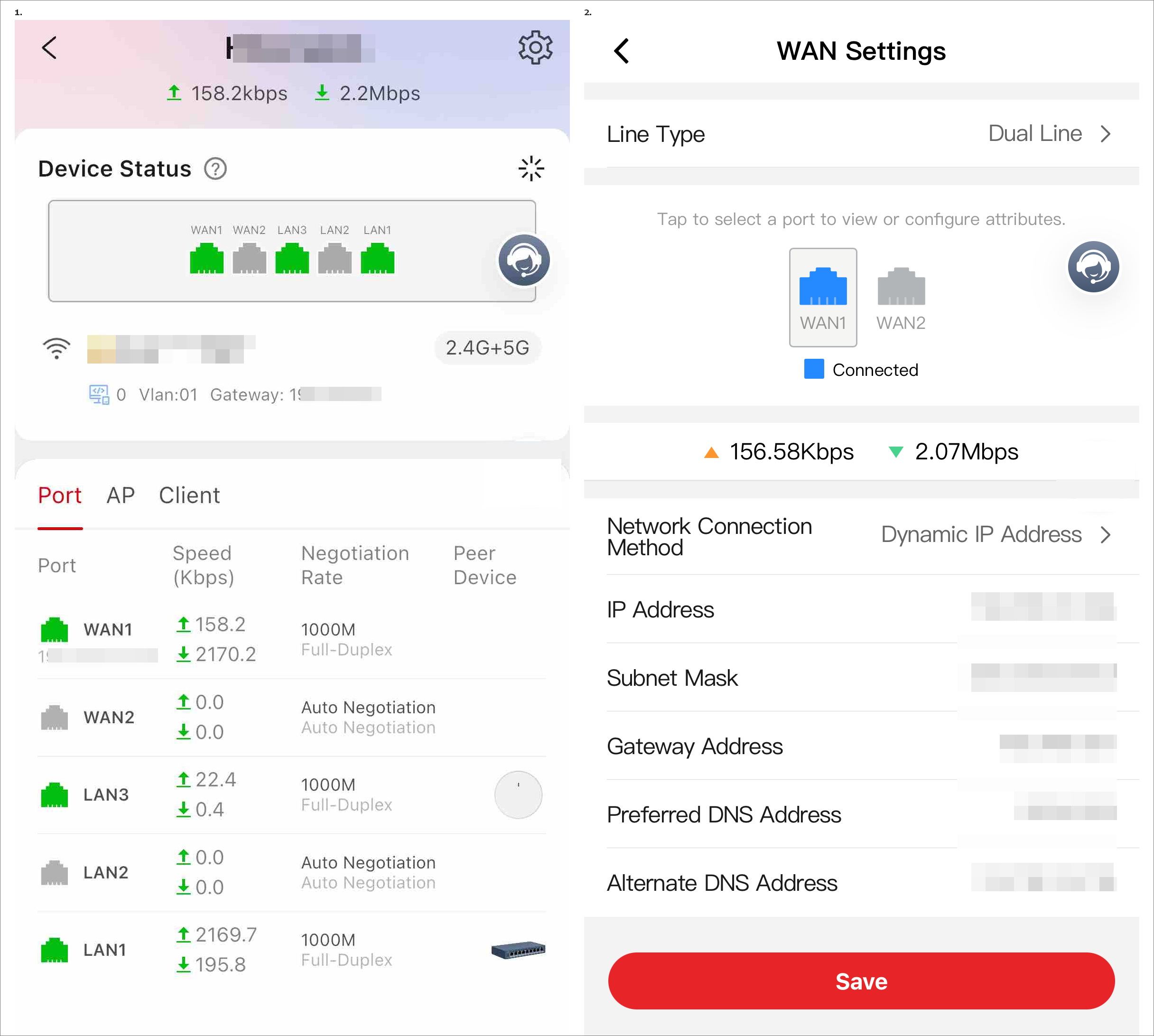
Check the lists of ports, APs, and clients.
-
Port list: Port type (WAN/LAN), port name, IP address of WAN port, connection status, uplink & downlink rates, negotiation rate, and peer devices. Supports tapping a WAN port to go to the WAN settings page.
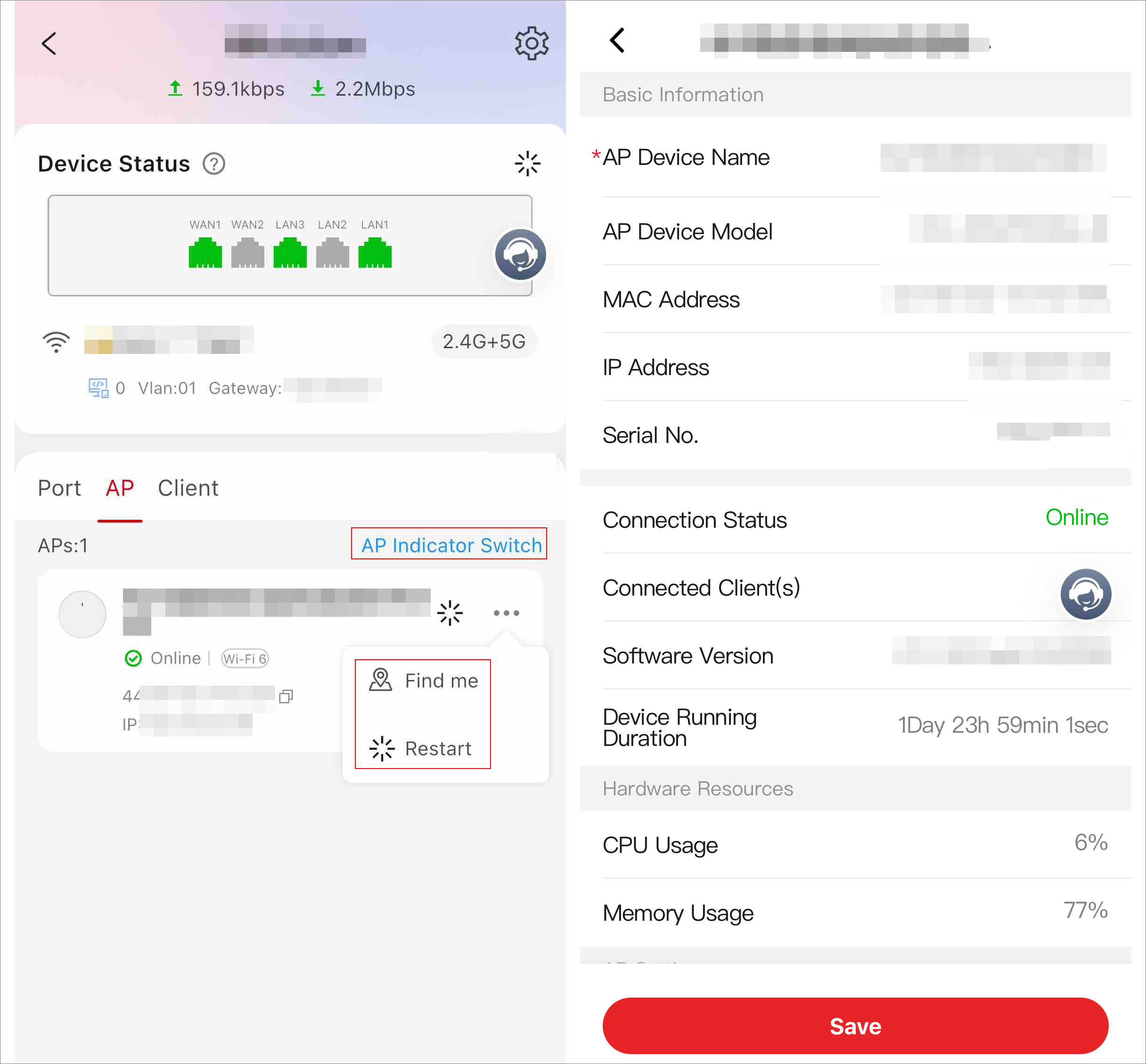
Figure 2 Port List AP list: AP name, IP address, online/offline status, connected clients, MAC address, and number of Aps. Supports tapping an AP to go to the AP details page. Supports tapping Find Me to manually make the AP indicator flash to find the AP. Other supported operations: rebooting the AP, jumping to the client list of an AP, and turning on/off the indicators of all APs.
Figure 3 AP List-
Client list: Client name, connection mode, connected AP, and uplink & downlink rates. Supports tapping a client to jump to its details page.
-
-
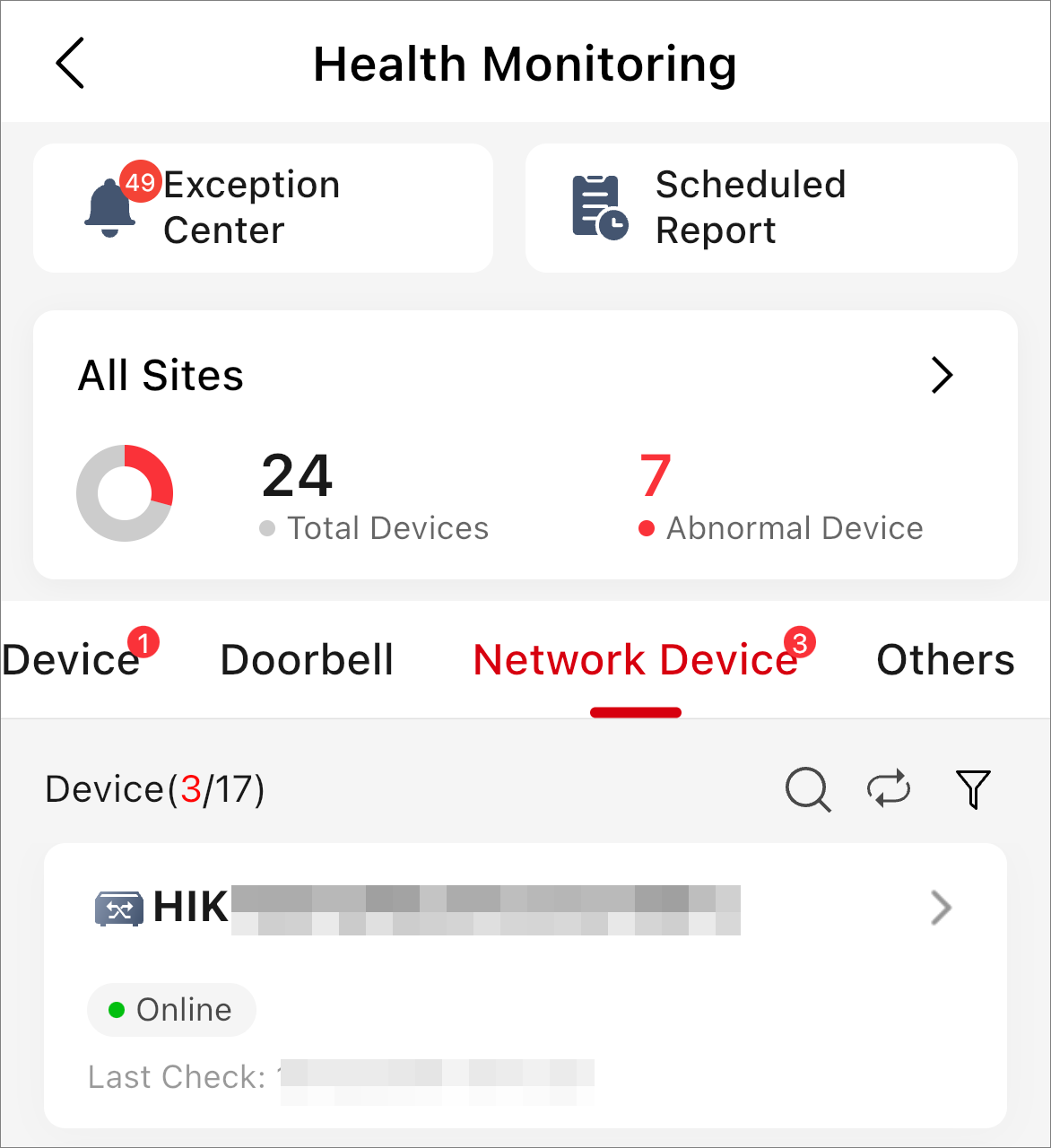
Check the health monitoring of AC routers (online/offline status), and set the exception rules for AC routers.
Figure 4 Health Monitoring of AC