Configure an AX HOME, AX PRO, or AX HYBIRD PRO
For the added security control devices including AX HOME, AX PRO, and AX HYBIRD PRO (referred to as "devices" in the following), you can configure parameters for them such as switching language and applying for a PIN.
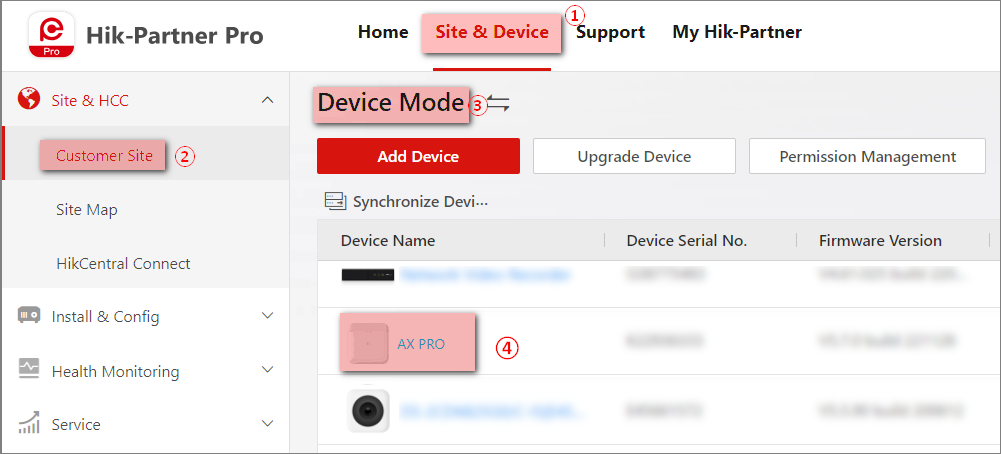
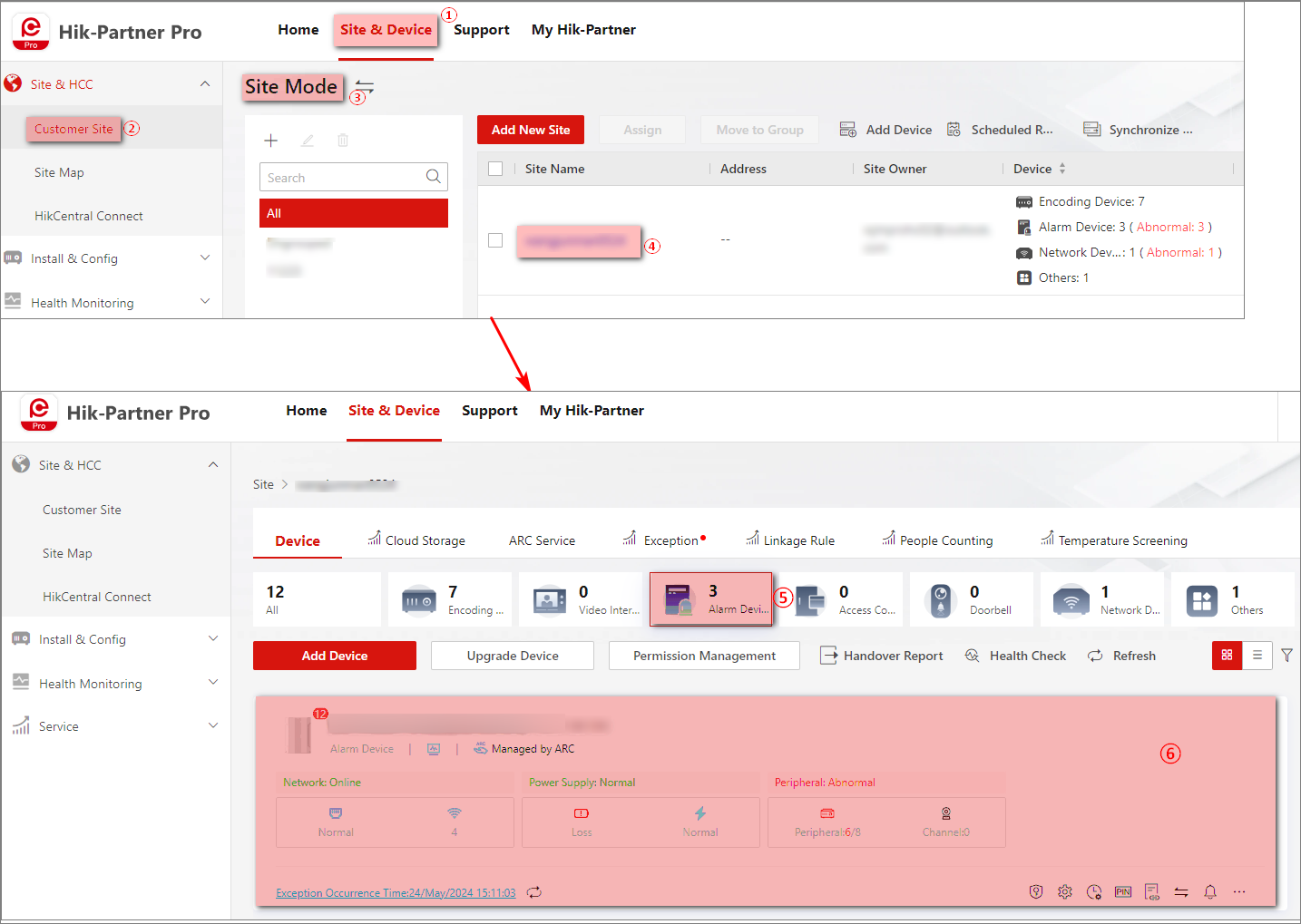
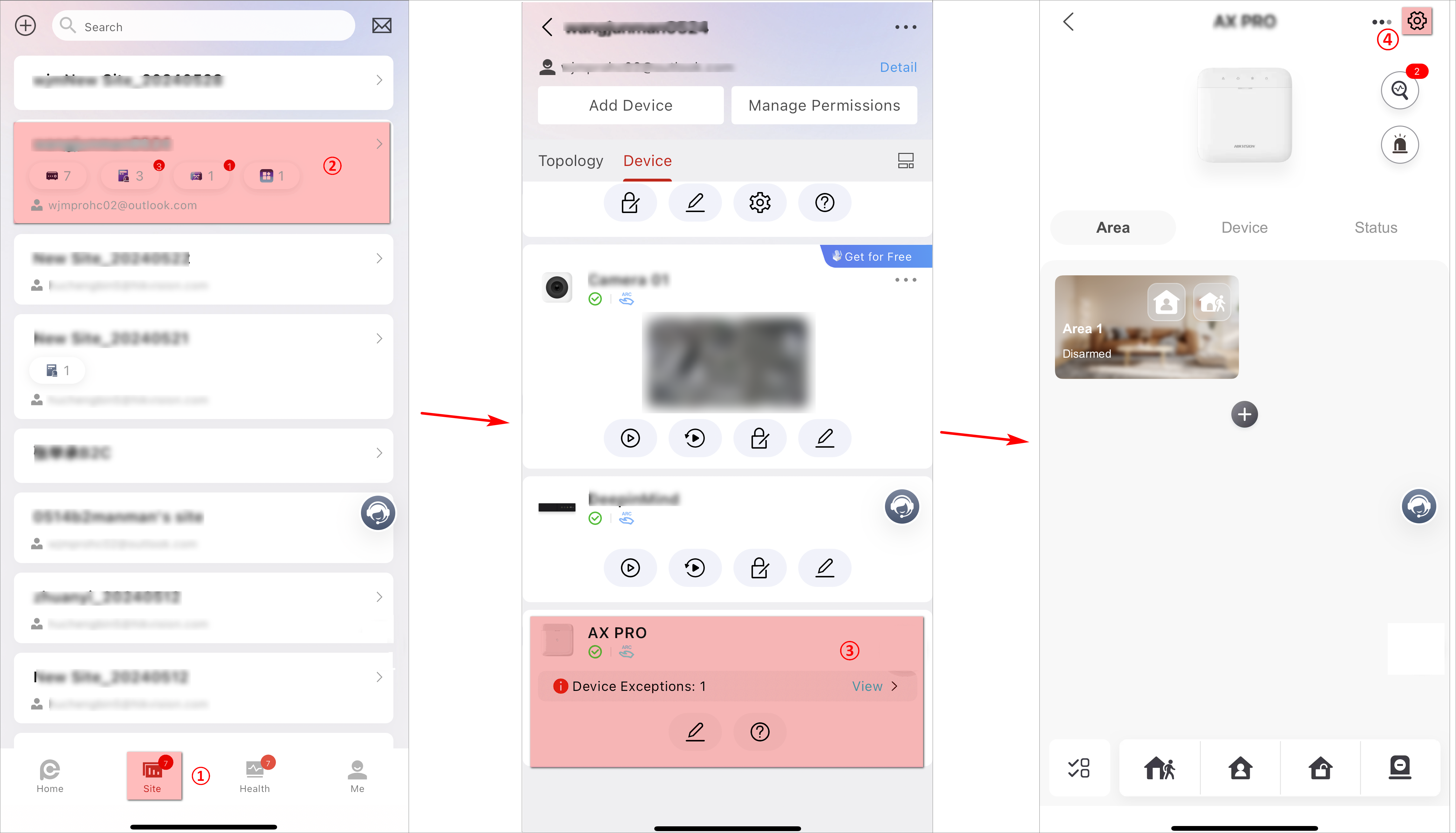
Enter the device details page (Portal) or settings page (Mobile Client) to configure the device parameters. The following figures show the entries on the Portal and the Mobile Client.
|
Figure 1 The Entry of
Device Details Page on the Portal (Device Mode) Figure 2 The Entry of Device Details Page on the Portal (Site
Mode) |
Figure 3 The Entry of
Settings Page on the Mobile Client |
The following operations are supported to configure the device.
Remotely Configure Device
You can configure the device parameters on the remote configuration page of the device. See the user manual of the device for details.
Apply for a PIN
You can apply for a PIN, which is used for upgrading AX PRO or AX HYBRID PRO.
Switch Language
You can switch device language and decide whether to keep the names of the device and its areas.
Walk Test (Only Mobile Client)
You can start walk test, which is used to test if the detectors can detect target objects in the detection zones.
More Operations (Only Mobile Client)
You can do other configurations including the user management, system options configuration, ARC settings, linking network cameras, communication settings. Refer to the user manual of the device for details.