Batch Configure and Upgrade AX PROs
Add Templates for Batch Configuring AX PRO
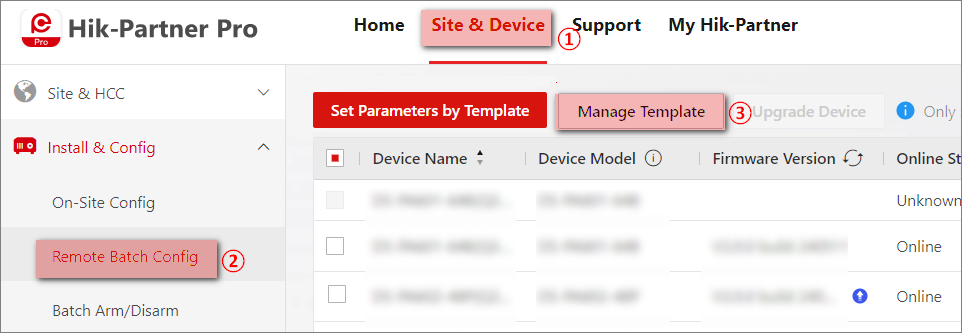
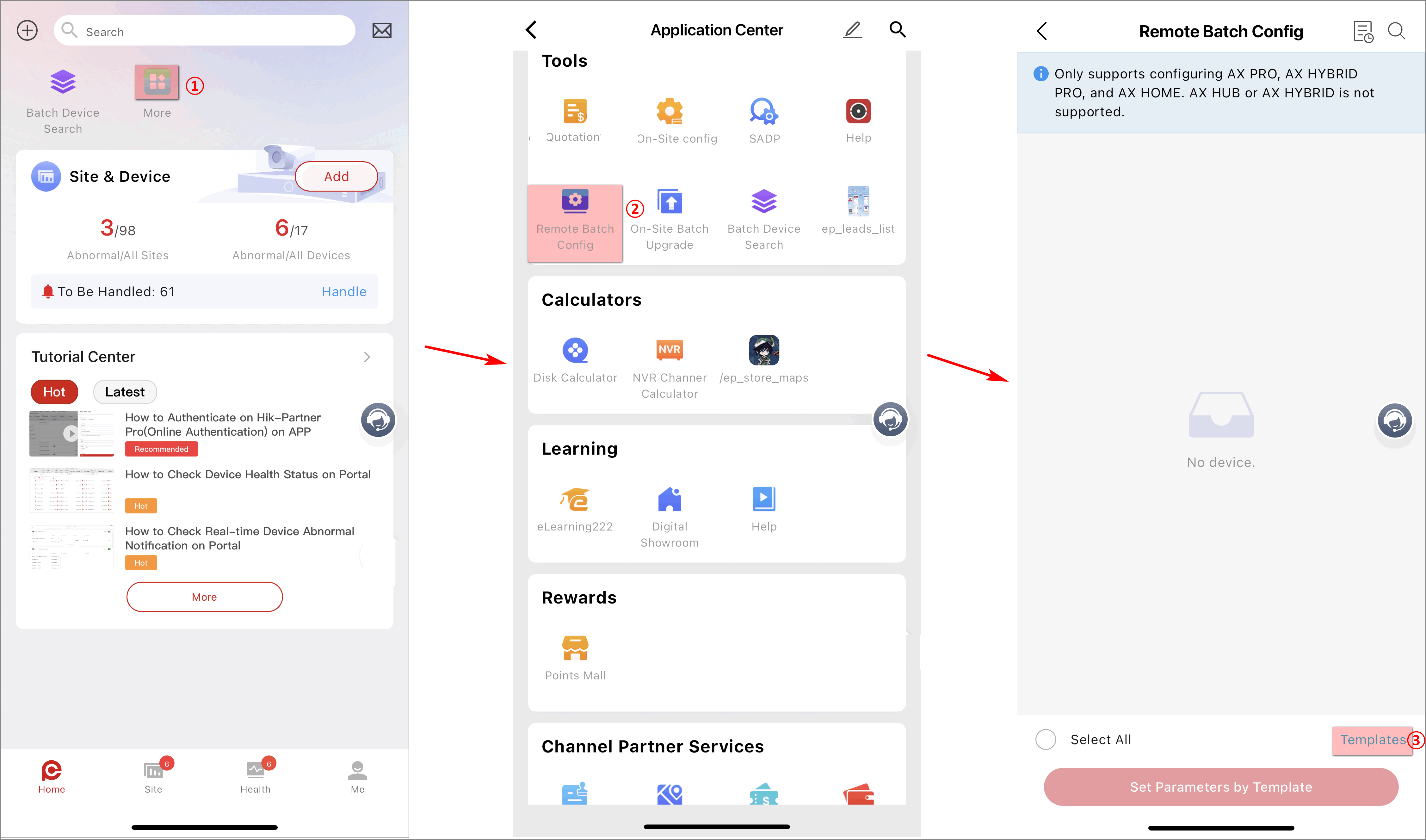
Before batch configuring AX PRO devices, you should add a template with the predefined information in it.
|
Figure 1 The Entry
of Adding Templates on The Portal |
Figure 2 The Entry
of Adding Templates on The Mobile Client |
Refer to the following table for the explanations of template parameters.
|
Arming Schedule |
Enable auto Arm/Disarm |
The area will be automatically armed/disarmed according to the configured time. |
|
Late to Disarm |
Enable the device to push a notification to the phone or tablet to remind the user to disarm the area when the area is still armed after a specific time point. |
|
|
Weekend/Holiday Exception |
The area will not be armed or disarmed on the weekend/holiday. |
|
|
Auto Arm Sound Prompt |
The AX PRO will sound for a prompt when it is armed automatically. |
|
|
Panel Alarm Duration |
The time duration of the panel alarm. |
|
|
Alarm Receiving Center |
Account Code |
Enter the assigned account provided by the alarm receiving center. |
|
Impulse Counting Time |
Set the timeout period waiting for the receiver to respond. Re-transmission will be arranged if the transceiver of receiving center is timed out. |
|
|
Attempts |
Set the maximum number that re-transmission will be tried. |
|
|
Polling Rate |
Set the interval between 2 live polling. |
|
|
Periodic Test |
Enable the function and set the interval between two periodic tests. |
|
|
Event Types Notification - ARC |
Select which alarm receiving center to receive event notifications and the corresponding event types. |
|
Batch Configure AX PRO
You can batch configure AX PRO devices with the added templates. For adding templates, refer to Add Templates for Batch Configuring AX PRO.
The following figures show the entries of batch configuring devices on the Portal and the Mobile Client.
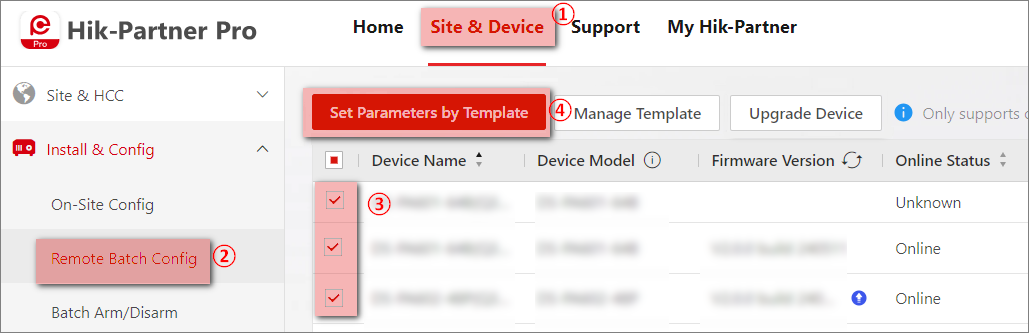
On the Set Parameters by Template page,
-
Select a template to be applied.
-
View template details.
-
Apply the template.
Batch Upgrade AX PRO on the Portal
You can batch upgrade AX PRO devices if their firmware versions are old.
The following figure shows the entry of batch upgrading devices and the resulted page on the Portal.
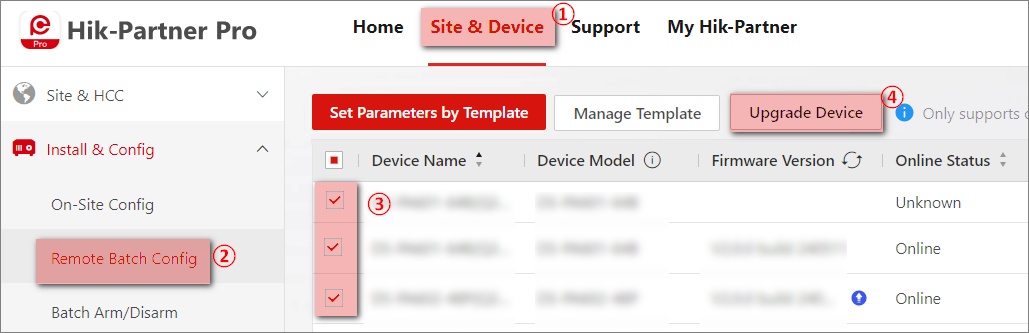
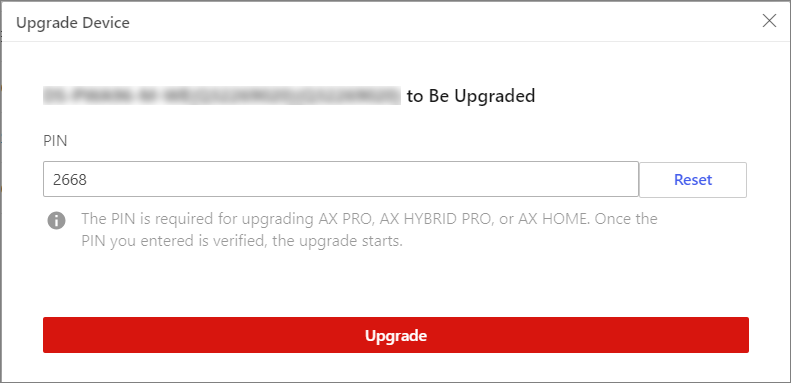
The PIN is entered automatically. You can reset the PIN if needed.