Restore System Data
Restoring system data refers to the process of bringing back the system's data to a previous state, which is often done after a system failure or to revert changes that have caused exceptions.
Note
Make sure you have backed up system data. Refer to Set System Data Backup for details.
In the top right of the Home Page, click .

For Standalone Mode
-
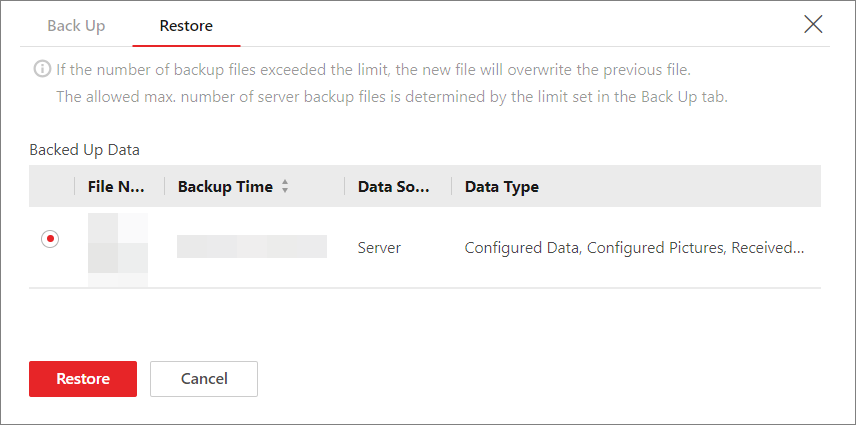
Select a backup file to be restored.
Figure 1 Restore System Data -
Click Restore
Note-
After restoring the system data, you must reboot the SYS service via Service Manager and log in to Web Client again.
-
For Cluster Mode
-
Select a backup file source.
-
If you have selected the source as Auto Backup, set the backup time.
-
Select a backup file.
-
Click Restore Now.
Share
On This Page