Configure Picture/File Storage Location and Data Retention Period
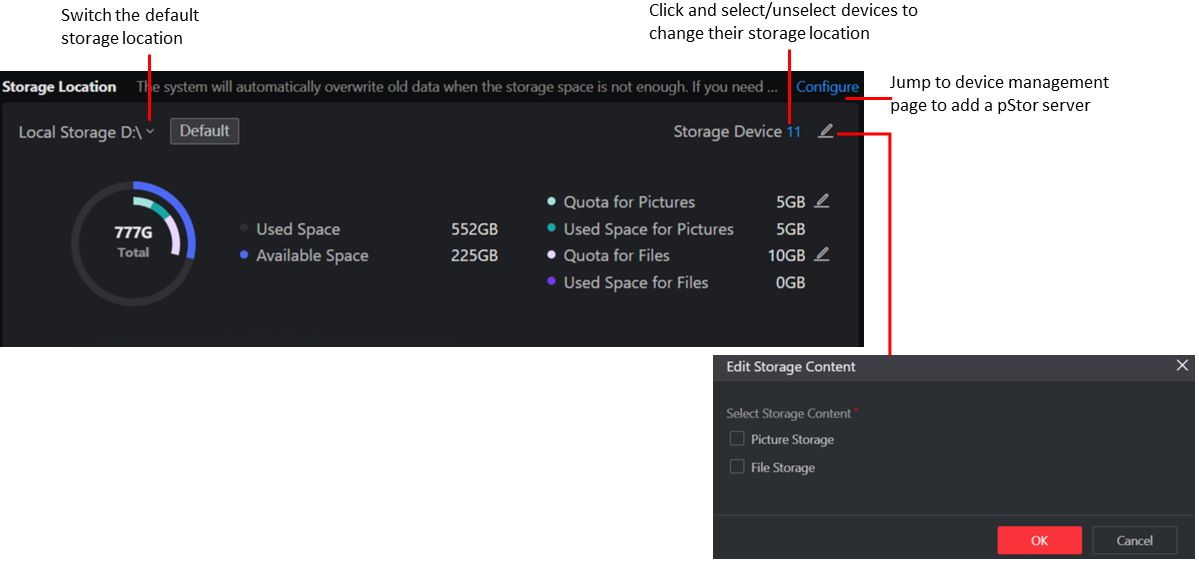
The system pictures are stored on the local disk by default. You can change the pictures storage location to the other local disk, allocate the storage quota for pictures, and add a storage location for files. In addition, you can specify how long to keep the data (such as logs, events, records, and analysis data) on the system.
-
Pictures mentioned here include video monitoring related images (such as VCA/ANPR related pictures and face pictures) and pictures captured by access control devices, security control devices, and alarm linkages.
-
Files include audio and video files of video intercom and firmware upgrade files.
Configure Storage Location
In the upper-right corner of the Desktop, click .
The default local storage pool is used to store pictures and files of all added devices and cannot be deleted.
Configure Data Retention Period
In the upper-right corner of the Desktop, click .
Define the retention period to keep the data as desired according to the data type.