View Videos Related to Face and Human Body Recognition
After adding face and human body recognition cameras, you can view videos related to face picture comparison and human body detection. At the same time, events related to the current videos will be displayed in real-time. You can view the similarity between the captured face picture and the face picture in the specific library, the name of the matched face picture library, etc. And you can perform more operations such as searching for the related face pictures and human body pictures if needed.
To use this function, make sure you have added face and human body recognition cameras and have added channels for the cameras in License Management > License Overview > .

During live view, the events of face and human body recognition camera(s) on the current view are displayed in real time. Hover on the event to view its details or right-click the event to perform more operations. Refer to the following figure.
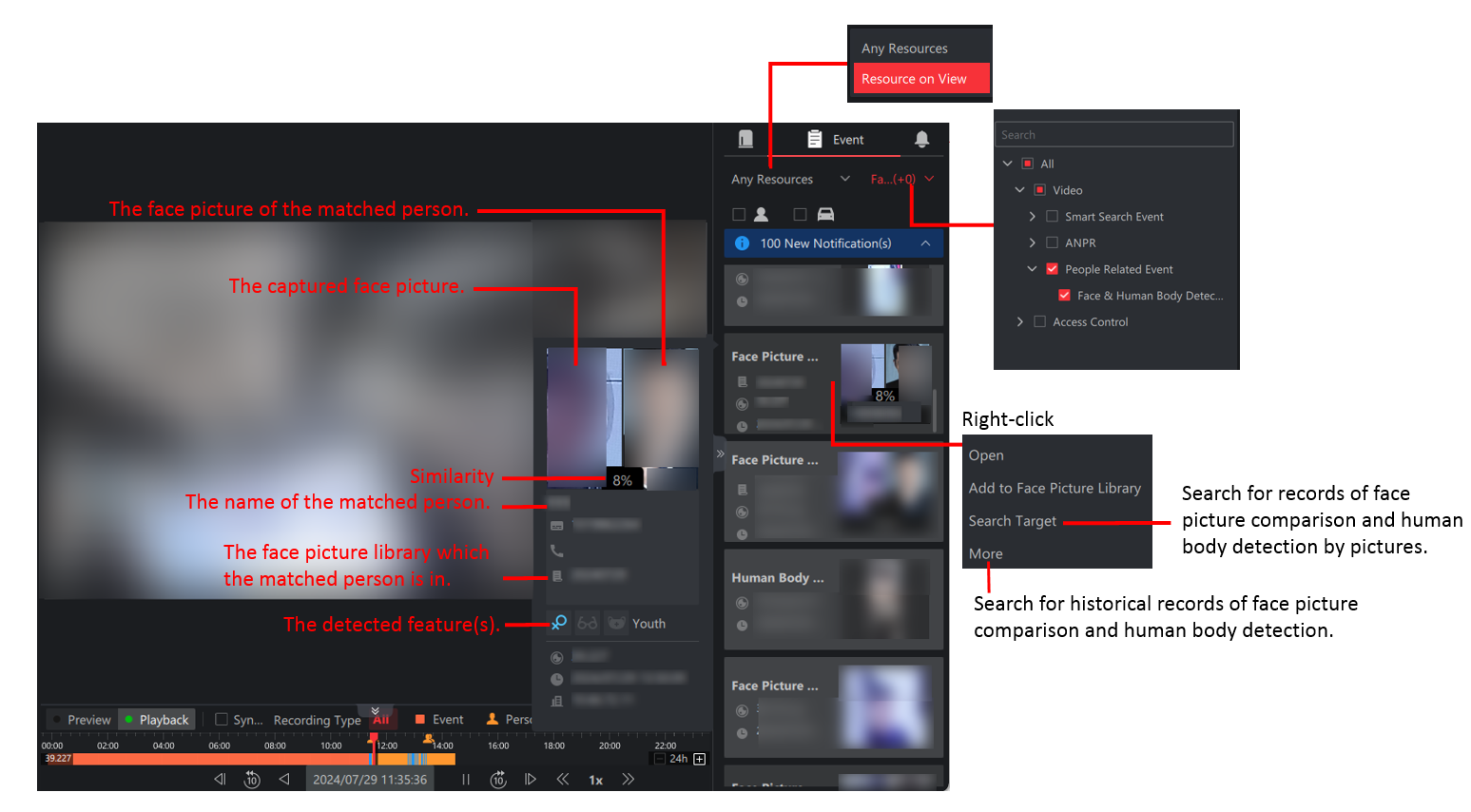
Due to the UI similarity of face picture comparison and human body detection, the above only takes face picture comparison as an example.