Search Records of Face Picture Comparison and Human Body Recognition by a Picture
You can upload a picture and setting other conditions to search for the corresponding faces and/or human bodies. For the searched results, you can view the capture details, play the related video files, etc.
Note
Make sure you have added DeepinMind or NVR.
Click , and select a picture from local PC to start searching.
If there is only one face in the picture, the search results will be automatically displayed. Otherwise, you should select a face and/or a human body in the picture for searching.
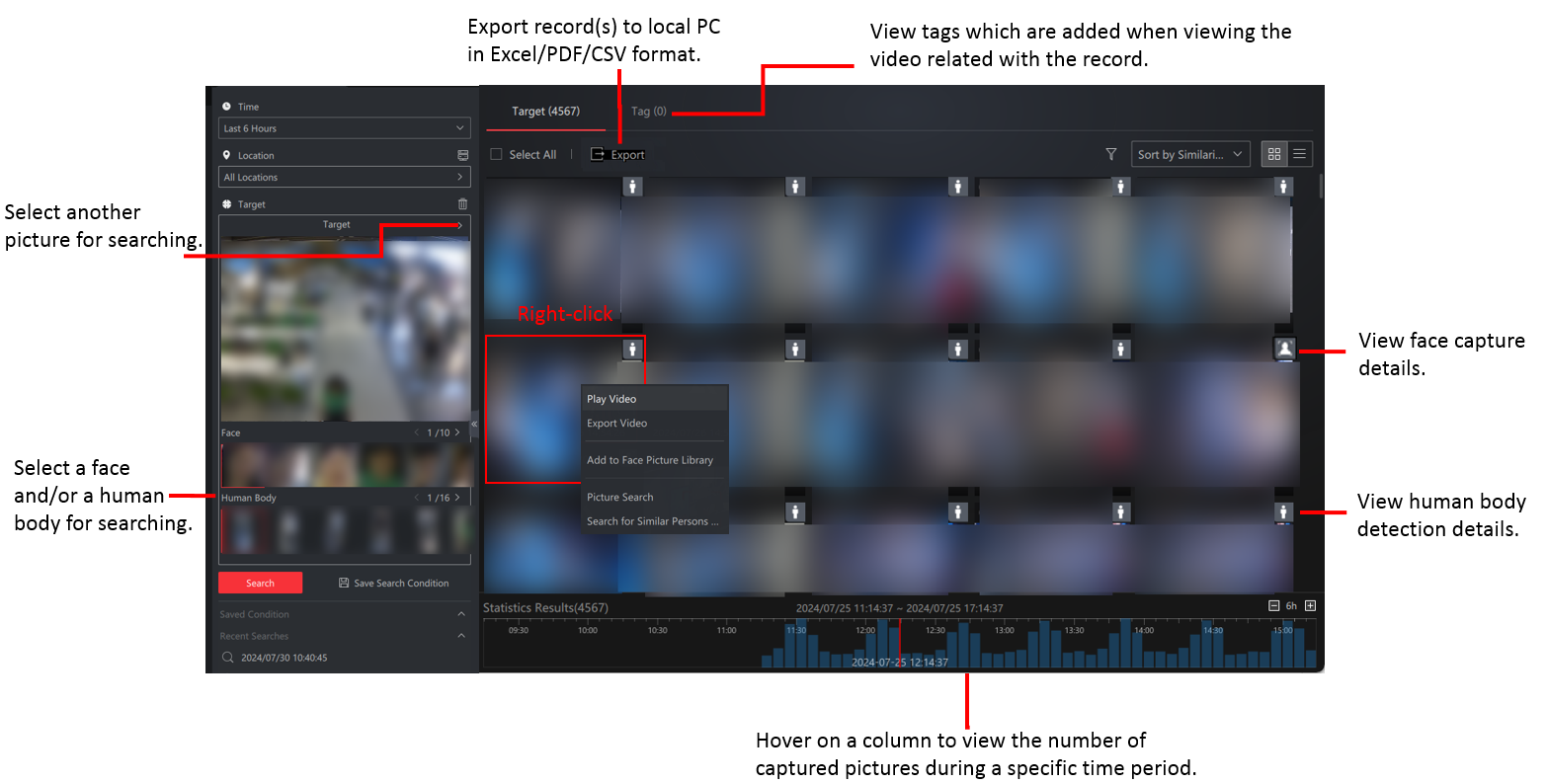
Figure 1 Search Conditions and Supported
Operations on Search Results Page
Share