Add Departments and Persons
On the Person page, you can add persons via different methods, export person information or profile pictures to the PC, or manage existing persons.
Add a Department
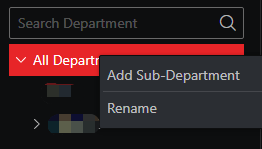
Right-click the root node of department, and select Add Sub-Department to add a department.
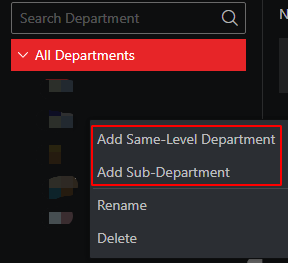
Right-click an added department, and select Add Same-Level Department or Add Sub-Department.
In the department tree, drag a department to change its level.
Add Persons
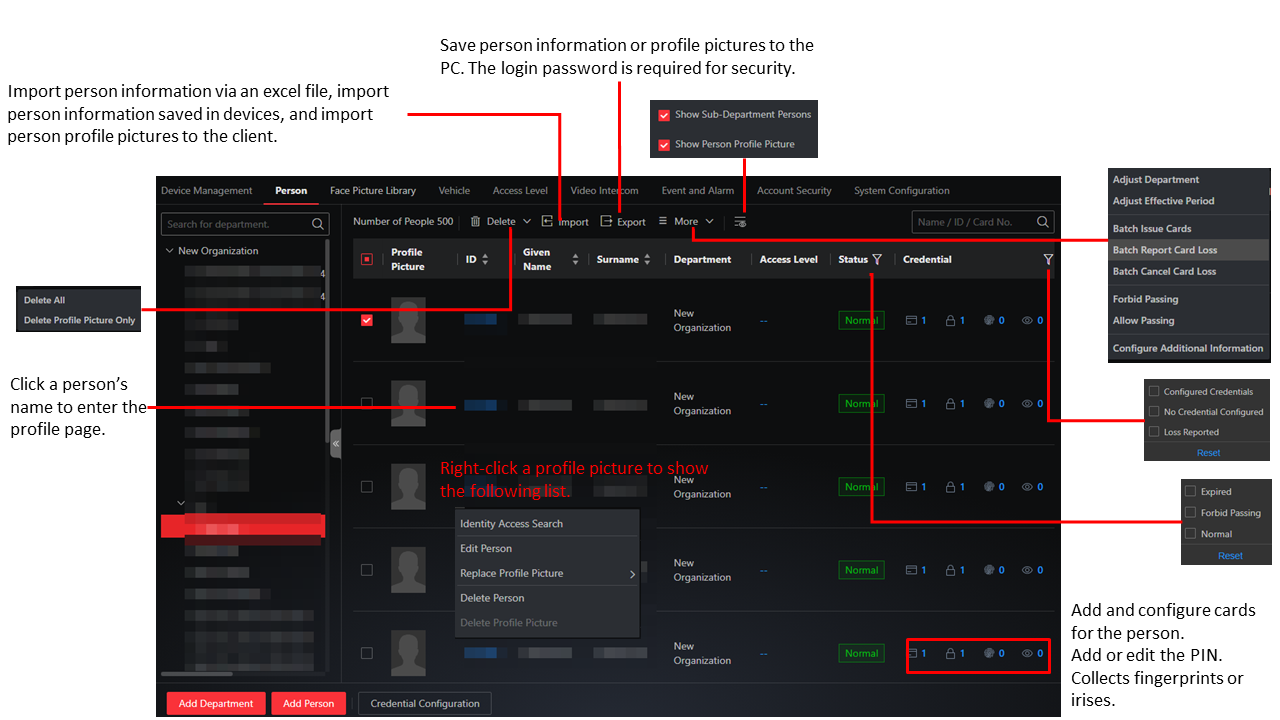
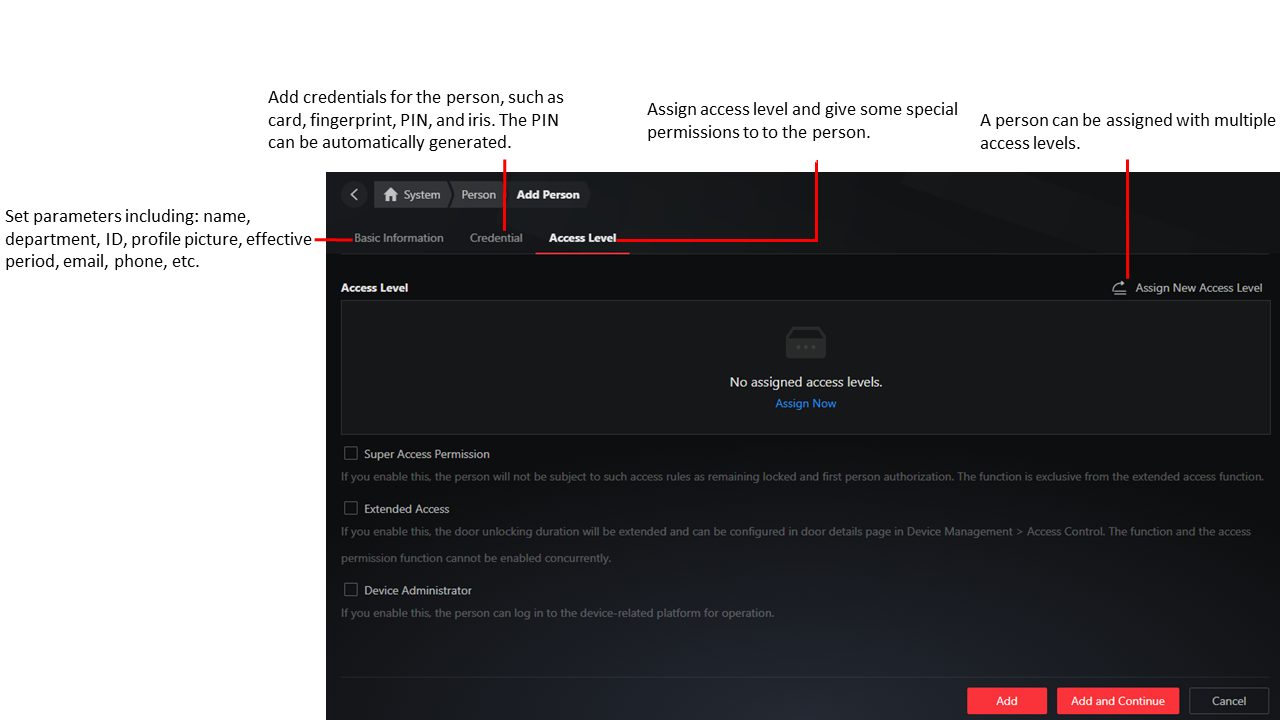
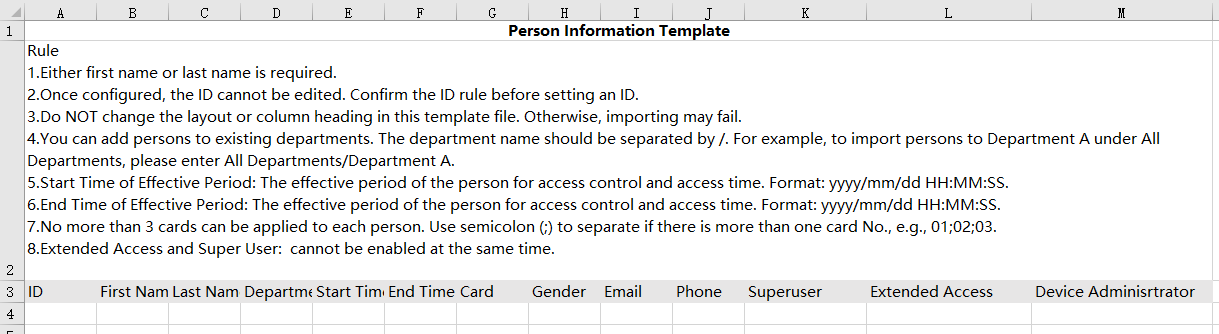
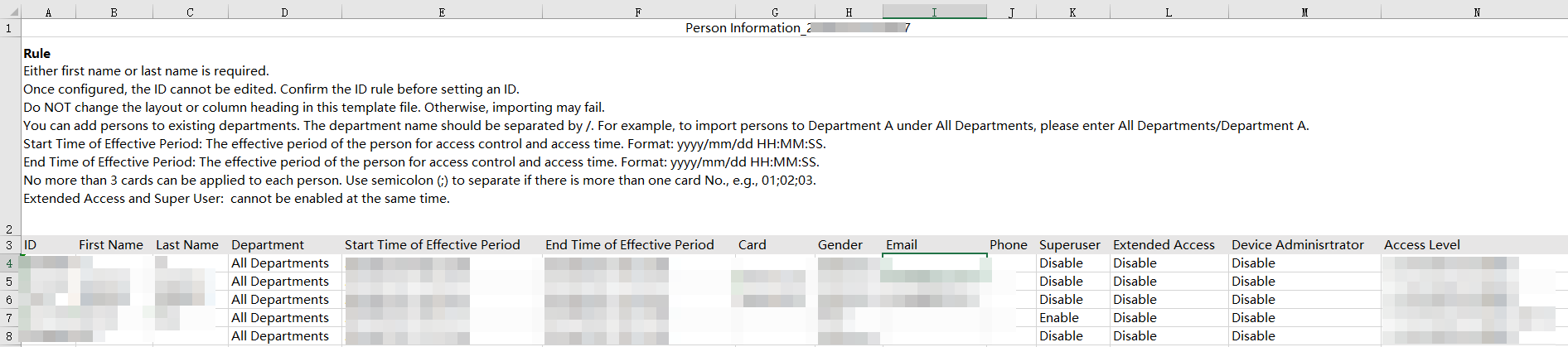
Additional information will be included in the downloaded template if any.
To export person profile pictures, you should enable this function first on the Profile Picture page (). See Protect Profile Pictures.
For deleted persons, their information (including name, ID, validity period, credentials, etc.) will still be kept (Go to to configure data retention time for them.) During the retention time, the data of deleted persons can still be found; otherwise the data will be deleted.