View Details of a Device
View configuration and status of a selected device, and edit its configurations.
In the device list, click the name of a device, or right-click a device/door, and then select View Details.
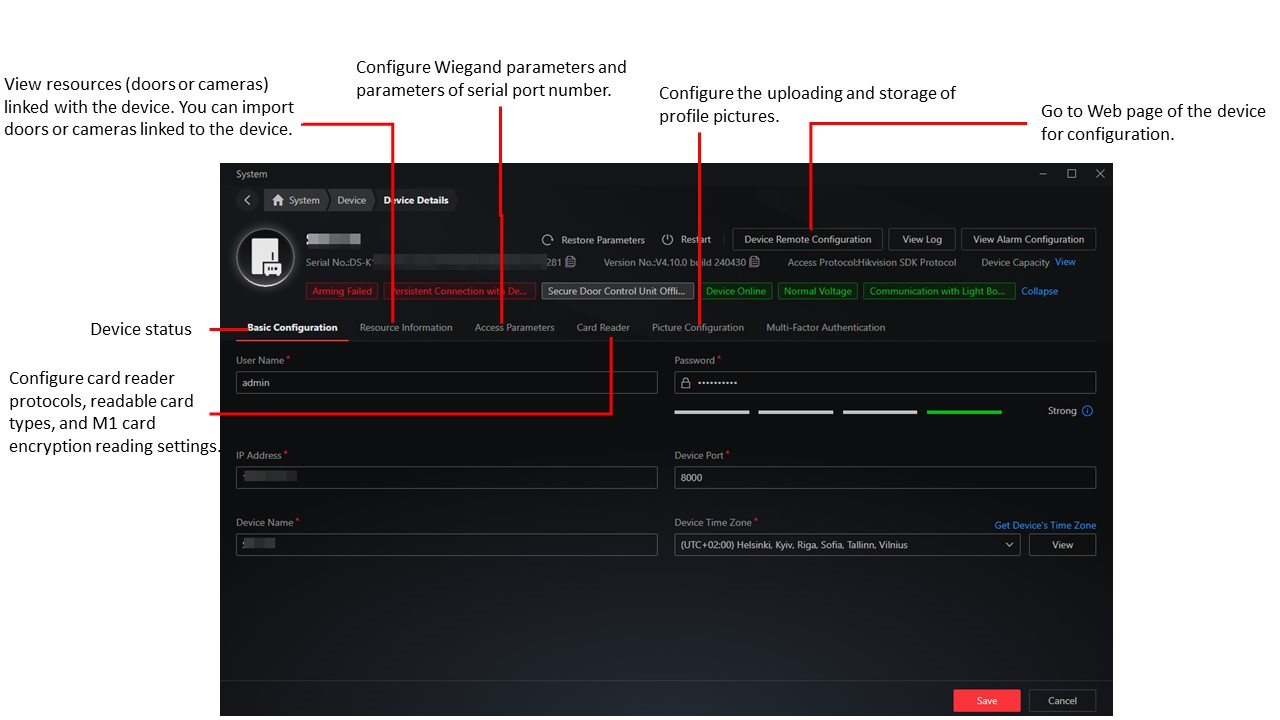
Figure 1 Details of an Access Control Device
- Multi-Factor Authentication
-
- Authentication Interval
-
Make sure the interval between two authentications is within this value. For example, when you set the interval as 5s, if the interval between two authentications is longer than 5s, the multi-factor authentication will be invalid, and you should authenticate again from the beginning.
Share