View Video Related to Vehicle Monitoring
When you view videos related to passing vehicles, events related to the current videos will be displayed in real-time. You can view the name of the matched vehicle list, the vehicle owner information, etc. And you can perform more operations such as editing the license plate and adding the vehicle to the vehicle list.
Note
To use this function, make sure you have added ANPR cameras and have added channels for the cameras in License Management > License Overview > .

During live view, the events of ANPR camera(s) on the current view are displayed in real time. You can hover on the event to view more details, or right click the event to perform more operations.
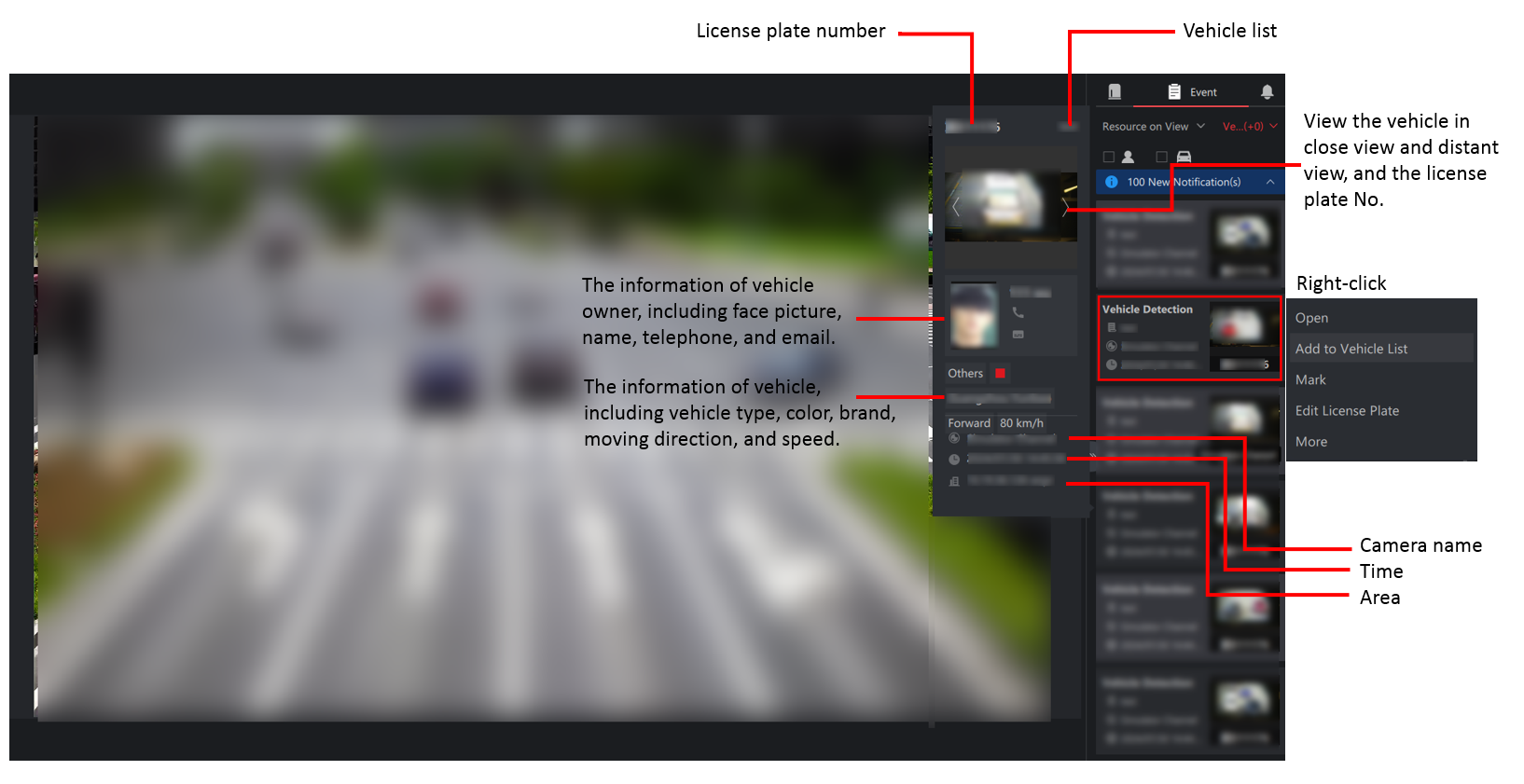
Figure 1 ANPR Event Details
Share