PTZ Control During Live View
You can control cameras with pan/tilt/zoom functionality during live view. You can set the preset and patrol for the cameras on the PTZ control pane.
Double click a PTZ camera, or drag a PTZ camera to the right window, or right click a PTZ camera and click Open to start live view of the camera.
Click in the lower right corner to pop up the PTZ control icons on the right side. See the following figure for the supported operations.
 in the lower right corner to pop up the PTZ
control icons on the right side. See the following figure for the supported operations.
in the lower right corner to pop up the PTZ
control icons on the right side. See the following figure for the supported operations.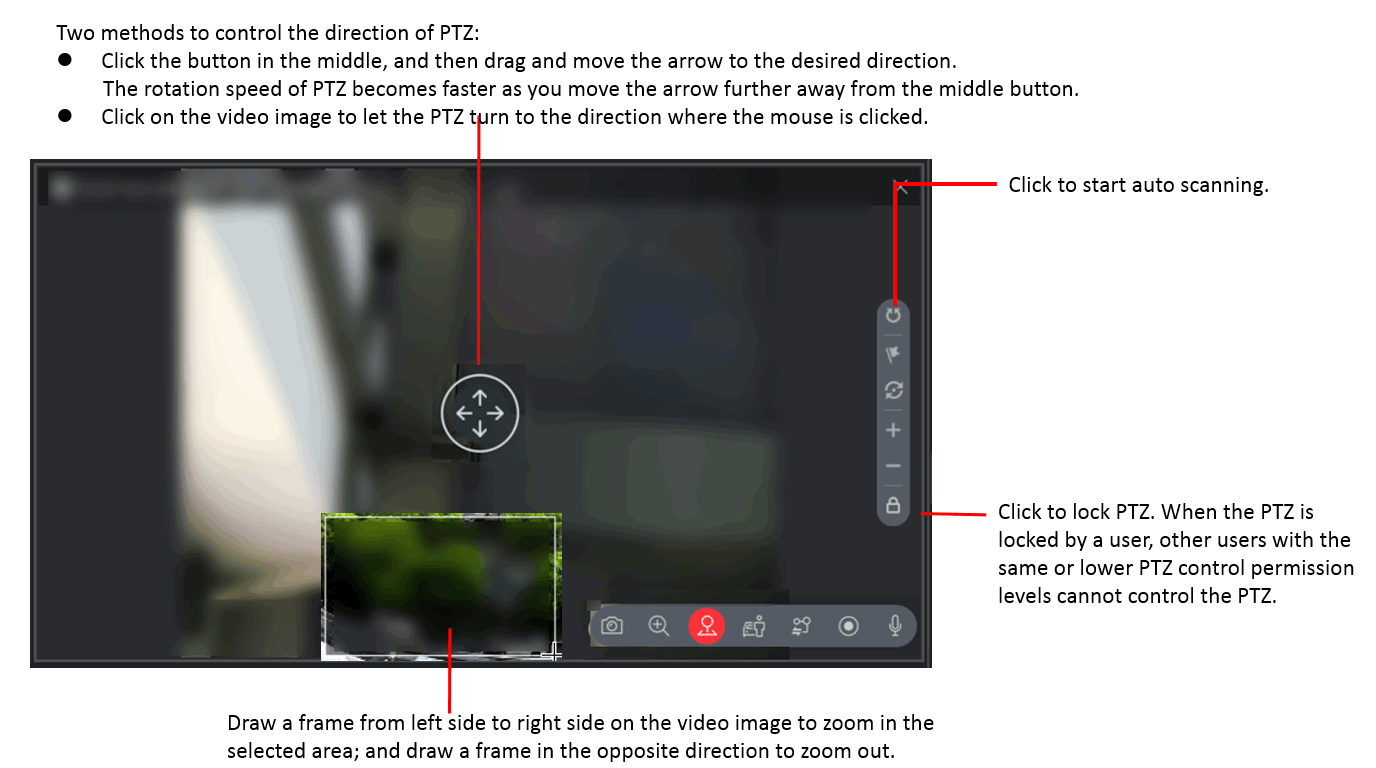
Figure 1 PTZ Control
Share