Generate and Display Maintenance Report
The maintenance report automatically monitors the system and its resources in real time for any exceptions. You can add and display the maintenance report for all device types, video devices, access control devices, and servers.
Generate Maintenance Report
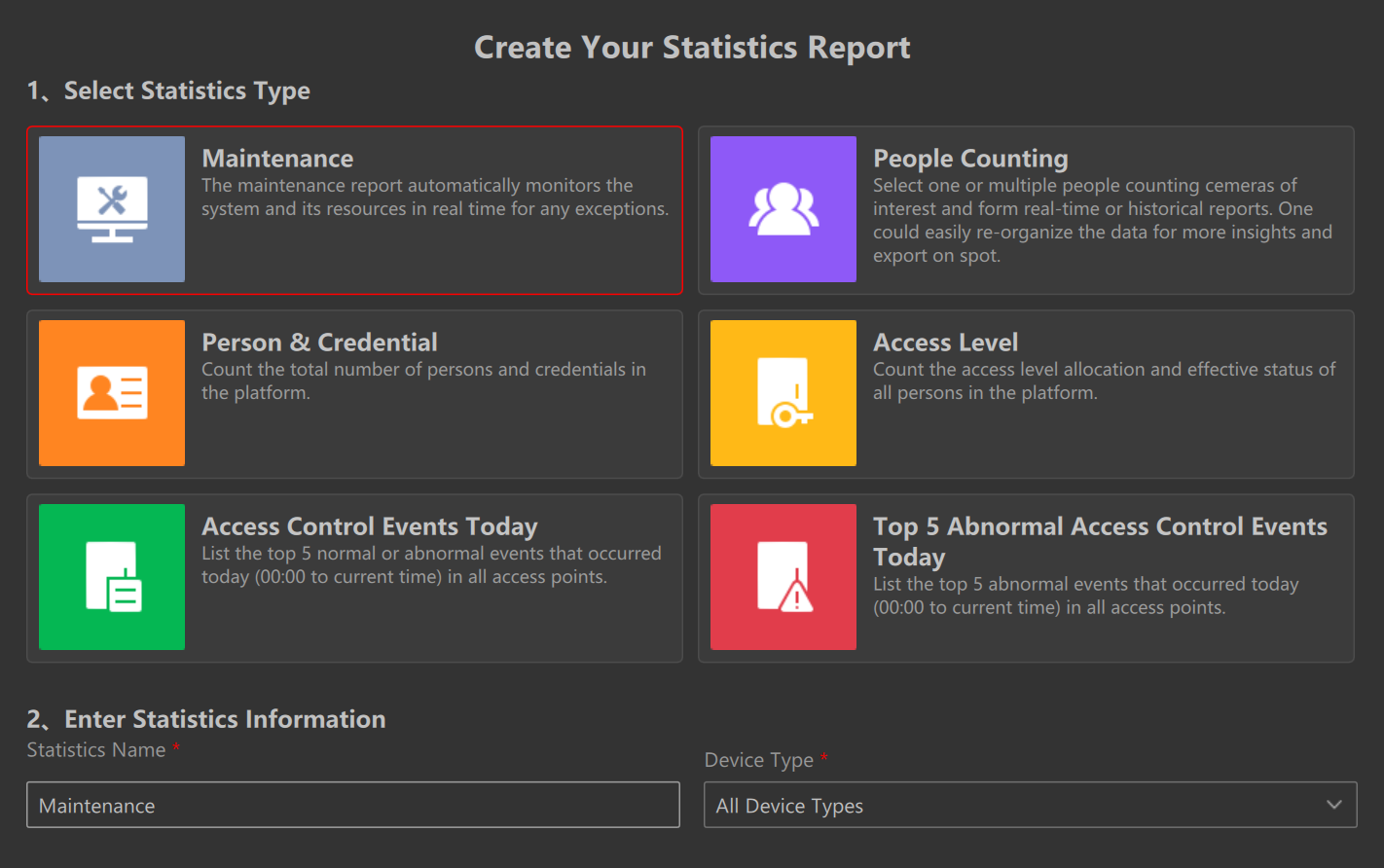
To add a maintenance report, navigate to the Home page, right-click Statistics in the Resource Panel and click Add Statistics Report.
Select statistics type as Maintenance and customize the Statistics Name for the selected Device Type.
Display Maintenance Report
After adding the maintenance report(s), click to see the statistics report list and double-click the maintenance report to view details.
 to see the statistics report list and double-click the
maintenance report to view details.
to see the statistics report list and double-click the
maintenance report to view details.The styles of reports displayed can vary across different device types. See below for details.
- All Device Types
-
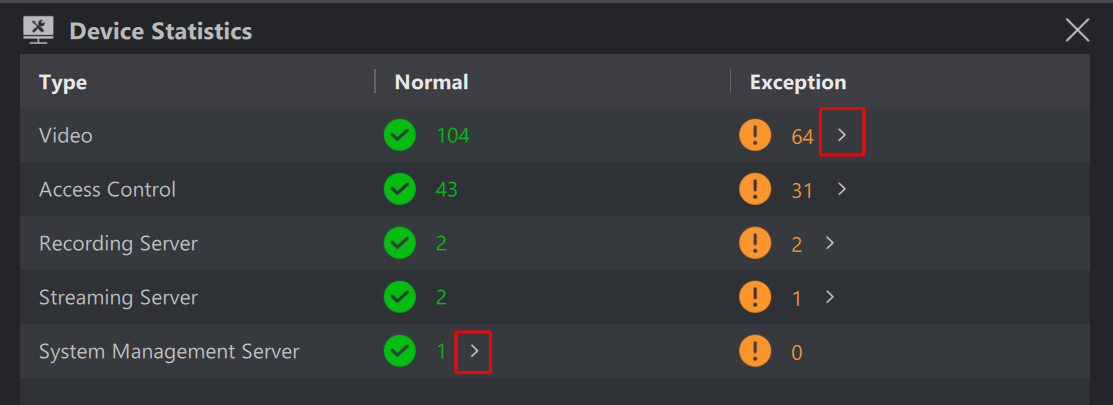
The page provides counts for both Normal and Exception statuses, encompassing all device types, including video devices, access control devices, and servers.
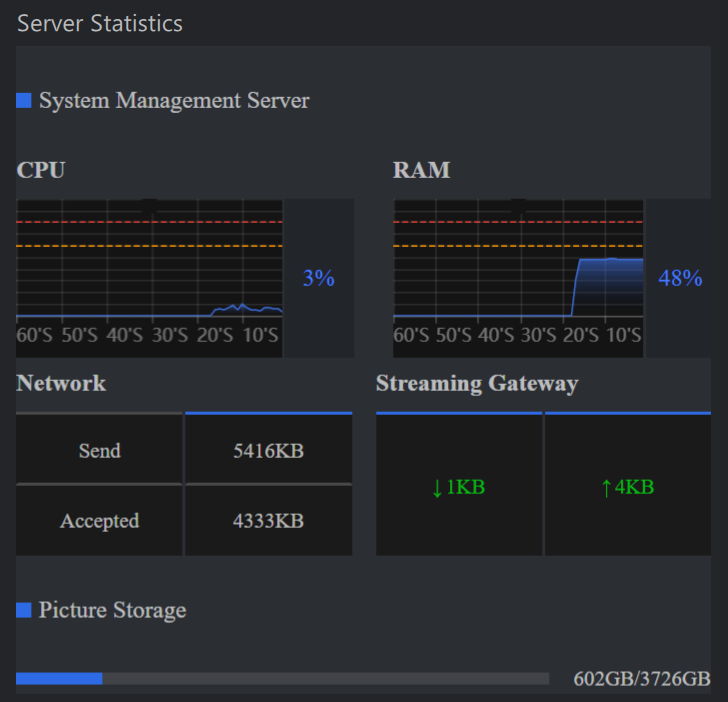
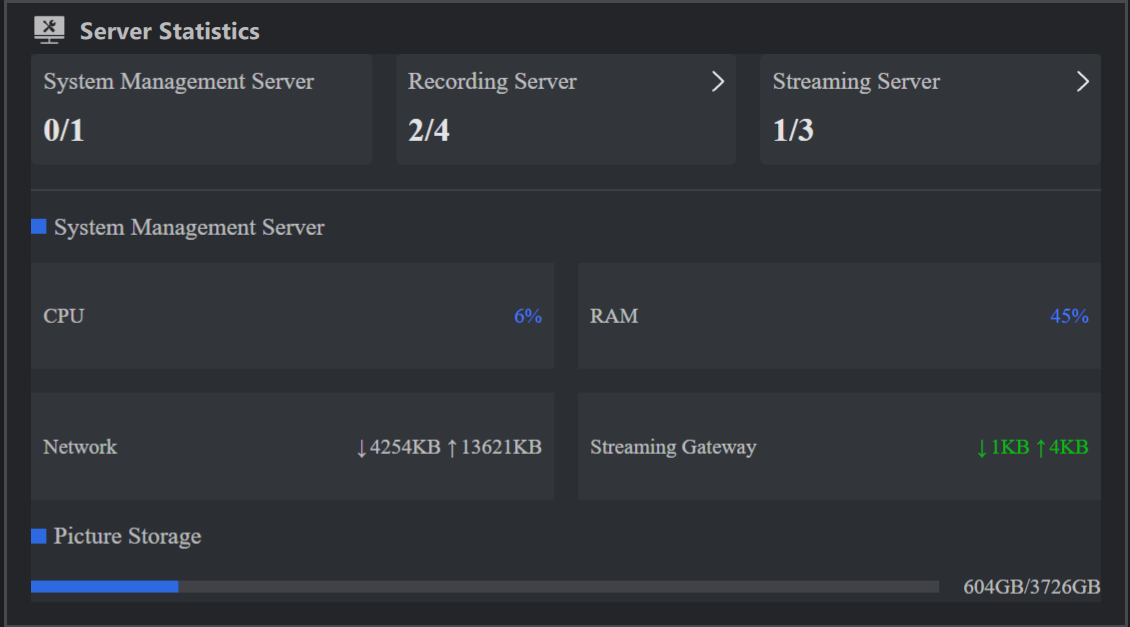
Click beside the green number to view server status, which includes metrics for CPU, RAM, network, streaming gateway, and picture storage.
-
Click beside the orange number to navigate to the device management page. Here, you can inspect detailed information about devices or servers that are in an exception state.
- Video
-
-
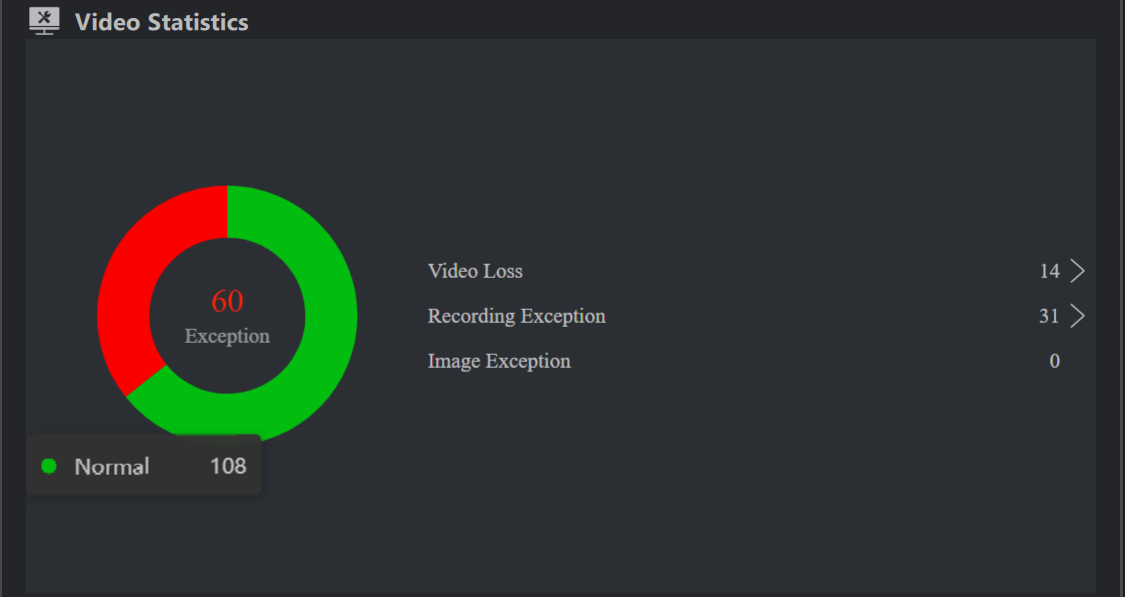
Click beside the number to navigate to the device management page. Here, you can inspect detailed information about video devices that are in video loss/recording exception/image exception state.
Hover on the pie chart to view the number of normal or exception devices.
-
- Access Control
-
-
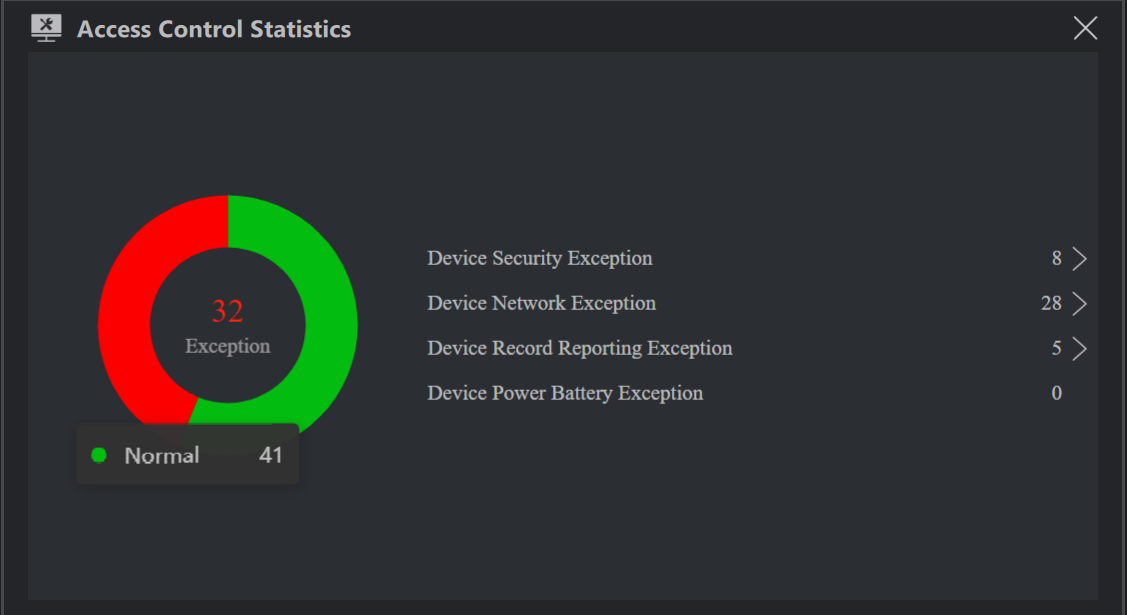
Click beside the number to navigate to the device management page. Here, you can inspect detailed information about access control devices that are in device security exception/device network exception/device record reporting exception/device power battery exception state.
Hover on the pie chart to view the number of normal or exception devices.
-
- Server
Click to navigate to the device management page to view details about the server(s).


 beside the green
number to view server status, which includes metrics for CPU,
RAM, network, streaming gateway, and picture storage.
beside the green
number to view server status, which includes metrics for CPU,
RAM, network, streaming gateway, and picture storage.