Play Smart Searched Video
In smart playback mode, the device can analyze videos that containing motion, line, or intrusion detection information, and mark them in red.
Go to Playback, click Smart, and then
click motion detection ( ), line crossing detection (
 ), or intrusion detection (
 ) in the toolbar at the bottom to play the video as your
desire.
) in the toolbar at the bottom to play the video as your
desire.
For certain cameras that have enabled human and vehicle of motion detection,
you can click  or
or  to search human and vehicle targets.
When you are playing back videos that contain human or vehicle targets, the device
cannot use the videos (that contain human or vehicle targets) to apply a double analysis
of line crossing detection () or intrusion detection ().
to search human and vehicle targets.
When you are playing back videos that contain human or vehicle targets, the device
cannot use the videos (that contain human or vehicle targets) to apply a double analysis
of line crossing detection () or intrusion detection ().
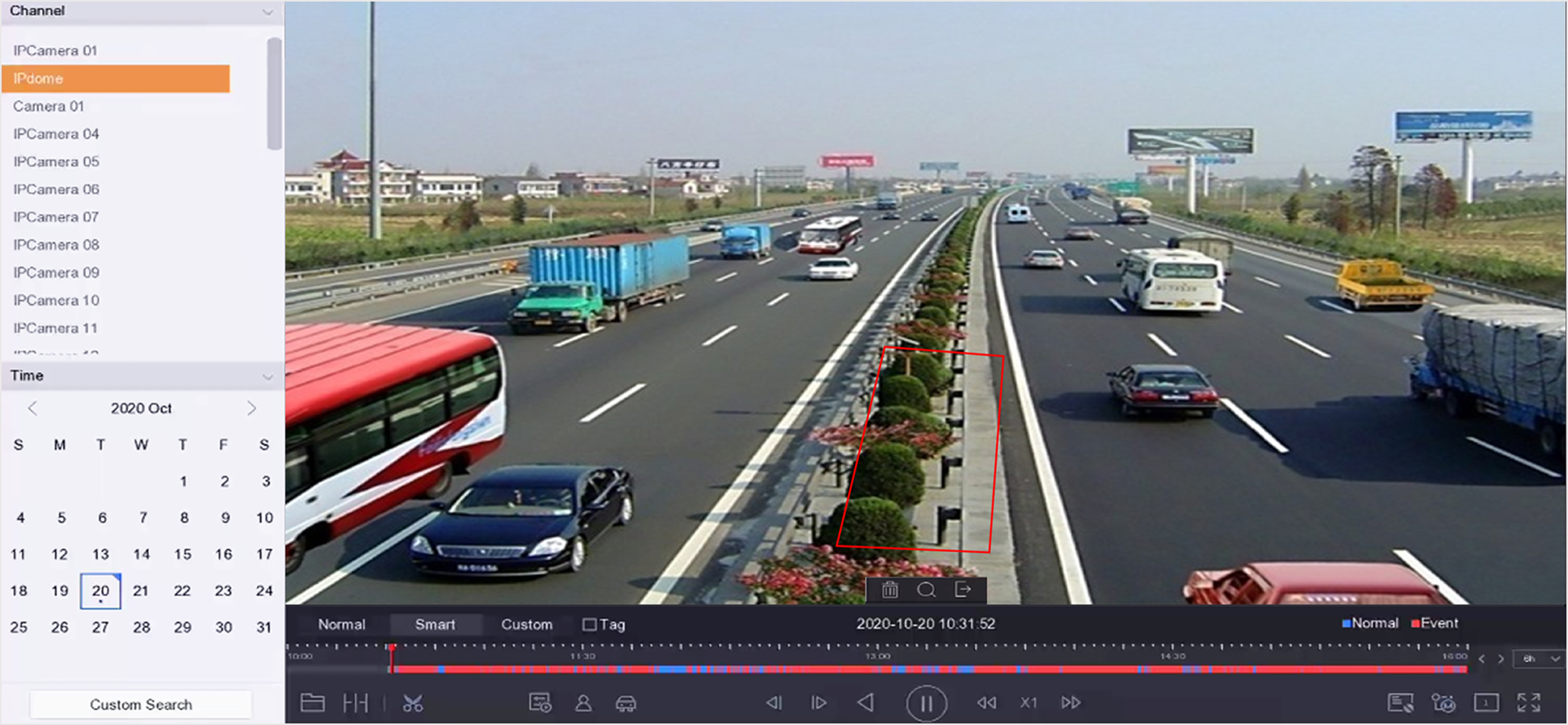 Figure 1 Payback by Smart Search